User Manual
15
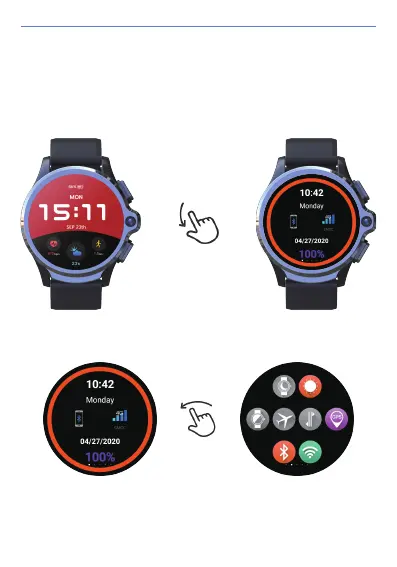
6. Gesture Control Instruction:
1) Enter the standby status bar: you can see the connection status between the
watch and the mobile phone, and the network signal status; Click the Bluetooth
connection status, you can quickly enter the connection QR code interface.
Swipe Down at the Standby dial interface:
2) Enter the quick setting interface.


 To Next Page