Contents
1 Introduction 1
2 Getting Started 2
2.1 Achieving the Best Performance 2
2.2 Safety Instructions 3
2.3 Recycling Kramer Products 3
3 Overview 4
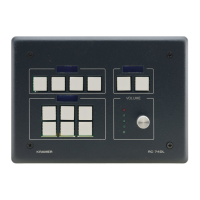
3.1 Defining the RC-74DL Master Room Controller 5
4 Connecting the RC-74DL 8
4.1 Connecting the RS-232 Interface 9
4.2 Connecting the Ethernet Port 10
4.3 Grounding the RC-74DL 10
5 Operating the RC-74DL 12
6 Front Panel Button Caps and Labels 13
6.1 Installing the Front Panel Button Caps, Labels 16
7 Technical Specifications 18
Figures
Figure 1: RC-74DL Master Room Controller - Front Panel 5
Figure 2: RC-74DL Master Room Controller - Rear 6
Figure 3: Connecting the RC-74DL Master Room Controller 9
Figure 4: RS-232 Connection 9
Figure 5: Grounding Connection Components 10
Figure 6: Button Cap Orientation 16
Figure 7: Button Cap Orientation with Label 16
Figure 8: Placing the Button Cap 16


 To Next Page