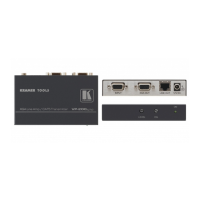
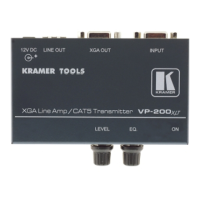
Technical Specifications
9
5.1 Wiring the CAT 5 LINE IN/LINE OUT RJ-45 Connectors
Table 3
and Figure 6 define the UTP CAT 5 PINOUT, using a straight pin
to pin cable with RJ-45 connectors:
Table 3: CAT 5 PINOUT
Figure 6: CAT 5 PINOUT
EIA /TIA 568A EIA /TIA 568B
PIN Wire Color PIN Wire Color
1 Green / White 1 Orange / White
2 Green 2 Orange
3 Orange / White 3 Green / White
4 Blue 4 Blue
5 Blue / White 5 Blue / White
6 Orange 6 Green
7 Brown / White 7 Brown / White
8 Brown 8 Brown
Pair 1 4 and 5 Pair 1 4 and 5
Pair 2 3 and 6 Pair 2 1 and 2
Pair 3 1 and 2 Pair 3 3 and 6
Pair 4 7 and 8 Pair 4 7 and 8
6 Technical Specifications
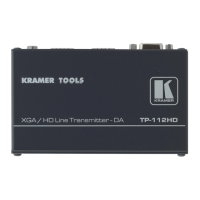
The TP-112HD technical specifications
1
are shown in Table 4.
Table 4: Technical Specifications of the TP-112HD (with 100m CAT 5 cable)
INPUT: 1 XGA/HD on a 15-pin HD connector
OUTPUTS: 2 RJ-45 connectors
MAX. OUTPUT LEVEL: 1.7Vpp
HIGHEST RESOLUTION
2
: WUXGA, 1080p
DIFF. GAIN
2
: 4%
DIFF. PHASE
2
: 0.3Deg
K-FACTOR
2
: 0.1%
S/N RATIO
2
: 65dB
CONTROLS
2
: 2 switches for sync inversion
COUPLING
2
: AC
POWER SOURCE: 12 VDC 522mA
3
DIMENSIONS: 12cm x 7.15cm x 2.76cm (4.7" x 2.8" x 1.08") W, D, H
WEIGHT: 0.3kg (0.67lbs) approx.
ACCESSORIES: Power supply
OPTIONS: RK-3T 19" rack adapter
1 Specifications are subject to change without notice
2 For the TP-112HD Transmitter/ TP-120 Receiver SETUP
3 Sufficient for feeding two receivers via CAT 5


 To Next Page