KRAMER: SIMPLE CREATIVE TECHNOLOGY
Configuring a 1:2 XGA/HD-to-Twisted Pair DA System
6
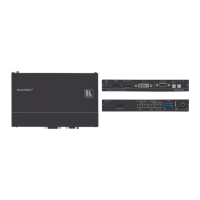
Figure 4: TP-112HD (Underside Panel)
Table 2: TP-112HD (Underside Panel) Features
# Feature Function
1 VS Switch Slide the switch to the left
1
to change the VS polarity to NEGATIVE polarity
2
; slide
the switch to the right (to NORMAL) to retain the polarity
2 HS
Switch Slide the switch to the left
1
to change the HS polarity to NEGATIVE polarity
2
; slide
the switch to the right (to NORMAL) to retain the polarity
5 Configuring a 1:2 XGA/HD-to-Twisted Pair DA System
You can use the TP-112HD XGA/HD Line Transmitter – DA with two
TP-120 XGA Line Receiver units
3
to configure a 1:2 XGA/HD-to-Twisted
Pair DA system. This will let you transmit a computer graphics/HD signal to
two displays via long line CAT 5 UTP cabling.
To connect the TP-112HD to two TP-120 units, as the example in Figure 5
illustrates, do the following:
1. On the TP-112HD, connect the XGA/HD source (for example, a
computer graphics/HD source) to the XGA/HD INPUT 15-pin HD
connector, and connect the line output RJ-45 connector
4
:
OUT 1 connector to the LINE IN RJ-45 connector on the first
TP-120
OUT 2 connector to the LINE IN RJ-45 connector on the second
TP-120
1 By default, both switches are set to the right
2 Downgoing syncs
3 Refer to the separate user manual: PT-110, PT-120, TP-120, WP-110, which can be downloaded from the Internet at:
http://www.kramerelectronics.com
4 Via UTP cabling (with a range of more than 300ft (>100m)). For details of how to wire a CAT 5 LINE IN/LINE OUT
RJ-45 connector, see section 5.1



 To Next Page