Always switch off the power to each device before connecting it to your
VM-1021N. After connecting your VM-1021N, connect its power and
then switch on the power to each device.
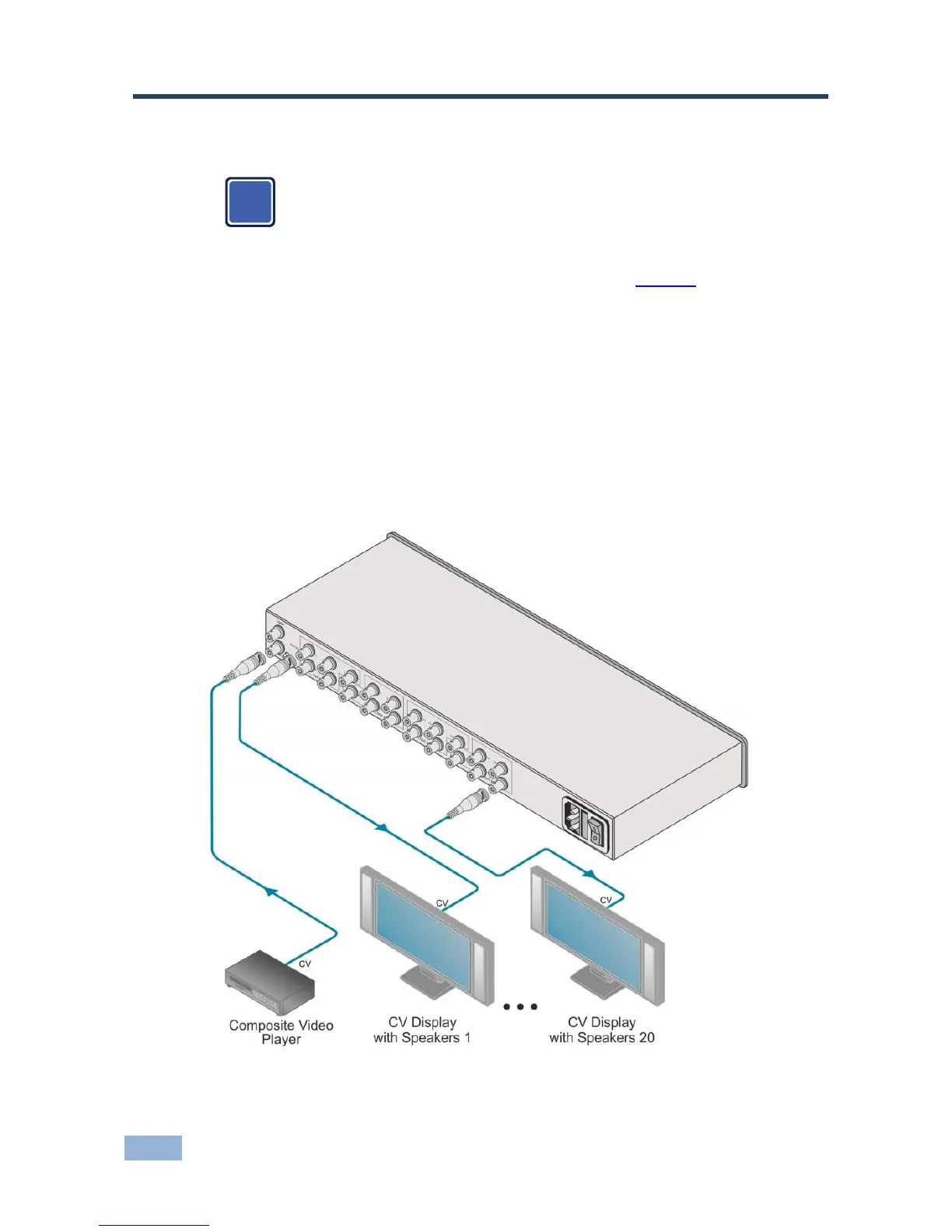
To connect the VM-1021N as illustrated in the example in Figure 3:
1. Connect a video source to the INPUT BNC connector (for example, a
composite video player).
2. Connect the OUT SET BNC connectors to up to 20 video acceptors, 4 sets
of 5 devices (for example, composite video displays with speakers).
3. Adjust the equalization (EQ) and level (LEVEL) for each of the 4 sets of 5
devices as needed.
Figure 3: Connecting the VM-1021N



 To Next Page