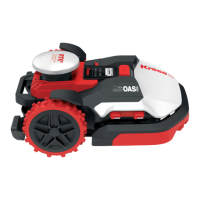
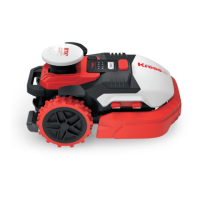
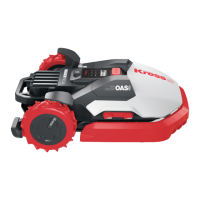
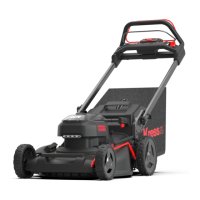
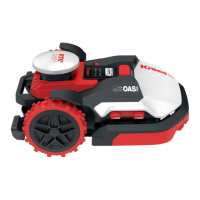
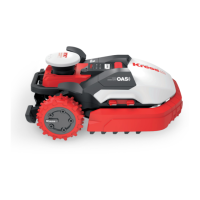
The Kress Mission RTK is a robotic lawnmower designed for domestic lawn care, aiming to maintain a healthier and better-looking lawn. It operates autonomously, navigating a defined work area to cut grass efficiently. The device is part of the Kress Robotik product line, emphasizing advanced technology for lawn maintenance.
Function Description
The Kress Mission RTK is a sophisticated robotic lawnmower that utilizes RTK (Real-Time Kinematic) technology for precise navigation. This allows the mower to operate within a virtual boundary, which it checks before each working cycle. If the virtual boundary is not detected, the machine will shut down. The RTK antenna on the machine senses when it approaches this virtual boundary or encounters an obstacle, prompting it to select a new direction. This system ensures the mower stays within its designated work area and avoids collisions.
The mower is equipped with razor-sharp cutting blades that rotate in both directions to maximize cutting capacity. The redesigned blade profile helps prevent grass clippings from getting caught. It can be programmed to operate at specific times and frequencies, depending on the lawn size, offering flexibility to the user. The device is not intended for other tasks such as digging, sweeping, or snow cleaning.
For safety, the Mission RTK includes a disabling device that should be operated before clearing blockages, checking, cleaning, or performing any work on the appliance. It also features a STOP button for immediate cessation of operation. The lawnmower should never be operated without its guard in place.
The device is powered by a 20V Li-Ion battery, which can be charged manually by docking the mower into its charging base. The charging base has a green light indicator that turns on when connected to power and flashes when the mower is charging. The battery life is influenced by factors such as the length of the mowing season, daily operating hours, and battery maintenance during storage.
Usage Features
Operating the Kress Mission RTK involves several key steps and considerations. Users must first establish and regularly maintain the virtual boundary that defines the mower's work area. Before each use, it's recommended to inspect the area for any foreign objects like stones, sticks, wires, or bones that could interfere with the mower's operation.
The mower should only be used by individuals familiar with its operation and safety instructions. Children and people with reduced physical, sensory, or mental capabilities should be supervised or instructed by a responsible person. It is crucial never to allow people unfamiliar with the instructions to use the appliance.
When operating, users must keep hands and feet away from rotating parts and the discharge opening. The mower should never be picked up or carried while the motor is running. For automatic operation, the machine should not be left unattended if pets, children, or people are in the vicinity.
The Mission RTK is designed for frequent mowing to maintain lawn health. Its operation can be customized through programming, allowing users to set specific times and frequencies. The device is equipped with an ultrasonic sensor (on specific models) for enhanced obstacle avoidance, further improving its autonomous navigation capabilities.
In case of abnormal vibration or striking a foreign object, the machine should be inspected for damage before restarting. Modifications to the original design of the robotic lawnmower are not permitted and are done at the user's own risk. The mower will only start when the power is on and the correct PIN code has been entered.
Maintenance Features
Regular maintenance is crucial for the longevity and optimal performance of the Kress Mission RTK. Before any cleaning, adjusting, or blade replacement, the mower must be turned OFF, and protective gloves should be worn.
Blade Maintenance: The cutting blades typically need to be reversed monthly and replaced weekly, though this frequency can be adjusted based on cutting quality. When replacing blades, all blades and screws should be replaced simultaneously to ensure balance and proper blade retention. It's important to ensure the new blades are firmly screwed on and can spin freely. For models with dual-layer blades, a specific procedure involving removing the battery cover, battery, and blade disc is required.
Cleaning: The mower's body should be cleaned regularly using a soft brush or moist rag, avoiding solvents or polishes. Hose water cleaning is supported, but high-pressure washers should never be used, as water can damage electronic and mechanical parts. The underside, including the blade turning disc, chassis, and wheels, should be thoroughly cleaned with a soft brush or moist rag. It's vital to remove any stuck debris from the blade disc to prevent cracks, which can impair mowing output. The contact pins on the charging base and the charging strips on the mower should also be cleaned periodically with a cloth to ensure proper charging.
Battery Care: The 20V Li-Ion battery should be fully charged and stored in a cool, dry place (-20°C to +60°C) for proper storage. For winter hibernation, the mower should be thoroughly cleaned, the battery fully charged, and the power turned off. Before bringing the mower back into service after winter, ensure the charging strips and contact pins are clean, using fine-grade emery cloth if necessary. The app can be used to verify date and time settings.
General Maintenance: All nuts, bolts, and screws should be kept tight to ensure safe working condition. The robotic lawnmower should be inspected weekly, and worn or damaged parts should be replaced for safety. Only replacement cutting means of the correct type should be used. Servicing should always be done according to the manufacturer's instructions.
Transport: For long-distance transport, the original packaging should be used. When moving the mower within or from the working area, press the STOP button, switch off the mower if carrying it, and carry it by the handle at the rear, keeping the blade disc away from the body.
The Kress Mission RTK is designed to be user-friendly in its maintenance, with clear instructions for common tasks to ensure its longevity and efficient operation.



 To Next Page
 General