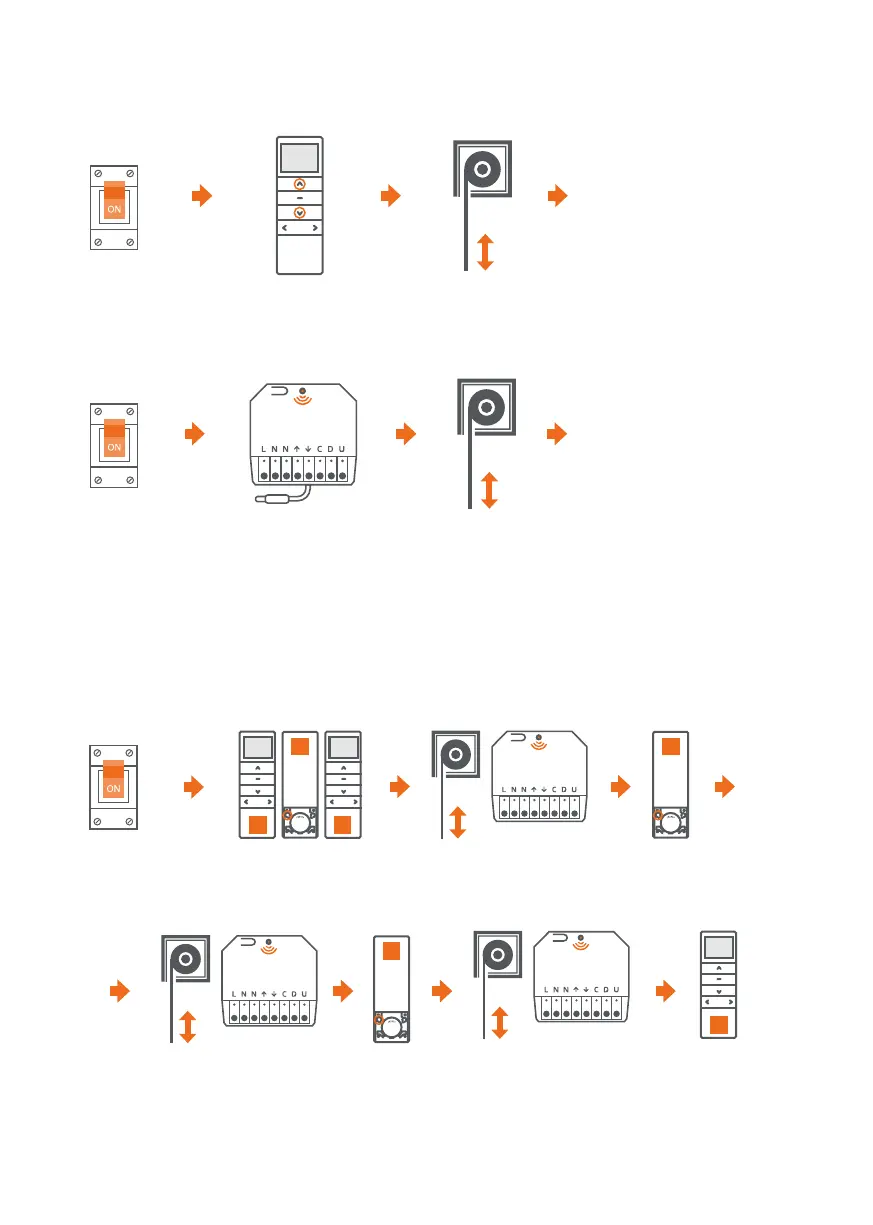
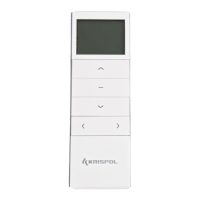
5. CHANGE OF THE DRIVE OPERATION DIRECTION
6. PROGRAMMING OF ANOTHER TRANSMITTER
e direction of operation can be changed with the DOWN button in order to raise the roller shutter,
or with the UP button in order to lower it.
1. e control unit can be controlled by a maximum of 10 transmitters.
2. A pause between successive button presses longer than 10 seconds will result
in automatic quitting the programming mode without saving changes.
METHOD NO. 1:
METHOD NO. 2:
e operating
direction of the drive
has been changed
e operating
direction of the
drive has been
changed
Press and hold the UP
and DOWN button for
2 seconds.
Press and hold the programming button
on the control unit for 10 seconds.
e roller shutter makes
short up/down movements.
e LED will flash three times.
e roller shutter makes short
up/down movements
A
A A
B
Press the P2 programming
button on the A remote control.
e roller shutter makes short
up/down movements. e LED
will flash once.
e roller shutter makes two
short up/down movements.
e LED will flash three times.
B remote control
has been programmed.
Press the P2 programming
button on the A remote control.
B
x3
Turn off the power
and turn it on again.
Turn off the power
and turn it on again.
B
e roller shutter makes short
up/down movements. e LED
will flash once.
Press the P2
programming button
on the B remote control.
Turn off the power
and turn it on again.


 To Next Page