EasyManua.ls Logo

KROHNE UFC 400 - User Manual

KROHNE UFC 400
76 pages
Print Icon
To Next Page IconTo Next Page
Loading...
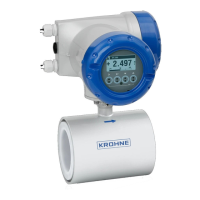
Signal converter for ultrasonic flowmeters
Description of Foundation Fieldbus interface
Description of Foundation Fieldbus interfaceDescription of Foundation Fieldbus interface
Description of Foundation Fieldbus interface
Electronic Revision: ER 3.0.1_
UFC 400
UFC 400UFC 400
UFC 400
Supplementary Instructions
Supplementary InstructionsSupplementary Instructions
Supplementary Instructions
© KROHNE 12/2015 - 4002813702 - AD FF UFC 400 R02 en
The documentation is only complete when used in combination with the relevant
documentation for the flow sensor.

Questions and Answers

  • L
    lukebarnesAug 3, 2025
    How to troubleshoot no response to Modbus requests on KROHNE Media Converter?
    • S
      Sarah JohnsonAug 3, 2025
      If the KROHNE Media Converter isn't responding to Modbus requests, first, verify the correct voltage input on the V+ and V- terminals of the signal converter. Second, check the continuity between the A and B input terminals and their counterparts at the master device, ensuring they're correctly connected and that a proper 'Common' connection exists between the master device and the signal converter. Finally, confirm that the requested Address ID is correct (default is 1) and that the transmission rate (default = 19200 Baud) and format (default = 8 data bits, even parity, and 1 stop bit) are also correct.
  • A
    Ann TorresAug 9, 2025
    What to do if KROHNE UFC 400 has communication errors?
    • A
      Alyssa GilbertAug 10, 2025
      If you're experiencing communication errors with the KROHNE Media Converter, consider the following: * Ensure high-quality connections at the terminals of both the signal converter and the master device, checking for fraying or corrosion. * Check the cable lengths or cable capacitance. * Look for nearby sources of electromagnetic interference along the cable route. * Try using a dedicated RS485 interface PC card instead of standard protocol converters.
  • S
    Susan RiversAug 22, 2025
    What causes 'Illegal Data Value' exception in KROHNE UFC 400?
    • J
      Jennifer ClarkAug 22, 2025
      If the KROHNE Media Converter responds with an 'Illegal Data Value' exception, it means that the value being written to a holding register is beyond the permitted limits for that register. You should refer to the limits for each holding register indicated in the 'Parameters' section.
  • S
    Scott SmithAug 28, 2025
    How to fix 'Illegal Function' exception on KROHNE Media Converter?
    • N
      Nathaniel MonroeAug 28, 2025
      To resolve the 'Illegal Function' exception with your KROHNE Media Converter, check the list of valid Modbus functions.
  • R
    richardsontaylorNov 14, 2025
    Why does KROHNE Media Converter respond with exception 'Illegal Data Address'?
    • S
      Sheri HickmanNov 14, 2025
      If the KROHNE Media Converter responds with an 'Illegal Data Address' exception, it could be due to several reasons. First, the register address being requested might not be supported by the signal converter, so check the requested register against those specified in the 'Parameters' section. Second, when accessing multiple registers, the number requested might extend beyond the valid address range for that group of variables; ensure the last register address is valid. Third, the number of registers requested may not be correct for the data type; ensure it's a multiple of 2 for floating-point variables or a multiple of 4 for double-precision floating-point variables. Lastly, avoid accessing the associated registers of a multi-register variable directly; always access the first register bef...

Summary

Safety Instructions

Scope of the Document

Defines the scope and applicability of the supplementary instructions for the signal converter.

Device Description

Describes the ultrasonic flowmeter's purpose, measurement capabilities, and application.

Technical Data

Foundation Fieldbus Data

Details Foundation Fieldbus communication standards, ITK version, and available data blocks.

Electrical Connections

Cable Types

Specifies approved cable types according to IEC 61158-2 for Foundation Fieldbus system.

Shielding and Grounding

Explains the importance and methods for shielding and grounding bus cables for EMC.

FOUNDATION Fieldbus Electrical Connection

Illustrates device connection to FOUNDATION Fieldbus spur or trunk.

Topology of FF Networks

Provides an example of a mixed topology for Foundation Fieldbus networks.

Operation

Settable Functions

Lists menus, functions, and parameters that differ from the standard signal converter.

FF Block System Description

Explains the Foundation Fieldbus block architecture: Resource Block, Transducer Block, Function Block.

Used Abbreviations

Provides a list of common abbreviations used throughout the document.

Resource Block (RB)

Details parameters within the Resource Block, such as Alert Key, Block Error, Mode, and Status.

Analog Input Block (AI 1...4)

Details parameters for the Analog Input Block (AI) for measurement value configuration.

FLOWTB (Flow Transducer Block)

Details parameters for the Flow Transducer Block (FLOWTB), including error status and operational modes.

DIAGTB (Diagnose Transducer Block)

Details parameters for the Diagnose Transducer Block (DIAGTB) for device diagnostics.

Integrator Block (IT)

Details parameters for the Integrator Block (IT), used for flow totalization.

Proportional Integral Derivative Block (PID)

Details parameters for the Proportional Integral Derivative Block (PID) for control applications.

KROHNE UFC 400 Specifications

General IconGeneral
BrandKROHNE
ModelUFC 400
CategoryMedia Converter
LanguageEnglish

Related product manuals