02
Kael RGB User Manual
INDEX
Technical Specification
Shortcut keys on keyboard
Anti-ghosting keys
Extra shortcuts
Lighting mode key
LEDs display modes
Macro settings
Reset default settings
Lighting presets
Shortcut keys on keyboards
Anti-Ghosting keys
Lighting mode key
Extra shortcuts
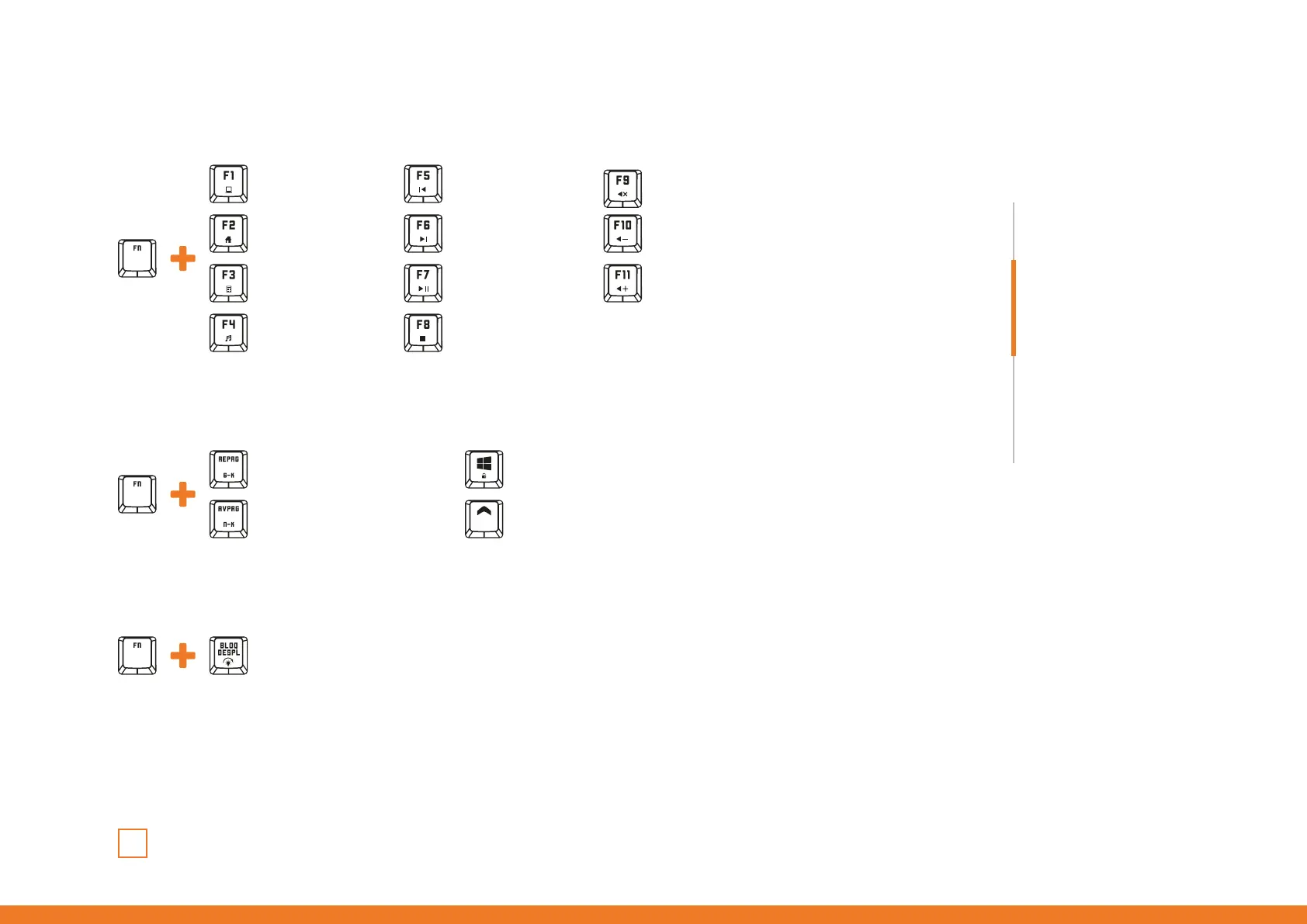
My Computer
6-Key Rollover
Exchange between light modes
Windows key function lock / unlock
Previous Track Volume Off
Volume —
Volume +
Browser
N-Key Rollover WASD / Arrows keys exchange
Next Track
Calculator Play / Pause
Media player Stop
The light mode is cyclical.
Every time you press the
key combination, the light
mode changes cyclically



 To Next Page