GB-5
GB
Labelling the PFA
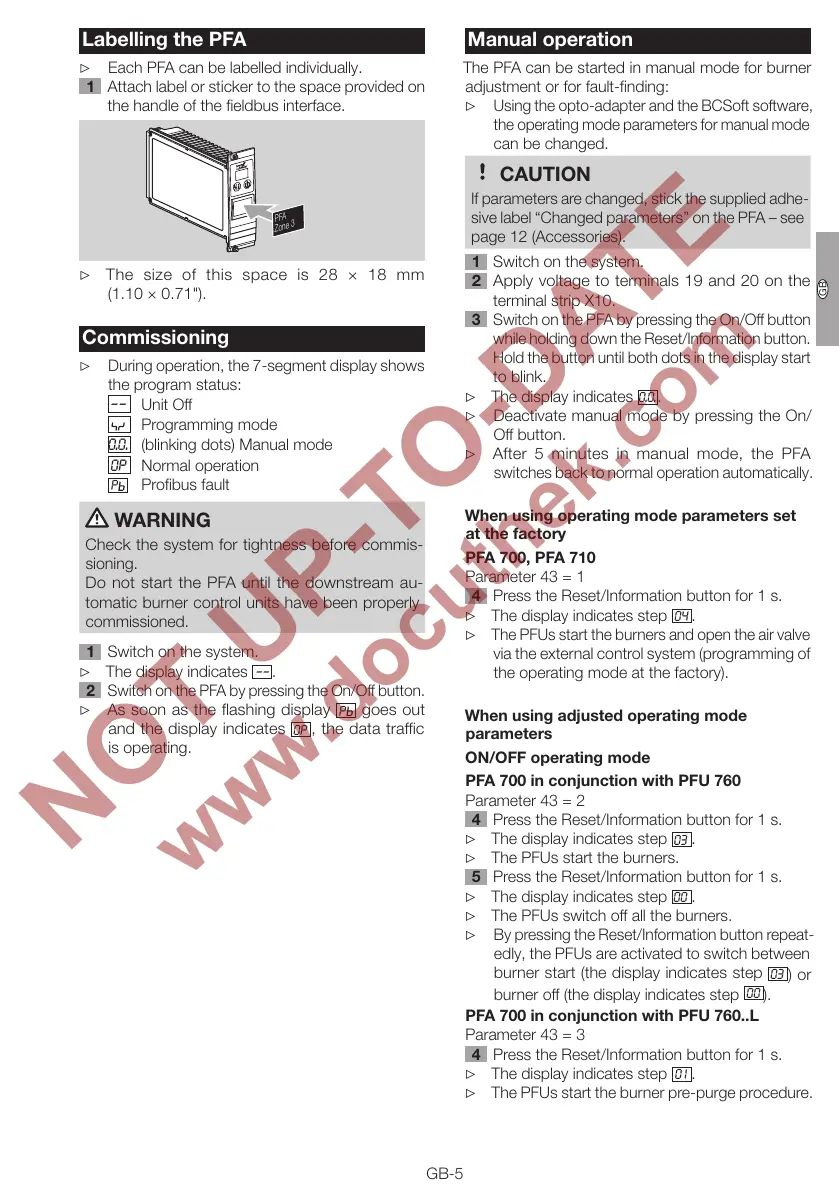
▷ Each PFA can be labelled individually.
Attach label or sticker to the space provided on
the handle of the fieldbus interface.
PFA
Zone 3
▷
The size of this space is 28 × 18 mm
(1.10×0.71").
Commissioning
▷
During operation, the 7-segment display shows
the program status:
––
Unit Off
Programming mode
0.0.
(blinking dots) Manual mode
OP
Normal operation
P
Profibus fault
WARNING
Check the system for tightness before commis-
sioning.
Do not start the PFA until the downstream au-
tomatic burner control units have been properly
commissioned.
Switch on the system.
▷ The display indicates
––
.
Switch on the PFA by pressing the On/Off button.
▷
As soon as the flashing display
P
goes out
and the display indicates
OP
, the data traffic
is operating.
Manual operation
The PFA can be started in manual mode for burner
adjustment or for fault-finding:
▷
Using the opto-adapter and the BCSoft software,
the operating mode parameters for manual mode
can be changed.
CAUTION
If parameters are changed, stick the supplied adhe-
sive label “Changed parameters” on the PFA– see
page12 (Accessories).
Switch on the system.
Apply voltage to terminals 19 and 20 on the
terminal strip X10.
Switch on the PFA by pressing the On/Off button
while holding down the Reset/Information button.
Hold the button until both dots in the display start
to blink.
▷ The display indicates
0.0.
.
▷
Deactivate manual mode by pressing the On/
Off button.
▷
After 5 minutes in manual mode, the PFA
switches back to normal operation automatically.
When using operating mode parameters set
at the factory
PFA 700, PFA 70
Parameter 43 = 1
4 Press the Reset/Information button for 1 s.
▷ The display indicates step
04
.
▷
The PFUs start the burners and open the air valve
via the external control system (programming of
the operating mode at the factory).
When using adjusted operating mode
parameters
ON/OFF operating mode
PFA 700 in conjunction with PFU 760
Parameter 43 = 2
4 Press the Reset/Information button for 1 s.
▷ The display indicates step
03
.
▷ The PFUs start the burners.
5 Press the Reset/Information button for 1 s.
▷ The display indicates step
00
.
▷ The PFUs switch off all the burners.
▷
By pressing the Reset/Information button repeat-
edly, the PFUs are activated to switch between
burner start (the display indicates step
03
) or
burner off (the display indicates step
00
).
PFA 700 in conjunction with PFU 760..L
Parameter 43 = 3
4 Press the Reset/Information button for 1 s.
▷ The display indicates step
01
.
▷ The PFUs start the burner pre-purge procedure.



 To Next Page