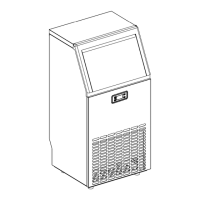
Automatic self-cleaning program
Start the self-cleaning program: After connecting all of the water pipe, plug on the main power
supply plug, then press“TIMER /CLEAN”button on control panel for more than 5 seconds, to enter
the Self-Cleaning program. And the “ ”symbol will always be on during this period, the left digit
will indicate the left time. The total duration time is 20 minutes for one self-cleaning program.
Cancel the self-cleaning program: It takes about 20 minutes to complete one self-cleaning
program. When the program is over, the system will be in standby mode automatically.
And also you can press the “ON/OFF” button on control panel to cancel the
self-cleaning program by force.
Timer setting operation
Delay time range: 1-24 hours, Default time: 1 hour
How to set the ON-Timer: During the unit is in standby mode, press the “TIMER/CLEAN” button to set
the ON-Timer. The “ ” symbol will start to be on, the number “1” above the symbol will flash to
display the set delay time. During the number flashing, press+”、“-”button to change the delay time of
the timer, 1 hour increasing or decreasing per each pressing of “+” or “-” button. Five seconds after
setting, your desired setting will be remembered.
How to cancel the ON-Timer: Press the “TIMER/TIMER” button, the number above the “ ”
symbol will flash to display the present delay time of your ON-Timer, and press this button once again
to cancel the Timer setting, also the “ ” symbol and the number will disappear. And the second
easy way to cancel the ON-Timer is to press the “ON/OFF” button, it will cancel the ON-TIMER setting
by force.
How to set the OFF-Timer:When the unit is working, press the “TIMER/CLEAN” button to set the
OFF-Timer. The “ ” symbol will start to be on, the number “1” above the symbol
will flash to display the setting delay time. During the number flashing, press+”、“-”
button to change the delay time of the timer, 1 hour increasing or decreasing per each
pressing of “+” or “-” button. Five seconds after setting, your desired setting will be
remembered.
How to cancel the OFF-Timer: Press the “TIMER/TIMER” button, the number above the
“ ”symbol will flash to display the present delay time of your OFF-Timer, and press this button
once again to cancel the Timer setting, also the “ ” and the above number will disappear; And
also the second easy way to cancel the OFF-Timer is to press the “ON/OFF” button, it will cancel the
ON-TIMER setting by force, also will turn off the unit.


 To Next Page