- 7 -
3.2 Operation Instruction
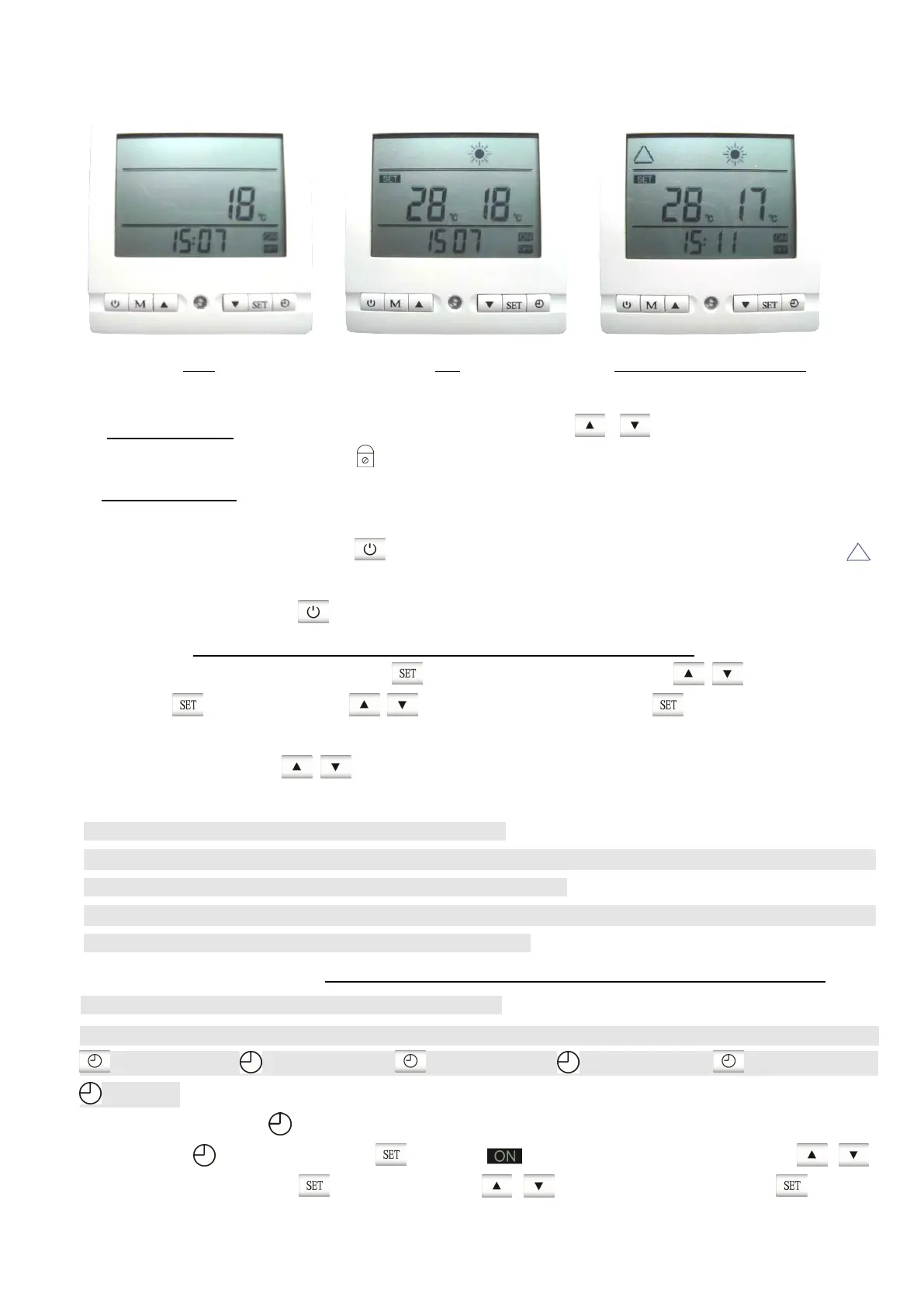
OFF ON Compressor starts running
A. Lock/Unlock the buttons
1. Lock the buttons: Under ON or OFF status, extended press button simultaneously for 5
seconds, buttons are locked, and icon is shown on the screen.
2. Unlock the buttons: Repeat the above step to unlock the buttons.
B. On/Off the unit
1. Connect power to the unit, press button to turn on the unit, When compressor starts working,
icon flashes on screen.
2. When the unit is on, press button, you can turn it off.
C. Set the clock (Note: it will exit the interface when no operation for 10 seconds)
Under ON or OFF status, extended press button for 5 seconds, then press button to set the
hour, press button, then press button to set the minute, press button to exit.
D. Set water temperature
When the unit is on, press button to set desired water tank temperature. The setting will be saved
automatically when no further operation on it for 10 seconds. The range is 28℃-75℃.
Note:
·Heat pump unit will stop running automatically when water temperature in water tank reaches desired water
temperature you set.
·The unit will start running automatically when water temperature drops to a certain temperature. ( according
to temperature difference you set, refer to item 05 in table 3.1)
E. Set/Cancel the timer of On/Off (Note: it will exit the interface when no operation for 10 seconds)
Note:
You can set totally three period of time for the unit to start/stop automatically. Under ON or OFF status, Press
button once, “ 1 ” flashing; Press button twice, “ 2 ” flashing; Press button thrice, “ 3
” flashing.
1. Set timer: (Take “ 1 ” for example)
when “ 1 ” is flashing, Press button, flashing on the screen, then press
button to set hour, Press button then press button to set minute; press button,



 To Next Page