- 8 -
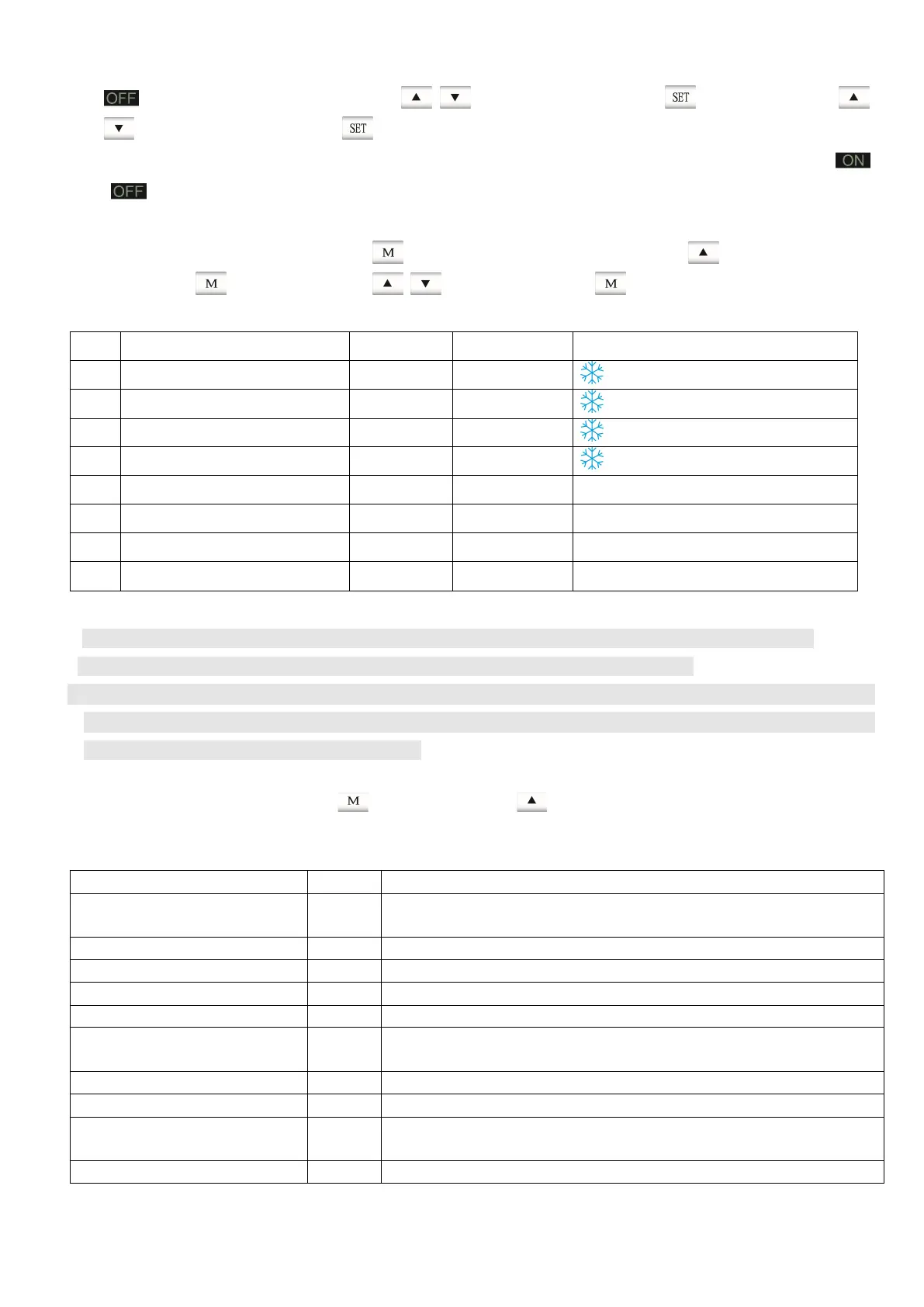
flashing on the screen, then press button to set hour, Press button then press
button to set minute, press button to finish setting.
2. Cancel timer: To cancel timer, just set the unit to turning-on & turning-off at the similar time, then
icon disappeared.
F. Set/Review the parameters (for technician only)
When the unit is on, extended press button to enter the interface. press button, select item
(01-08), press button, then press button to set, press button to confirm.
Table 3.1
Item Description Range Default Value Remark
01 Coil temp. to start defrosting -1~-9℃ -3℃ flashing
02 Coil temp. to stop defrosting 5~25℃ 20℃ flashing
03 Time interval for defrosting 10~90 Min 45 Min flashing
04 Running time of defrosting 5-18 Min 10 Min flashing
05 Temperature difference set 2-10℃ 5℃ Refer to note 1,2,3 as below
06 (unused)
07 (unused)
08 (unused)
Note:
1. Set the temperature difference between measured water temperature and purpose water temperature
2. By setting the temperature difference to control the unit to start up/stop automatically.
3. For example, the default value is 5℃, when the measured temperature is lower than target water
temperature by 5℃, the unit will run automatically. The unit will not stop until the measured temperature
reaches the target water temperature you set.
G. Review Data
When the unit is on, shortly press button, then press button, review the actual measured data as
below:
Table 3.2
Name Item Remarks
Code 01
It shows “28” when it works normally, otherwise refer to table of
trouble shooting
“Mode Selection" Code Name 02 “0” circulation heating mode
Unit type 03 “0” single compressor, without phase detection
Unused 04 Spare
Coil temperature 05 Monitoring point of Defrosting temp. for compressor
Ambient temperature 06
Opening measurement of the electric expansion valve, and the
anti-freeze temperature
Unused 07 Spare
Unused 08 Spare
Water temperature in tank 09
The unit stops working automatically when temp. reaches desired
value.
Unused 10 & 11 Spare



 To Next Page