13
12
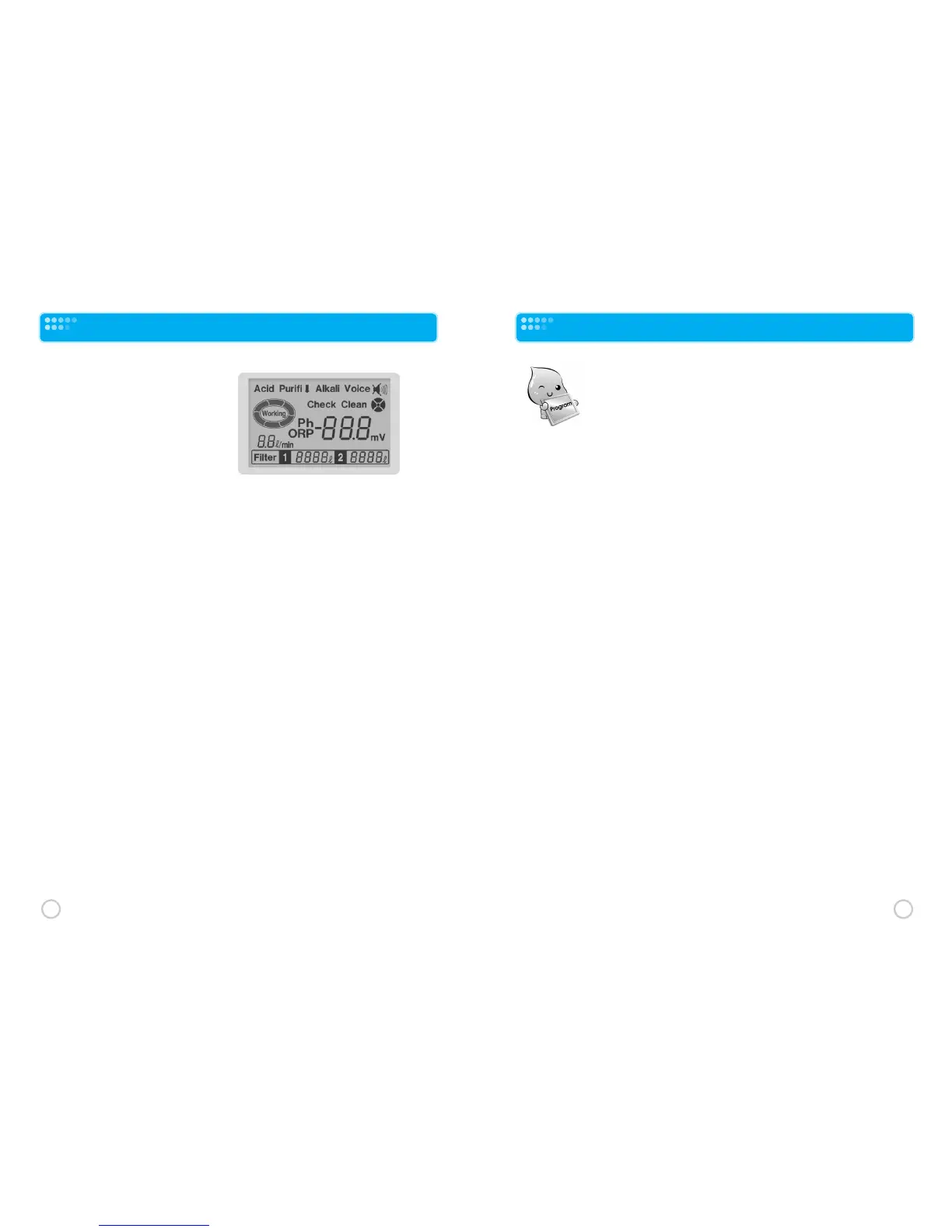
LCD Display Description
The LCD Display shows the current
function(s) being performed as well
as diagnostic information. When you
touch the ON/OFF touch sensor to
start water production, you will see
the following items on the LCD
display.
Alkali
will be displayed in the upper middle of the LCD display when alkaline water is
being produced.
pH level of the water being produced. See “Alkali Water” in the Touch Sensors section for
information on how to change the alkalinity of the water being produced.
NOTE: ORP (Oxidation Reduction Potential) value in millivolts (MV) of the water being
produced can be displayed instead of pH level by touching the SET touch sensor.
Acid will be displayed in the upper left- of the LCD display when acidic water is being
produced. See “Acid Water” in the Touch Sensors section for information on changing the
acidity of the water being produced.
Purifi will be displayed in the upper left center of the LCD display when filtered only (not
ionized) water is being produced. See “Purified Water” in the Touch Sensors section for
information on selecting purified water output.
Spinning Oval appears with the word “Working” flashing on and off anytime water is
entering the unit and being processed (alkaline, acid or filtered only water).
Flow Rate in liters/minutes (ℓ/min) is displayed directly under the spinning oval.
Voice in the upper right corner of the display indicates that the voice prompt is on as well
as voice volume. See Programming section for instructions on adjusting the voice level pr
muting the voice (not recommended).
Filter 1 Displays filter life remaining in filter # # 1 in liters.
Filter 2 Displays filter life remaining in filter # # 1 in liters
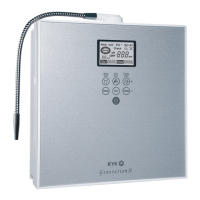
Programming the KYK Alkaline Water Ionizer
Programming your product is not absolutely necessary.
However, programming will maximize its performance.
The thing(s) you may want to program are:
(1) adjusting the voice volume or muting the voice (Step 6),
setting the pH level of the incoming water (step 8) and maximizing the ORP value (step 14).
You may also consider performing step 12. You must start at step #1.
You can exit programming at any time by touching the Set touch sensor.
❶ Wait for the Genesis to go into the STANDBY mode (LCD display goes dark).
❷ Continue touching the Mode touch sensor until the LCD display lights up and “OFF”flashes
on the display. Continue by:
❸ Touching the Mode touch sensor ONCE.
❹“Purifi”will be flashing on the LCD display and a pH value will be displayed. This enables you
to choose between pH and ORP being displayed on the LCD display when you begin producing
ionized water. It is recommended you leave this on the pH setting. During operation, you can switch
between the pH level and the ORP value by touching the Set touch sensor. Continue by:
❺ Touching the Mode touch sensor ONCE.
❻‘ Voice’will be flashing on the LCD display. This allows you to (1) set the voice volume or (2)
turn off the voice). Use the “+”(Purified water) touch sensor to increase the voice volume.
Use the “–”(Clean) touch sensor to decrease the voice volume. To turn the voice off, continue
touching the “–”(Clean) touch sensor. If you have turned off the voice and want to turn it back on
again, touch the “ +”(Purified water) touch sensor and then adjust the volume level by using the “+”
and “–” touch sensors. Continue by:
❼ Touching the Mode touch sensor ONCE.
❽“pH”and “Purifi”will be flashing on the display. This is used to set the pH level of the
incoming tap water. Setting the pH level of the water coming into the product makes the four preset
alkaline water pH values and the four present acidic water pH levels more accurate. Typically this
should be set between 6.5 and 7.0 (the product comes preset at a pH of 7.0). Most city provided
water is at or near a pH level of 7.0. Well water may be slightly acidic at between 6.5 and 6.8.
You can test the pH of your water (or have it tested) and adjust this setting accordingly.
To increase the pH of the incoming use the “+”touch sensor. To decrease the pH of the incoming
water use the “–”(Clean) touch sensor. Note: pH 6.5 is the strongest level of electrolysis.
Continue by:



 To Next Page