PRODUCT GUIDE
CONNECTIVITY
The ability to integrate flawlessly into an administrator’s network is an asset for any business workgroup. Simple installation,
minimal interaction and reduced troubleshooting are all items on any IT department’s wish list.
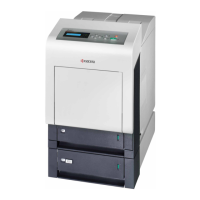
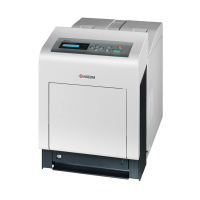
Kyocera’s OPTIMIZE strategy, targeted at IT, is one of the many factors that customers will find beneficial when they invest in the
new Kyocera FS-C8100DN. This strategy is to provide intuitive, efficient and productive network components, ranging from the
printer’s hardware to software, and utilities that assist in the day-to-day management and solution implementation that an
Information Technology department faces.
Network Setup
The new printer connects quickly and efficiently to the network in any environment. The FS-C8100DN offers a standard 10/100
BaseTX interface that can be controlled directly from the desktop through web-based Kyocera Command Center (KCC). This
useful tool can be accessed from most Web Browsers, including Internet Explorer, Netscape Navigator, Mac’s Safari or any other
browser currently supported.
The IP Address can be assigned to the device (static or dynamic) from the Device Panel or Kyocera’s Quick Setup Tool. Once
the appropriate IP scheme has been designated, Kyocera Command Center can be accessed and advanced networking
commands and settings can be entered. This Web page can be given a password and secured, so only authorized network
administrators can change settings when the need arises.
What is most important to your customers and IT contacts is that full network control of these network printers is available at the
desktop level, so administrators can focus on the day-to-day tasks of their job, and do not have to devote their time to managing
the printer directly at the device.
From Kyocera Command Center, administrators can also set the IP Filters, turn on/off the IPP (Internet Printing Protocol), and set
communication and management settings at the desktop.
With Kyocera Command Center, the ability to select and designate any network setting provides administrators with a powerful
tool that can simplify their day-to-day tasks.
PAGE 13



 To Next Page
 Loading...