EasyManua.ls Logo

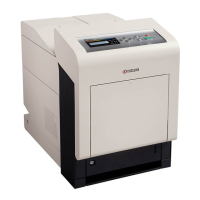
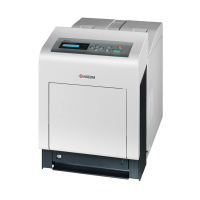
Kyocera FS-C5100DN - Service Manual

Kyocera FS-C5100DN
176 pages
Print Icon
To Next Page IconTo Next Page
Loading...
SERVICE
MANUAL
Published in June 2008
842HN110
2HNSM060
First Edition
FS-C5300DN
FS-C5200DN
FS-C5100DN

Other manuals for Kyocera FS-C5100DN

Questions and Answers

  • S
    scott04Aug 16, 2025
    What to do if my Kyocera FS-C5100DN Printer prints a completely blank page?
    • A
      Ashley MitchellAug 16, 2025
      First, open the printer top cover and check that the toner containers are correctly installed in the printer. Also, ensure that the application software is correctly operated.
  • K
    Kenneth GarnerAug 19, 2025
    What to do if my Kyocera FS-C5100DN has black or white vertical streaks?
    • B
      Benjamin BensonAug 19, 2025
      If the Toner low C,M,Y,K message is displayed on the operation panel with a color description, install a new toner kit for the color. Also you can clean the main charger units or refresh the drum by performing the procedures on the operation panel and try cleaning the drum surface using the printer's built-in cleaning system.
  • S
    Shawn RogersAug 22, 2025
    How to fix a Kyocera Printer that won't turn on?
    • B
      Brendan WagnerAug 22, 2025
      First, check that the power cord is properly plugged into the power outlet. Turn off the printer’s power, plug in the power cord securely, and try turning on the printer’s power again. Also, check that the power switch is in the On (|) position; if not, set it to the On position.
  • M
    Michael DawsonAug 25, 2025
    What does 'Paper jam ###############' mean on my Kyocera FS-C5100DN Printer?
    • C
      Carrie TorresAug 26, 2025
      A paper jam has occurred. The location of the paper jam is indicated in place of the #’s.
  • N
    Noah Hall DDSAug 28, 2025
    What to do if my Kyocera FS-C5100DN prints faint or blurred images?
    • K
      Kristin HahnAug 28, 2025
      You can clean the main charger units. Also you can make sure the paper type setting is correct for the paper being used. Another solution is to conduct color calibration either by switching the printer off then on or using the printer operation panel. Also, try adjusting the color control settings using the printer driver. If the Toner low C,M,Y,K message is displayed with color description, install a new toner kit for the color. Also, refresh the drum by performing the procedures on the operation panel and try cleaning the drum surface using the printer's built-in cleaning system.
  • T
    Terry CooleyAug 30, 2025
    What to do if my Kyocera Printer has a grey background on printouts?
    • H
      Heidi HamptonAug 30, 2025
      Clean the main charger units. Another solution is to conduct color calibration either by switching the printer off then on or using the printer operation panel.
  • G
    Gabrielle RodriguezSep 3, 2025
    What to do if my Kyocera Printer prints a status page but not print jobs from the computer?
    • D
      Dr. Ryan CookSep 3, 2025
      Ensure both ends of the printer cable are securely connected. If the issue persists, try replacing the printer cable or the interface cable. If the problem occurs only with a specific file or application, check the printer driver settings for that application and try printing another file or using another print command.
  • M
    Margaret SteinSep 6, 2025
    Why is my Kyocera FS-C5100DN emitting steam?
    • W
      wallacechelseaSep 6, 2025
      The heat generated during printing will cause the moisture in the paper to evaporate, and the steam emitted may look like smoke. This is not a problem, and you can continue printing. If the steam concerns you, raise the room temperature, or replace the paper with a newer, dryer paper. This may be due to low room temperature or damp paper.
  • G
    gerald53Sep 9, 2025
    What to do if my Kyocera FS-C5100DN Printer shows dropouts or stray dots on printouts?
    • J
      Johnathan MitchellSep 9, 2025
      Clean the main charger units.
  • U
    ufrazierSep 12, 2025
    What to do if my Kyocera Printer prints a full single color?
    • S
      Sean WarrenSep 12, 2025
      Open the left cover and check that the main charger unit is correctly installed.

Kyocera FS-C5100DN Specifications

General IconGeneral
Print TechnologyLaser
Print Resolution1200 x 1200 dpi
Standard Paper Capacity250 sheets
Duplex PrintingAutomatic
Paper Capacity250 sheets
Maximum Paper SizeA4
Network ConnectivityEthernet
USB ConnectivityUSB 2.0
ConnectivityUSB 2.0, Ethernet
Operating System CompatibilityWindows, Mac, Linux
Memory128 MB

Related product manuals