Phone Basics 9
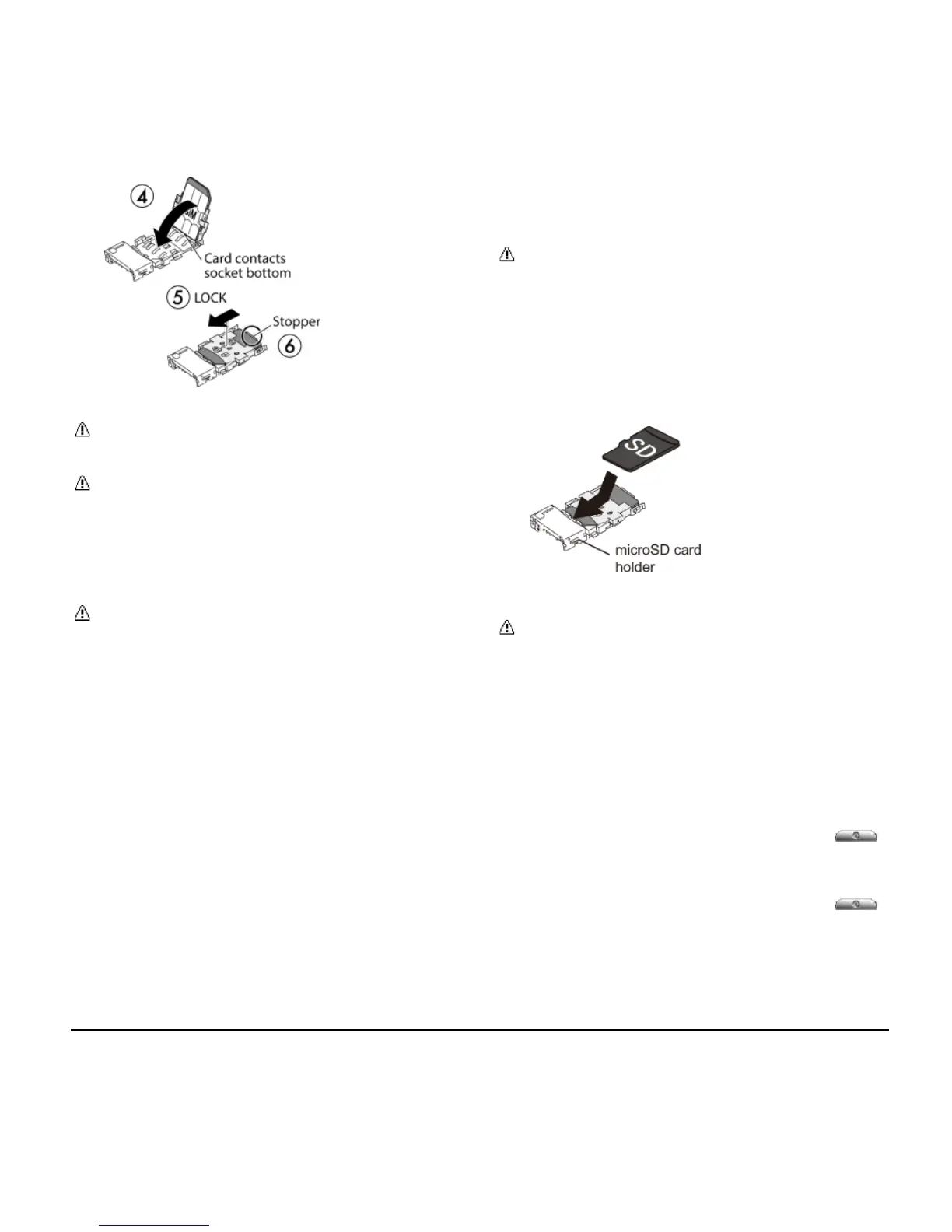
Note: Make sure you insert your nano
SIM card in the correct orientation.
Note: Putting undue pressure on the
flap of the SIM card holder may cause
damage. Please be careful when
inserting, removing, or handling it.
5. Replace the back cover.
Warning: To ensure that your phone is
waterproof, make sure the back cover is
properly sealed.
Optional: Insert the MicroSD
Card
Note: The microSD card is optional.
1. Remove the back cover.
2. Insert the microSD card into the
microSD card holder with the gold
contacts facing down. Gently push the
card in until it snaps into place.
3. Replace the back cover.
Warning: To ensure that your phone is
waterproof, make sure the back cover is
properly sealed.
Turn the Phone On and
Off
Turn the Phone On
► Press and hold the
Power
Button
.
Turn the Phone Off
► Press and hold the Power Button
and tap Power off > OK.












 To Next Page