3-167
Enhancement device setup procedure > Optional device installation
[CONFIDENTIAL]
88
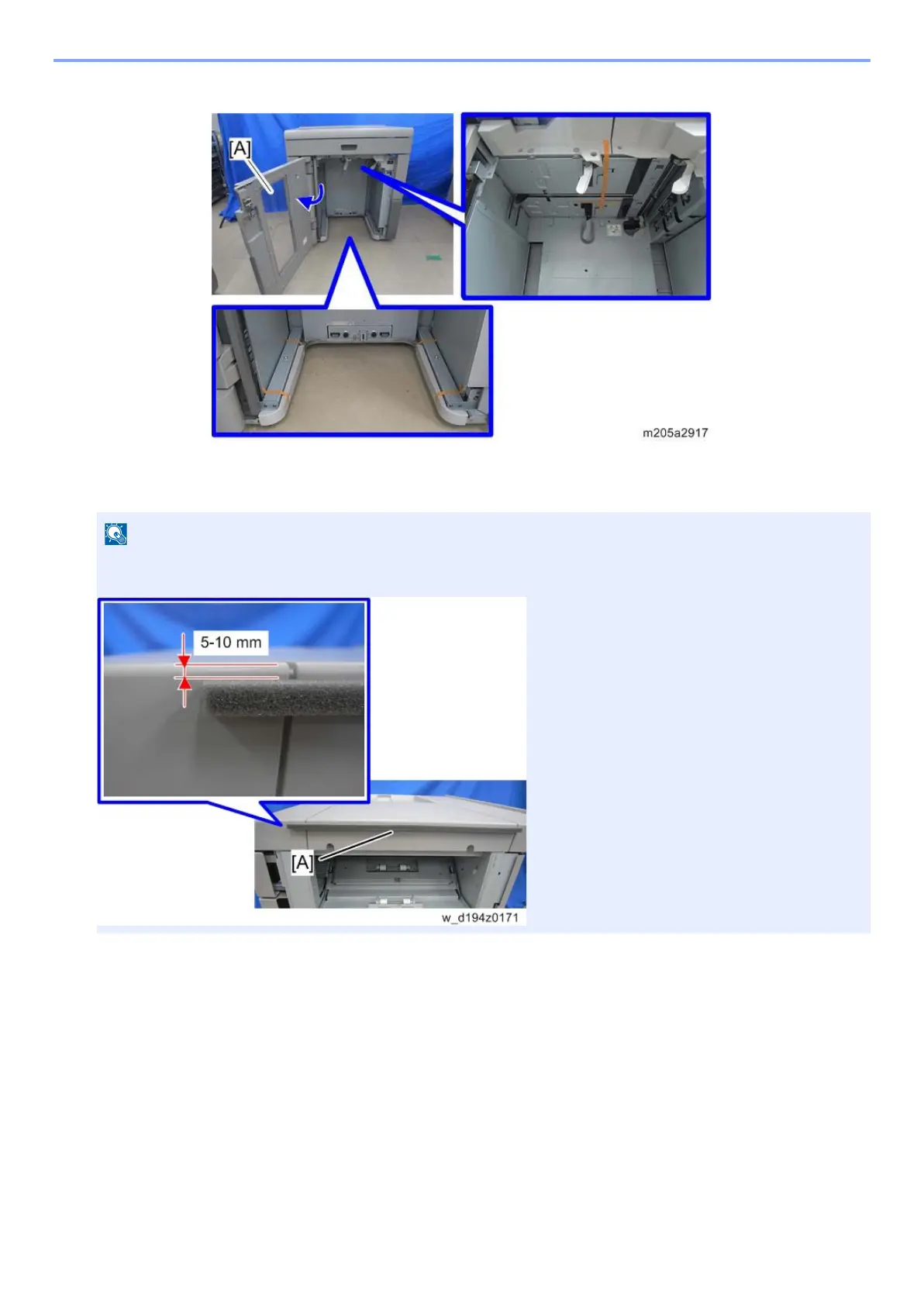
Open the front door [A] and remove all visible tapes.
89
InsRemove the tape from the sponge strip [A], and attach the strip to the top right
edge of the high capacity stacker.
• The sponge strip closes the gap between the high capacity stacker and the upstream unit, to prevent paper or
other objects from falling between the units.



 To Next Page