2-11
The main unit setup procedure > Remove the transportation spacers
[CONFIDENTIAL]
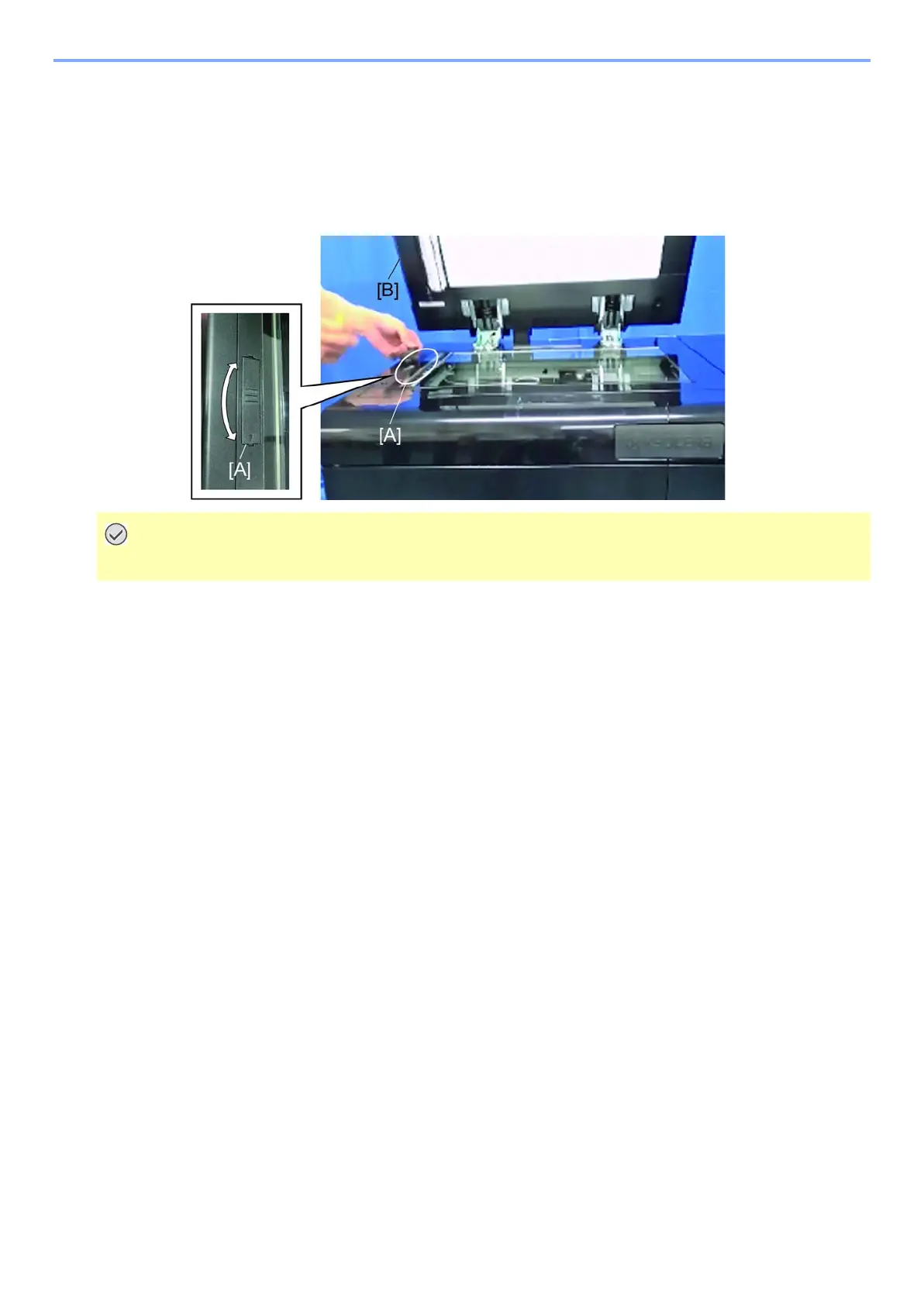
(3) Scanner carriage
1
Open the DP [B], hold up the triangle mark side of the optical lock cover [A] and slide
it then remove it.
2
Attach the cover [A] in the opposite direction and releases the scanner carriage.
(Place triangle symbol to the front for releasing)
C3100 comes up if failing to release the scanner carriage.



 To Next Page