2-16
The main unit setup procedure > Remove the transportation spacers
[CONFIDENTIAL]
4
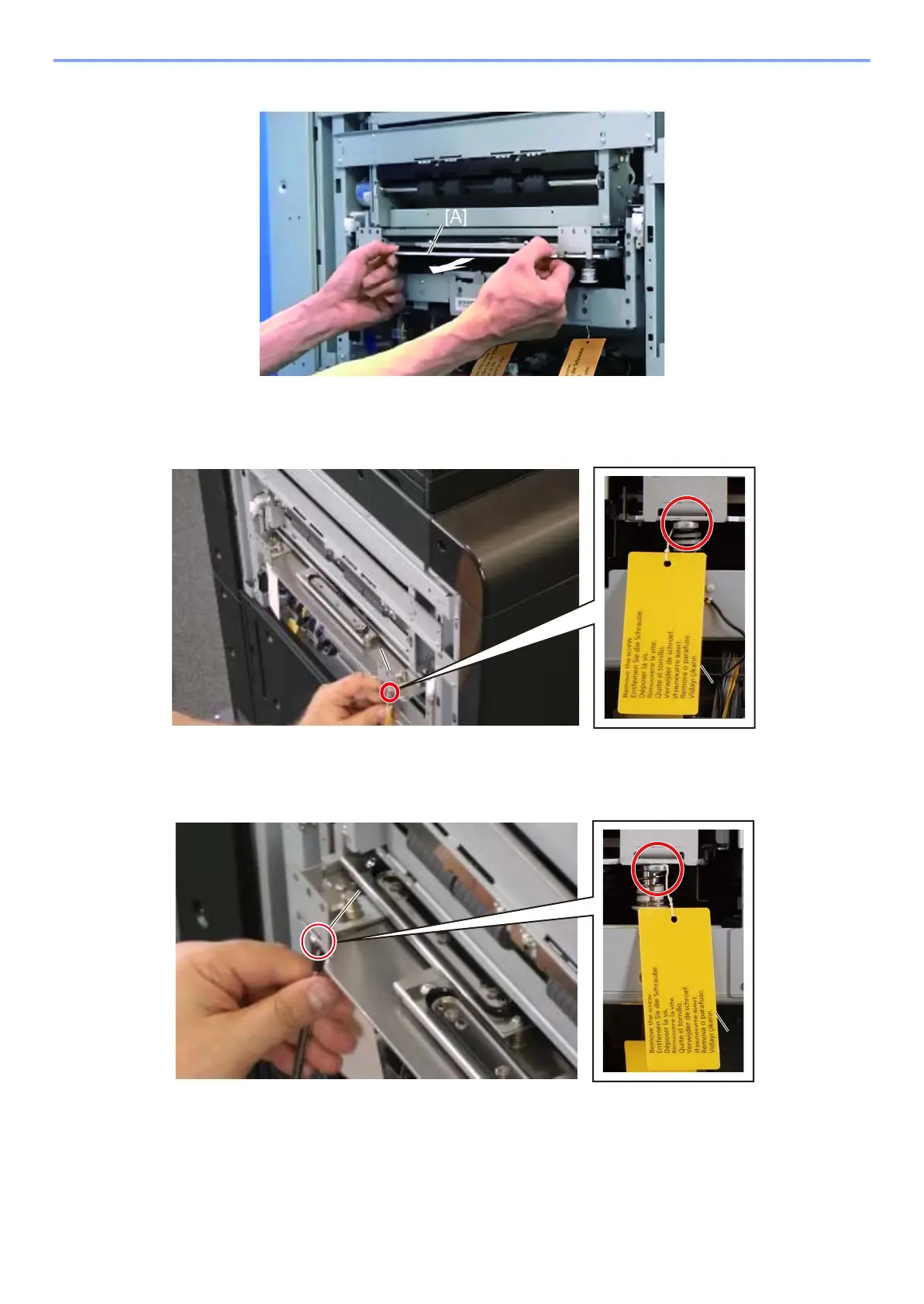
Push the cap unit [A] downward and pull it out slightly.
5
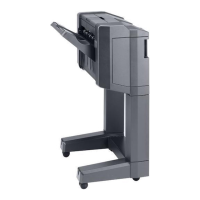
Remove the screw from the lower side of the cap front plate [A] with the screwdriver
then remove the plate. (Screw x1)
(The screw has a tag [B])
6
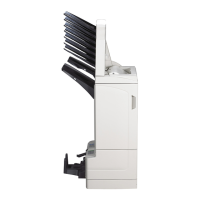
Remove the screw from the lower side of the cap rear plate [A] with the screwdriver
then remove the plate. (Screw x1)
(The screw has a tag [B])



 To Next Page