4 Getting Started
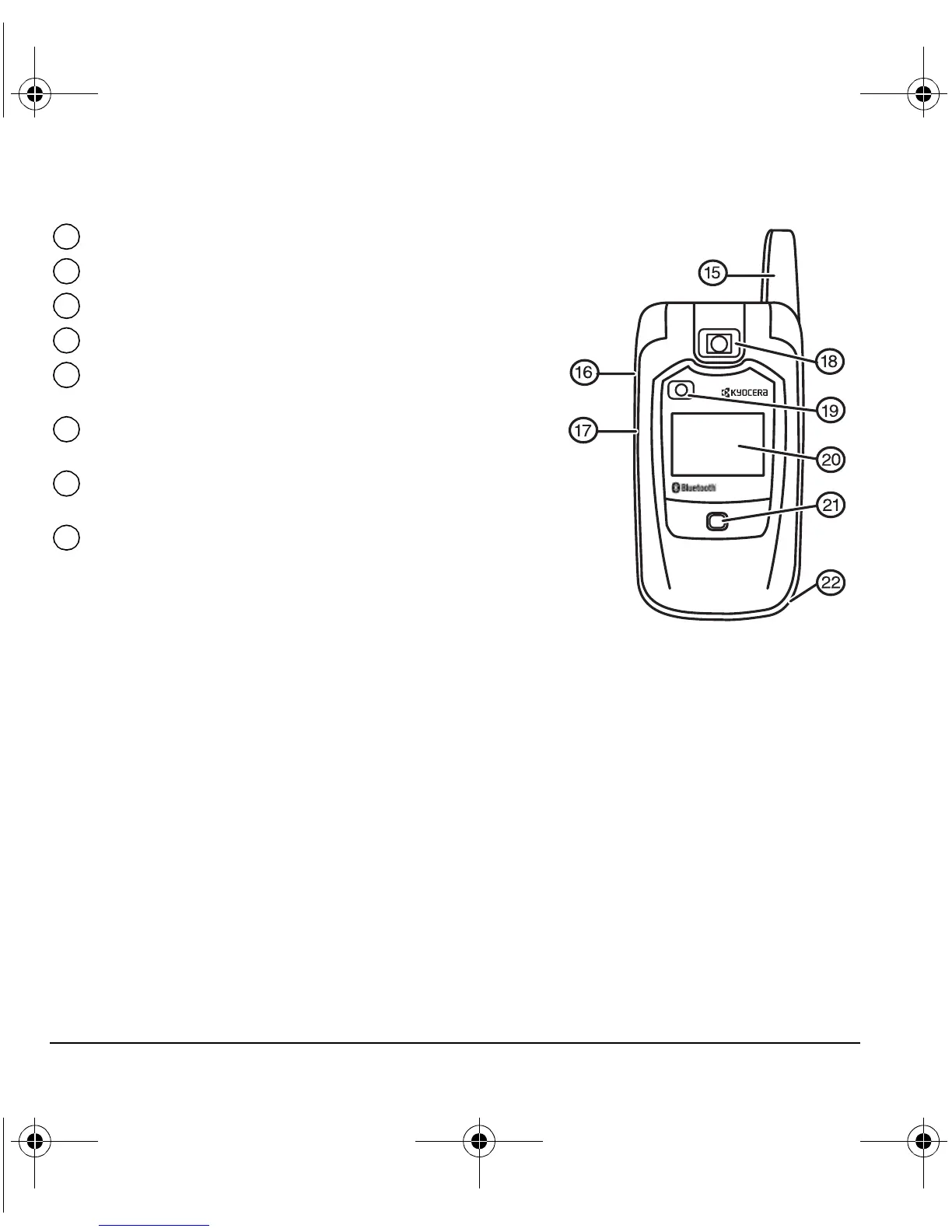
Antenna (does not extend).
Volume key to raise or lower speaker volume.
Camera key.
Camera lens.
Camera flash / flashlight flashes when taking a picture.
Also functions as the flashlight.
External screen displays time, caller ID, signal and
battery strength.
Charging indicator / message alert illuminates when the battery
is charging and blinks when a message is waiting.
Jack=for hands-free headset and data cable (sold separately)*.
*Warning: Inserting an accessory into the incorrect jack will damage the phone.
15
16
17
18
19
20
21
22
82-N8671-1EN.book Page 4 Tuesday, October 4, 2005 3:49 PM










 To Next Page