User Guide for the Kyocera Xcursion Phone 1
1GETTING STARTED
Installing the battery
Your phone comes with a removable lithium ion
(LiIon) battery.
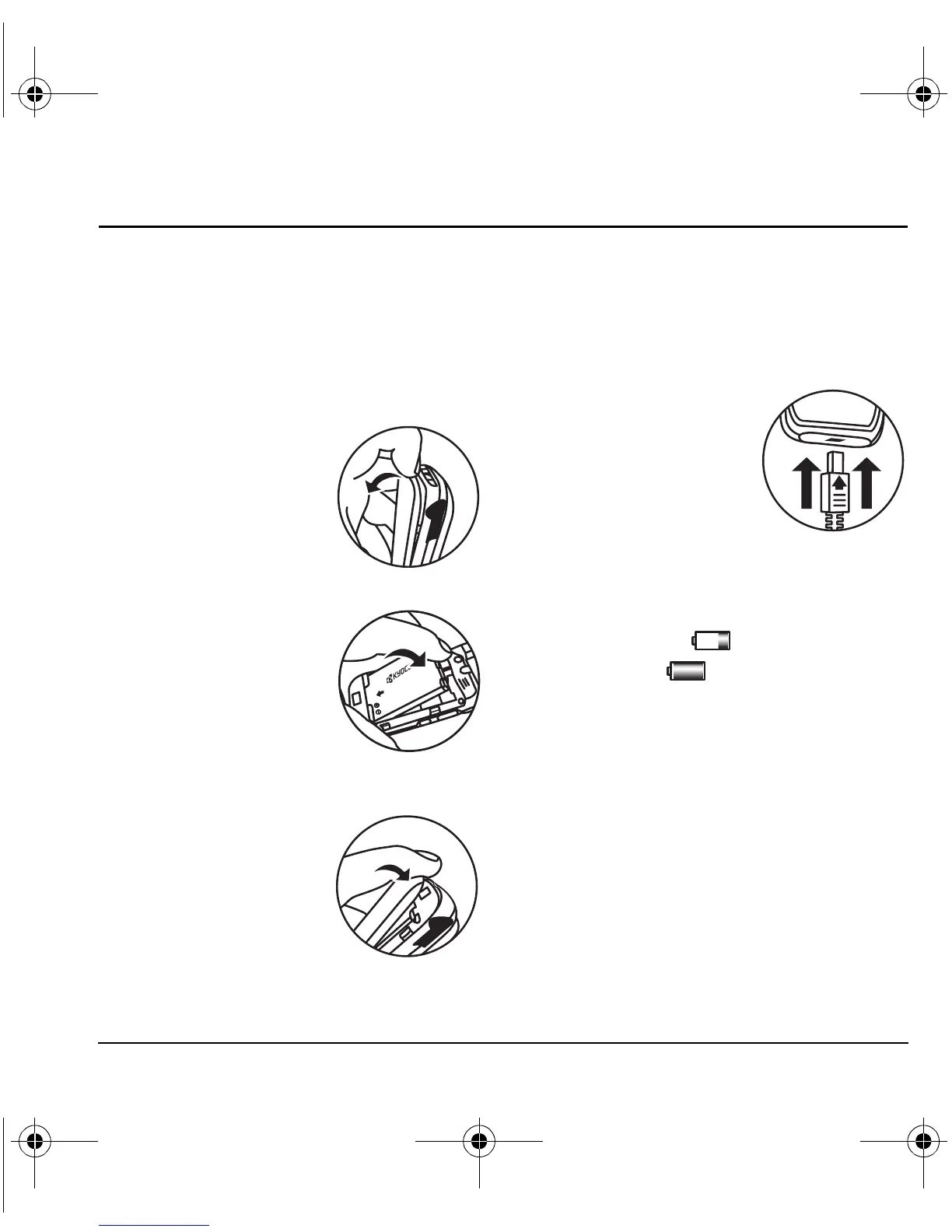
To install the battery:
1. Hold the phone with the back facing you.
2. Toward the bottom of
the phone there is a
recess to aid you in
opening the battery
door. Use your finger to
pull the battery door
away.
3. Place the battery in the
phone casing with the
metal contacts toward
the bottom of the phone.
4. Place the battery door
tab in the opening near
the top of the phone.
5. Press the battery door
until it clicks into place.
Charging the battery
You must have at least a partial charge in the
battery to make or receive calls.
Fully charge the
battery before using the phone.
To charge the battery,
connect the AC adapter to
the jack on the bottom of
the phone, then plug the
adapter into a wall outlet.
The battery icon in the
upper-right corner of the
screen tells you whether the phone is:
• Charging (the icon is animated)
• Partially charged
• Fully charged
Recharging the battery
You can safely recharge the battery at any time,
even if it has a partial charge.
82-N8671-1EN.book Page 1 Tuesday, October 4, 2005 3:49 PM










 To Next Page