— 19 —
(4) Power off the circuit under test.
(5) Connect the test leads to the circuit under test so the instrument is in the series.
(6) Power on the circuit under test.
(7) Measured value is indicated on the display.
6-3 Resistance Measurement (Ω/ Diode check/ Continuity Check)
DANGER
● To avoid the danger of getting electrical shock, never make measurement of the circuit in which electric potential exists.
● Do not make measurement when opening the battery cover and the instrument case.
● Keep your fingers and hands behind the barrier during a measurement.
6-3-1 Resistance Measurement
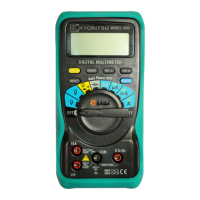
(1) Insert the black test lead plug into the COM terminal and the red test lead plug into the VΩHz terminal.
(2) Set the Function Selector Switch to "Ω" position.(Then, "AUTO" and "MΩ" symbols are indicated on the display.)
Make sure that the "O.L" symbol is indicated on the display at this bout, then short the test lead tips and check "0" is indicated on the display.
(3) Connect the test leads to both ends of the resistance under test.
Measured value is indicated on the display.
Note) Even if short the test lead tips, indicated value may not be "0". But this is because of the resistance of test leads and not a failure.
In that case, by pressing REL key, "0" will be indicated.
6-3-2 Diode Check
(1) Insert the black test lead plug into the COM terminal the red test lead plug into the VΩHz terminal.
(2) Set the Function Selector Switch to "Ω" position.(Then, "AUTO" and "MΩ" symbols are indicated on the display.)
(3) Press the SELECT Key one time and set the instrument to Diode Check mode.
(Then, "
" and "V" symbols are indicated on the display.)
Make sure that the ".OL" symbol is indicated on the display at this bout, then short the test lead tips and check "0" is indicated on the display.
(4) Connect the black test lead to the cathode side of the Diode and the red test lead to the anode side of the Diode.
Forward voltage of Diode is indicated on the display.
(5) Connect the black test lead to the anode side of the Diode and the red test lead to the cathode side of the Diode.
Normally, ".OL" symbol is indicated on the display.
Conclusion : Diode is OK if the instrument complies with above items(3) and (4).
Note) Open-circuit voltage between measuring terminals is approx.1.5V.(measuring current approx. 0.4mA)
6-3-3 Continuity Check
(1) Insert the red test lead plug into the VΩHz terminal and the black test lead plug into COM terminal.
(2) Set the Function Selector Switch to "Ω" position.(Then, "AUTO" and "MΩ" symbols are indicated on the display.)
(3) Press the SELECT Key twice and set the instrument to Continuity Check mode.
(Then, "
" and "Ω" symbols are indicated on the display.)
Make sure that the "OL." symbol is indicated on the display at this bout, then short the test lead tips and check "0" is indicated on the display and
check if the buzzer beeps.
(4) Connect the test leads to both ends of the resistance under test.
Measured value is indicated on the display. The buzzer beeps below about 100Ω.
Note) Even if short the test lead tips, indicated value may not be "0". But this is because of the resistance of test leads and not a failure. In that case, by
pressing REL key, "0" will be indicated.


 To Next Page
 Loading...