
 Need help?
Do you have a question about the La Crosse Technology C85845V6 and is the answer not in the manual?
Procedure to set a new alarm time on the station.
How to enable or disable an active alarm and view its status.
Displays the current outdoor temperature reading.
Displays the current outdoor humidity reading.
Displays the current indoor temperature reading.
Displays the current indoor humidity reading.
Procedure to arm or disarm HI/LO temperature and humidity alerts.
How alerts are indicated and function when active.
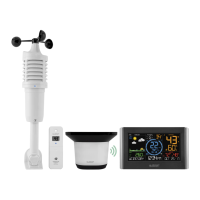
This document describes the La Crosse Technology Wireless Color Weather Station, Model C85845 (all versions), and its accompanying remote sensor, Model TX141TH-B (all versions). The weather station is designed to provide users with real-time outdoor and indoor temperature and humidity readings, as well as a weather forecast.
The primary function of the La Crosse Technology Wireless Color Weather Station is to monitor and display environmental conditions. It consists of a main display unit and a remote outdoor sensor. The outdoor sensor measures temperature and humidity and wirelessly transmits this data to the main station. The main station then displays this information, along with indoor temperature and humidity, and a weather forecast.
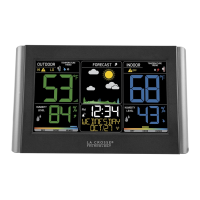
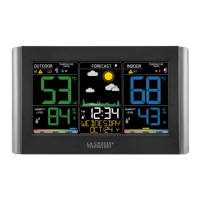
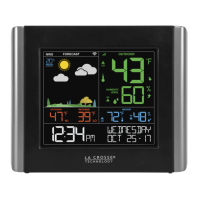
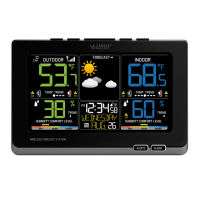
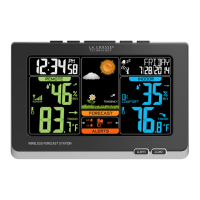
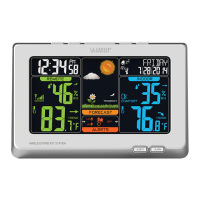
The weather station features a color display that shows various data points simultaneously. Key information includes outdoor temperature and humidity, indoor temperature and humidity, a weather forecast icon, the current time and date, and comfort charts. Trend arrows are also displayed for temperature and humidity, indicating whether these values are rising, falling, or remaining steady.
One of the core features is the weather forecast, which predicts conditions for the next 12 hours based on changing atmospheric pressure. The forecast icons include Sunny, Partly Sunny, Clouds, Rain, T-Storm, and Snow. The station also incorporates an atomic time signal (WWVB) feature, allowing it to automatically synchronize its time for accuracy.
The device includes an alarm function, which can be set for a specific time. When the alarm sounds, it can be snoozed for 10 minutes or silenced for 24 hours. The alarm is a crescendo type, meaning its frequency increases over two minutes before shutting off if no buttons are pressed.
Temperature and humidity alerts are another important function. Users can set high and low alerts for both indoor and outdoor temperatures and humidity. When an armed alert value is reached, the station will beep and display a flashing alert icon to notify the user.
Setting up the weather station involves a few simple steps. First, batteries are inserted into the outdoor sensor. Next, the main station is powered by a 5-volt power cord, with an option for backup batteries. After power-up, the settings menu allows users to adjust the time, language, beep settings, atomic time on/off, time zone, DST on/off, 12H/24H format, hour, minutes, year, month, date, and Fahrenheit/Celsius display. The outdoor sensor should then be placed in a shaded location outside, ensuring it can communicate with the main station.
The main station has several buttons for navigation and control: ALERTS, ALARM, TEMP, SNOOZE/BACKLIGHT, SET, +, and -.
The weather station automatically searches for the atomic time signal at specific UTC times. The Atomic Time Signal Icon flashes during the search and becomes solid when connected. Users can also manually initiate a search for the atomic time signal.
The forecast function requires 7-10 days for barometric calibration to provide accurate predictions. The forecast trend arrows indicate changes in atmospheric pressure over the past three hours, helping users understand the direction of weather changes.
Comfort charts are displayed for both indoor and outdoor environments, providing a visual indication of humidity levels and whether they are in a comfortable range. A bar over the chart moves to reflect the current humidity level.
Proper battery management is crucial for the longevity and performance of the device. When replacing batteries, it is important to use the correct size and grade, and to replace all batteries at once to avoid issues like over-discharge, venting, or leakage. Mixing different brands, types (Alkaline, Lithium, standard, rechargeable), or old and new batteries should be avoided. Battery contacts should be cleaned before installation, and batteries should be inserted with correct polarity. If the product will not be used for an extended period, batteries should be removed to prevent leakage and corrosion. Used batteries should be disposed of promptly and according to local regulations.
If the outdoor sensor readings are not appearing (indicated by dashes on the display), a troubleshooting process is recommended:
Low battery indicators are present for both the outdoor sensor and the main station. A low battery icon next to the outdoor temperature indicates that the sensor batteries need replacement. A similar icon next to the indoor temperature indicates that the main station batteries (if used for backup) need replacement.
An optional Sensor Weather Shield is available for purchase to protect the outdoor sensor from rain and snow, and to offer limited protection from the sun's heat, which can help maintain sensor accuracy and lifespan.
For ongoing support and information, users can access self-help resources online, contact customer support via phone, or visit the company's social media channels for setup videos and feedback. The product comes with a 1-year limited warranty covering manufacturing defects.
 General
| Brand | La Crosse Technology |
|---|---|
| Model | C85845V6 |
| Category | Weather Station |
| Language | English |




 To Next Page