EasyManua.ls Logo

La Crosse Technology LTV-W2 - User Manual

La Crosse Technology LTV-W2
3 pages
Print Icon
To Next Page IconTo Next Page
Loading...
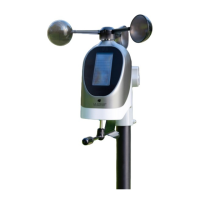
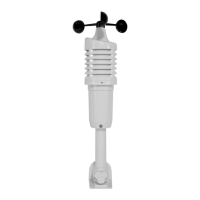
Wind Speed Sensor
Features
• Wind speed
• Replaceable wind cups
• Blue LED flashes with each transmission
1. Twist battery cover left to remove from sensor.
2. Insert two “C” batteries into the LTV-W1 sensor
Power
Wind Cups
Air Vents
Battery cover
Blue LED
Model: LTV-W2
DC: 101420
Question and Answer IconNeed help?

Do you have a question about the La Crosse Technology LTV-W2 and is the answer not in the manual?

Summary

Wind Speed Sensor

Power

Instructions for installing batteries into the LTV-W1 sensor.

Features

Key functionalities include wind speed measurement, replaceable cups, and a blue LED.

Sensor Installation and Configuration

Replace Wind Cups

Steps to remove and install new wind cups on the sensor stem.

Position Wind Sensor

Guidelines for optimal sensor placement and mounting for accurate wind speed readings.

Sensor ID

Information about the sensor's bar code and ID number for station pairing.

Specifications

Warranty and Support

FCC Statement

Summary

Wind Speed Sensor

Power

Instructions for installing batteries into the LTV-W1 sensor.

Features

Key functionalities include wind speed measurement, replaceable cups, and a blue LED.

Sensor Installation and Configuration

Replace Wind Cups

Steps to remove and install new wind cups on the sensor stem.

Position Wind Sensor

Guidelines for optimal sensor placement and mounting for accurate wind speed readings.

Sensor ID

Information about the sensor's bar code and ID number for station pairing.

Specifications

Warranty and Support

FCC Statement

La Crosse Technology LTV-W2 Specifications

General IconGeneral
Humidity Range10% to 99% RH
Transmission Frequency915 MHz
TypeWireless Temperature and Humidity Sensor
Temperature Range-40°C to 60°C (-40°F to 140°F)
Transmission RangeUp to 400 ft (121 m) in open air
Power Source2 AA batteries

Related product manuals