EasyManua.ls Logo

La Crosse Technology TX141-Bv2 - User Manual

La Crosse Technology TX141-Bv2
4 pages
Print Icon
To Next Page IconTo Next Page
Loading...
1
INTRODUCTION:
The Wireless Forecast Station features manual set time, date, weather
forecast, indoor and outdoor temperature/humidity, with temperature
alerts, and heat index and dew point, on a stylish, colorful, and easy to
read display. Use the integrated USB charging port to charge your
smartphone, camera or other device when the Forecast Station is
plugged into a power outlet.
WIRELESS FORECAST STATION:
THIS STATION LEARNS!
Please allow 3-4 weeks for barometer calibration to generate an
accurate forecast.
SETUP INSTRUCTIONS STEP BY STEP:
STEP 1:
Insert the 5-volt a/c power adapter into the designated area on the
back of the Forecast Station.
Plug the a/c power adapter into a wall outlet for continuous backlight
(ON/OFF), and dimmer feature.
STEP 2: (optional battery operation)
Remove battery cover from the
Forecast Station: Slide tab down and
pull out to remove the cover.
Insert 3 NEW AAA batteries (not
included) into the back of the
Forecast Station. Observe the
correct polarity (see marking inside
the battery compartment).
The Forecast Station will light up and
show, indoor temperature, humidity
and time.
(Backlight will illuminate for 8 seconds when using only battery power
with a press/release of the SNOOZE/LIGHT button.)
Do Not Mix Old and New Batteries
Do Not Mix Alkaline, Standard, Lithium or Rechargeable
Batteries
STEP 3:
Ensure that the transmitter is within 10 feet of the
Forecast Station.
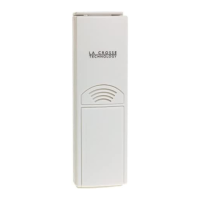
Remove battery cover from transmitter: Slide the battery
cover down and lift off the front.
Insert 2 NEW AA batteries into the TX141-BV2, TX141V2
transmitter. Observe the correct polarity.
Within 3 minutes the Forecast Station will show readings
in the Outdoor temperature area on the LCD.
Note: Use Alkaline batteries (or Lithium for temperatures
below -28.8°C/ - 20°F).
SEARCH FOR TRANSMITTER:
After the batteries are inserted, the forecast station will search for the
outdoor temperature/humidity transmitter for 3 minutes.
The antenna symbol will flash during reception, and temperature
display will be dashes “---“.
The antenna symbol scroll during RF (radio frequency)
synchronization.
If synchronization fails once, the antenna will lose one bar.
If synchronization fails twice, the antenna will lose two bars.
If reception continuously fails to receive 5 times, the antenna symbol
will be shown as
.
The antenna will show full display with successful RF
(radio frequency) reception.
TROUBLESHOOTING:
If the outdoor temperature is not displayed after three
minutes, hold the SENSOR SEARCH button on the
forecast station for three seconds to search for
outdoor transmitter.
Next remove the battery cover from the TX141-BV2 transmitter then
press the TX button to send a signal.
If it still does not receive the outdoor temperature, remove the a/c
cord and batteries from both the forecast station and the transmitter
for 15 minutes repeat setup instructions fro
m step 1.
TIME/DATE:
The SETTINGS button will move through the program
menu and confirm settings.
Set Time and Date:
Hold the SETTINGS button for three seconds to enter time set mode.
12/24-HOUR: The time format 12H will flash, use the ARROW buttons
to choose 12-hour or 24-hour time format and press the SETTINGS
button to confirm and move to hour.
HOUR: The Hour will flash, use the ARROW buttons to choose the
hour, and press the SETTINGS button to confirm and move to
minutes.
MINUTES: The Minutes will flash, use the ARROW buttons to choose
the minutes, and press the SETTINGS button to confirm and move to
the year.
YEAR: The Year will flash, use the ARROW buttons to choose the
year, and press the SETTINGS button to confirm and move to the
month.
MONTH: The Month will flash, use the ARROW buttons to choose
the month, and press the SETTINGS button to confirm and move to
the date.
DATE: The Date will flash, use the ARROW buttons to choose the
date, and press the SETTINGS button to confirm and move to
Fahrenheit/Celsius.
FAHRENHEIT/CELSIUS: °F or °C will flash. Use the ARROW buttons
to select Fahrenheit or Celsius. Press and release the SETTINGS
button to confirm and exit the program menu.
Note: When no buttons are pressed for ten seconds the forecast station
will save the last change and default back to normal mode.
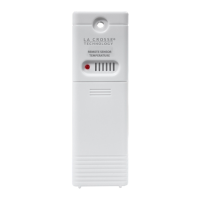
REMOTE SENSOR TEMPERATURE
Model:TX141-BV2
Model:TX141V2
Question and Answer IconNeed help?

Do you have a question about the La Crosse Technology TX141-Bv2 and is the answer not in the manual?

Summary

Wireless Forecast Station Setup Guide

Step 1: Connect Power Adapter

Insert 5-volt a/c power adapter into station and wall outlet for backlight.

Step 2: Install Batteries (Optional)

Insert 3 AAA batteries for optional battery operation. Observe polarity.

Step 3: Transmitter Placement

Ensure transmitter is within 10 feet of the station and insert batteries.

Transmitter and Troubleshooting

Search for Transmitter

Station searches for outdoor transmitter for 3 minutes. Antenna symbol indicates status.

Troubleshooting Signal Issues

Hold SENSOR SEARCH to re-search. Press TX button on transmitter. Reset station/transmitter if needed.

Time and Date Settings

Temperature Features

Temperature Alerts Setup

Hold TEMP ALERT to set individual high/low alerts for indoor/outdoor temperatures.

Advanced Temperature Alerts and Data

Select Temperature Alert Values

Set specific values for OUTDOOR HI/LO and INDOOR HI/LO alerts.

Forecasting and Placement

Positioning the Outdoor Transmitter

Mount transmitter vertically, shaded, protected area, at least 6ft high.

Summary

Wireless Forecast Station Setup Guide

Step 1: Connect Power Adapter

Insert 5-volt a/c power adapter into station and wall outlet for backlight.

Step 2: Install Batteries (Optional)

Insert 3 AAA batteries for optional battery operation. Observe polarity.

Step 3: Transmitter Placement

Ensure transmitter is within 10 feet of the station and insert batteries.

Transmitter and Troubleshooting

Search for Transmitter

Station searches for outdoor transmitter for 3 minutes. Antenna symbol indicates status.

Troubleshooting Signal Issues

Hold SENSOR SEARCH to re-search. Press TX button on transmitter. Reset station/transmitter if needed.

Time and Date Settings

Temperature Features

Temperature Alerts Setup

Hold TEMP ALERT to set individual high/low alerts for indoor/outdoor temperatures.

Advanced Temperature Alerts and Data

Select Temperature Alert Values

Set specific values for OUTDOOR HI/LO and INDOOR HI/LO alerts.

Forecasting and Placement

Positioning the Outdoor Transmitter

Mount transmitter vertically, shaded, protected area, at least 6ft high.

Overview

This document describes the La Crosse Technology Wireless Forecast Station, models TX141-BV2 and TX141V2, which provides weather forecasting, temperature, and humidity information, along with a USB charging port.

Function Description

The Wireless Forecast Station is designed to provide users with a comprehensive overview of their indoor and outdoor environment. It features a manual set time and date, a weather forecast, and displays both indoor and outdoor temperature and humidity. Additionally, it includes temperature alerts, heat index, and dew point readings. The station boasts a stylish, colorful, and easy-to-read display. A key feature is its integrated USB charging port, allowing users to charge smartphones, cameras, or other devices when the Forecast Station is plugged into a power outlet.

The station "learns" and calibrates its barometer over time to generate an accurate, personalized forecast. It requires 3-4 weeks for barometer calibration to achieve optimal accuracy. The forecast is based on atmospheric pressure changes, with 70-75% accuracy for the next 12 hours. The station samples barometric pressure every twelve minutes, averaging these samples hourly and daily for storage in nonvolatile memory.

Usage Features

Initial Setup:

  1. Power Adapter: Insert the 5-volt A/C power adapter into the back of the Forecast Station and plug it into a wall outlet for continuous backlight and dimmer functionality.
  2. Optional Battery Operation: Remove the battery cover from the Forecast Station, insert 3 NEW AAA batteries (not included), observing correct polarity. The station will light up, showing indoor temperature, humidity, and time. When operating on battery power only, the backlight will illuminate for 8 seconds with a press/release of the SNOOZE/LIGHT button.
  3. Transmitter Setup: Ensure the outdoor transmitter is within 10 feet of the Forecast Station. Remove the battery cover from the transmitter, insert 2 NEW AA batteries (not included), observing correct polarity. Within 3 minutes, the Forecast Station will display outdoor temperature readings. Alkaline batteries are recommended, or Lithium for temperatures below -28.8°C/-20°F.

Searching for Transmitter: After battery insertion, the forecast station searches for the outdoor transmitter for 3 minutes. A flashing antenna symbol and dashed temperature display indicate reception. The antenna symbol scrolls during RF synchronization. If synchronization fails, the antenna symbol will show fewer bars. If reception continuously fails 5 times, the antenna symbol will be shown as an "X". A full display with a solid antenna symbol indicates successful RF reception. If the outdoor temperature isn't displayed after three minutes, hold the SENSOR SEARCH button for three seconds. If still no reading, remove the transmitter battery cover, press the TX button to send a signal, and if necessary, remove A/C cord and batteries from both units for 15 minutes before repeating setup.

Time and Date Settings: Hold the SETTINGS button for three seconds to enter time set mode.

  • 12/24-HOUR: The 12H format flashes. Use ARROW buttons to select 12-hour or 24-hour format, then press SETTINGS to confirm.
  • HOUR: The hour flashes. Use ARROW buttons to set the hour, then press SETTINGS to confirm.
  • MINUTES: The minutes flash. Use ARROW buttons to set the minutes, then press SETTINGS to confirm.
  • YEAR: The year flashes. Use ARROW buttons to set the year, then press SETTINGS to confirm.
  • MONTH: The month flashes. Use ARROW buttons to set the month, then press SETTINGS to confirm.
  • DATE: The date flashes. Use ARROW buttons to set the date, then press SETTINGS to confirm.
  • FAHRENHEIT/CELSIUS: °F or °C flashes. Use ARROW buttons to select Fahrenheit or Celsius, then press SETTINGS to confirm and exit. The station saves changes and defaults to normal mode if no buttons are pressed for ten seconds.

Alarm Time Settings: In normal mode, press and release the TIME ALARM button to view alarm time. Hold the TIME ALARM button for three seconds to enter alarm set mode.

  • HOUR: The hour flashes. Use ARROW buttons to set the hour, then press TIME ALARM to confirm.
  • MINUTES: The minutes flashes. Use ARROW buttons to set the minutes, then press TIME ALARM to confirm. Press SETTINGS to return to normal mode. The station saves changes and defaults to normal mode if no buttons are pressed for ten seconds.

Activating/Deactivating Time Alarm: In normal mode, press and release the TIME ALARM button to view alarm time. Press and release the TIME ALARM button repeatedly to toggle the alarm ON/OFF. The alarm icon appears when activated. The alarm rings for 2 minutes and turns off if no buttons are pressed.

Snooze Function: When the alarm sounds, press the HI/LOW/OFF button to snooze for 10 minutes. This can be repeated three times. The alarm icon flashes during snooze. Pressing any button except TIME ALARM turns off the alarm.

Backlight Control: When using the A/C adapter, the backlight is continuously ON. It defaults to HIGH. Press HI/LOW/OFF to dim to LOW, press again to turn OFF, and press again to return to full strength. If the backlight is OFF, pressing any button activates it for 10 seconds. When operating on battery power only, pressing any button activates the backlight for 10 seconds.

Heat Index & Dew Point Temperature: Press the HEAT/DEW button once to view Heat Index, which combines heat and humidity to show the apparent temperature. Press the HEAT/DEW button twice to view Dew Point, which is the saturation point of the air.

Temperature Trend Icons: Indicators update every 30 minutes or less, showing temperature changes over the past three hours:

  • Up arrow: Temperature rising more than 1°C/2°F.
  • Horizontal line: Temperature unchanged by more than 1°C/2°F.
  • Down arrow: Temperature falling more than 1°C/2°F.

Temperature Alerts: Press and release the TEMP ALERT button to toggle between alerts. Hold TEMP ALERT to set individual high and low alerts.

  • MAX TEMP: Turns a temperature alert ON and increases the alert value.
  • MIN TEMP: Turns a temperature alert OFF and decreases the alert value. The bell icon indicates an active alert. To set alert values: Hold TEMP ALERT for five seconds.
  • OUTDOOR HI: Flashes. Use ARROW buttons to set the value, then press TEMP ALERT to confirm.
  • OUTDOOR LO: Flashes. Use ARROW buttons to set the value, then press TEMP ALERT to confirm.
  • INDOOR HI: Flashes. Use ARROW buttons to set the value, then press TEMP ALERT to confirm.
  • INDOOR LO: Flashes. Use ARROW buttons to set the value, then press TEMP ALERT to confirm and exit. To turn alerts ON/OFF: In normal mode, hold and release TEMP ALERT to toggle between Outdoor HI, Outdoor LO, Indoor HI, and Indoor LO. Press MAX TEMP to turn ON the selected alert (icon appears), or MIN TEMP to turn OFF (ALERTS OFF displays).

Temperature Alert Sounds: When an alert sounds, the corresponding icon flashes, and the unit beeps once per minute until the temperature is out of range. Press any button to stop the alert (icon remains). To turn off an alert, hold and release TEMP ALERT, select the alert, then press MIN.

Min/Max Temperatures: The Forecast Station displays daily minimum and maximum temperatures, resetting at midnight (12:00 AM).

  • View MIN data: Press and release MIN TEMP to view minimum indoor and outdoor temperatures.
  • Reset MIN data: Hold MIN TEMP for 5 seconds to reset all minimum temperatures.
  • View MAX data: Press and release MAX TEMP to view maximum indoor and outdoor temperatures.
  • Reset MAX data: Hold MAX TEMP for 5 seconds to reset all maximum temperatures.

Weather Forecast Icons: The station displays icons for Sunny, Partly Sunny, Cloudy, Rainy, and Stormy, based on barometric pressure changes.

USB Charge Port: The integrated USB charging port on the back charges external devices. Connect your device's USB charging cord to the port. Charging times vary. Ensure your USB cord is for charging, not just data transfer. Do not overload the USB port.

Positioning the Forecast Station: Place the forecast station within range of the outdoor transmitter, on a table or desk. Keep it at least 6 feet away from electronics like cordless phones, gaming systems, televisions, microwaves, routers, and baby monitors to prevent signal interference. Best reception is achieved when the front or back of the forecast station faces the outdoor transmitter.

Positioning the Outdoor Transmitter: Once the outdoor temperature/humidity is displayed, place the transmitter in the desired location and wait approximately 1 hour before permanently mounting. Mount it vertically in a shaded, protected area, at least 6 feet from the ground to avoid damage and ensure accurate readings. The transmitter is water resistant, not waterproof, and should not be submerged in water or subject to standing water or snow. Choose a location under an overhang for accuracy.

Maintenance Features

Battery Care:

  • Do not mix old and new batteries.
  • Do not mix Alkaline, Standard, Lithium, or Rechargeable batteries.
  • Replace batteries when the low battery icon appears (indoor icon for forecast station, outdoor icon for transmitter).

General Care:

  • Do not expose the forecast station to extreme temperatures, vibration, or shock.
  • Keep the forecast station dry.
  • Clean with a soft, damp cloth; do not use solvents or scouring agents.
  • The forecast station is not a toy and should be kept out of reach of children.
  • It is for home use only, not for medical or public information.
  • Improper use or unauthorized opening of the housing will void the warranty.

La Crosse Technology TX141-Bv2 Specifications

General IconGeneral
TypeWireless Temperature and Humidity Sensor
CategoryAccessories
Temperature Range-40°F to 140°F (-40°C to 60°C)
Humidity Range10% to 99% RH
Power Source2 x AA batteries
Wireless Frequency433 MHz
Transmission Range300 feet (91 meters) in open air

Related product manuals