The WD-3103U is a 4-Day Internet-Powered Weather Station designed to provide accurate and customized weather forecasts. It utilizes Internet data to deliver detailed weather information tailored to your specific location, going beyond typical backyard measurements. The system includes a Wireless Display, a Wireless Gateway, and a TX-50U Wireless Outdoor Temperature Sensor.
Function Description:
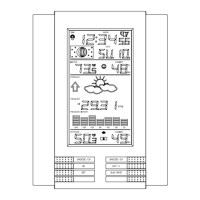
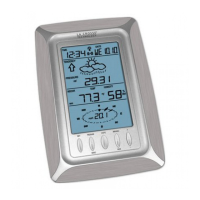
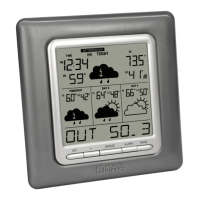
The core function of the WD-3103U is to deliver meteorological forecasts 24 hours a day without requiring a television or computer. It leverages the Internet to access weather data from official National Weather Service instrumentation and local reporting stations across North America. This ensures highly accurate and up-to-date forecasts. The Wireless Display shows a 4-day forecast starting with "TODAY," each day featuring a sky condition icon and daily high/low temperatures. It also provides specific forecasts for Morning, Afternoon, Evening, and Night, allowing users to prepare for varying weather conditions throughout the day. The lower LCD line scrolls to display the city name, forecast details, outdoor temperature, and sunrise/sunset times. The system automatically updates itself via the Gateway, ensuring continuous access to the latest weather information. Additionally, it offers severe weather alerts issued by the National Weather Service, which can be customized to receive specific types of alerts and even sent via email or SMS text message. The device also displays indoor temperature and automatically sets the time and date.
Usage Features:
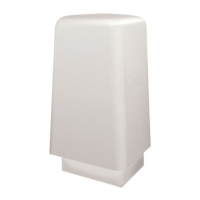
Setting up the WD-3103U involves creating a user account on the Weather Direct website, registering the Wireless Gateway, and then registering the Wireless Display and Outdoor Temperature Sensor. The Quick Setup Card provides basic instructions for a fast setup. The Wireless Gateway connects to your network router via an included LAN cable and is powered by an AC adapter. The Wireless Outdoor Temperature Sensor, powered by two "AA" alkaline batteries, measures outdoor temperature and transmits data to the Wireless Display. It can be surface-mounted or wall-mounted in a covered, shaded location for optimal accuracy.
The Wireless Display features five control keys: "SET," "+," "SNOOZE," "ALARM," and "MODE."
- "MODE" Key: This key cycles through various micro-forecast options, including Morning (6:00 AM - 11:59 AM), Afternoon (12:00 PM - 5:59 PM), Evening (6:00 PM - 5:59 PM), Night (12:00 AM - 5:59 AM), and a "ROTATE" option that cycles through all four micro-forecasts and the daily forecast. An "ONLY DAY" option displays just the daily forecast.
- "ALM" Key: Used to turn the alarm ON or OFF. When the alarm is active, an alarm icon appears on the LCD. Pressing this key when the alarm sounds will stop it for 24 hours. Holding the "ALM" key allows users to set the alarm time, adjusting hours and minutes with the "+" key.
- "SNOOZE" Key: Temporarily silences the alarm for 5 minutes, with the alarm icon flashing on the LCD. Pressing any key will cancel snooze and turn off the alarm until the next day. This key also allows users to view the current outdoor temperature from the synchronized wireless outdoor sensor, which scrolls on the bottom of the LCD.
- "+" Key: Cycles through the date, seconds, and indoor temperature on the top segment of the LCD. Holding this key for 3 seconds manually requests a Weather Direct data update, useful after changing forecast locations or other settings online, or after adding expansion options.
- "SET" Key: When the "ADD 4 LOCATIONS" expansion option is active, this key toggles between up to five forecast locations on the Wireless Display. The location name briefly appears on the bottom of the LCD. Holding the "SET" key enters the SET mode, allowing users to adjust LCD contrast (0-7), enable or disable acoustic weather warnings, and set the text scrolling speed (1-4). The device will exit SET mode if no key is pressed for 5 seconds.
The system supports expansion options, such as "ADD 4 LOCATIONS," allowing users to monitor weather forecasts for multiple locations. Severe weather alerts provide valuable information to help users prepare for upcoming weather events, with customizable alert types and delivery methods.
Maintenance Features:
The WD-3103U is designed for ease of maintenance.
- Battery Replacement: The Wireless Outdoor Temperature Sensor uses two "AA" alkaline batteries, and the Wireless Display uses two "C" alkaline batteries. Low battery indicators ("TX" for the outdoor sensor, "RX" for the display) appear on the LCD when batteries need replacement. It is recommended to replace batteries regularly to ensure optimum accuracy. Only fresh alkaline batteries should be used, as rechargeable batteries are not recommended due to performance variations.
- Cleaning: The display and casings should be cleaned with a soft, damp cloth. Solvents or scouring agents should be avoided to prevent damage to the LCD and casings.
- Troubleshooting: Most anomalies are self-correcting within 24 hours. If issues persist, power cycling the Gateway (unplugging for 10 seconds and plugging back in) can resolve many problems. If the Gateway shows a solid red light, pressing and holding the PLUS button on the Display until it beeps can trigger an update.
- Factory Reset: If registration issues occur or if the device is being transferred to a new user account, a factory reset can be performed by holding both the "SET" and "ALM" keys down for about 6 seconds until a double beep is heard. This erases all registration and setup information, requiring re-registration.
- General Care: The device should be protected from extreme temperatures, vibration, and shock. It is weather-resistant but not waterproof, so the outdoor sensor should be mounted in a covered area. Users should avoid submerging the unit in water and handle damaged LCD displays with care, as the liquid crystals can be harmful. No repair attempts should be made by the user; the unit should be returned to the point of purchase for repair by a qualified engineer to maintain the warranty.

 Need help?
 General

 To Next Page