6
Manual Setting
TIME & DATE
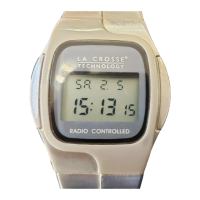
If the wristwatch is not able to receive the WWVB signal, you may set
the time manually.
IMPORTANT:
If the WWVB signal is received correctly, the symbol (tower) is
shown, and setting the time and date manually is not possible.
1. To change the setting mode for time and date, press the PUSH-
PIECE and the RECESSED BUTTON simultaneously for about
4 seconds. The seconds will flash in the LCD display.


 To Next Page