EasyManua.ls Logo

La Crosse WT-3143A - User Manual

La Crosse WT-3143A
4 pages
Print Icon
To Next Page IconTo Next Page
Loading...
Model: WT-3143A www.lacrossetechnology.com/support Page | 1
Model: WT-3143A
Instruction Manual
DC: 040815
14Atomic Wall Clock
Get Started
Step 1: Slide the switch to select a time zone.
Step 2: Insert 1 fresh AA, Alkaline battery according to the
polarity marked on the case.
Step 3: For the best reception, please place clock on a wall that
faces Ft. Collins, Colorado. During the night, your clock
will automatically set itself.
When the battery is installed, the hands will move to the 12:00
position and search for the radio signal.
If the radio signal is not received in the first 10 minutes, the
clock will start running from the 12:00 position and will
continue to run.
Do not attempt to reset the hands manually even though the
time on the clock is incorrect. The clock is synchronizing to
the WWVB signal and once the radio signal is decoded, the
hands will automatically adjust to the correct time. This may
take up to 5 nights if there is atmospheric interference.
Reset: If the clock does not respond to the various function
modes, press the RESET button on the movement case.
Question and Answer IconNeed help?

Do you have a question about the La Crosse WT-3143A and is the answer not in the manual?

Summary

Get Started

Initial Setup Steps

Instructions for setting up the clock, including time zone selection and battery installation.

Automatic Synchronization

Explanation of how the clock synchronizes with the WWVB signal automatically.

Position Clock

Optimal Placement for Reception

Guidance on where to place the clock for best WWVB signal reception.

Manual Set Time

Manual Time Setting Procedure

Steps to manually adjust the clock's time when radio reception is poor.

Troubleshooting

Common Issues and Solutions

Addresses battery, location, weather, and hand movement issues affecting signal reception.

Daylight Saving Time

DST Adjustment

How the clock handles DST and manual switch operation.

Manual WWVB Time Signal Search

Forcing a Signal Search

Procedure to manually initiate a search for the WWVB time signal.

Frequently Asked Questions

Care and Maintenance

Warranty and Support Information

Overview

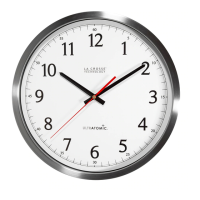
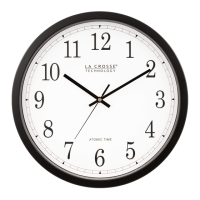
The La Crosse Technology WT-3143A is a 14-inch Atomic Wall Clock designed for accurate timekeeping through radio-controlled synchronization. This device leverages the WWVB signal from Fort Collins, Colorado, to automatically set and maintain precise time.

Function Description:

The primary function of the WT-3143A is to display the current time. It is an atomic clock, meaning it receives a radio signal (WWVB) that broadcasts the official U.S. time, ensuring exceptional accuracy. Upon battery installation, the clock's hands will move to the 12:00 position and begin searching for this radio signal. If the signal is not received within the first 10 minutes, the clock will start running from 12:00 and continue to operate as a standard quartz clock. Once the WWVB signal is successfully decoded, the hands will automatically adjust to the correct time. This synchronization process can take up to 5 nights, especially if there is atmospheric interference. The clock also features automatic Daylight Saving Time (DST) adjustment, advancing one hour in the spring and falling back eleven hours in the fall, unless the DST switch is set to OFF for regions that do not observe DST.
Important Technical Specifications:

  • Model: WT-3143A
  • Size: 14-inch diameter
  • Power Source: 1 fresh AA Alkaline battery
  • Time Synchronization: WWVB radio signal from Fort Collins, Colorado
  • Manual Time Setting: Available via the SET button
  • Time Zones: Selectable via a switch
  • Daylight Saving Time (DST): Automatic adjustment with an ON/OFF switch
  • Reset Function: A RESET button is available on the movement case for troubleshooting.

Usage Features:

  • Initial Setup:
    1. Select your desired time zone using the switch.
    2. Insert one fresh AA Alkaline battery, observing the correct polarity.
    3. For optimal reception, place the clock on a wall facing Fort Collins, Colorado. The clock will automatically set itself, typically overnight.
  • Signal Reception:
    • The antenna is best positioned when there is only one wall or window between the clock and the outdoors.
    • Avoid placing the clock within 6 feet of electronics such as cordless phones, wireless gaming systems, televisions, microwaves, routers, or baby monitors, as these can interfere with signal reception.
    • Large office buildings, schools, hospitals, or buildings with metal roofs may experience reception issues in certain rooms.
    • The WWVB signal is strongest at night.
  • Manual Time Setting:
    • If the radio-controlled function is unavailable due to signal strength or geographic location, the clock can be set manually.
    • Hold the SET button for 3+ seconds to activate manual mode.
    • To move the minute hand forward consistently, continue holding the SET button.
    • To move the minute hand forward in minute increments, press the SET button rapidly (more than once per second).
    • The clock will automatically exit manual mode if the SET button is not pressed for 6+ seconds.
    • It is recommended to allow up to five nights for the clock to attempt WWVB signal reception before resorting to manual setting.
  • Manual WWVB Time Signal Search:
    • Hold the WAVE button down for 3+ seconds.
    • The hands will reset to 12:00, and the clock will search for the WWVB signal.
    • If the signal is received, the clock will automatically set to the correct time within approximately 3-8 minutes.
  • Daylight Saving Time (DST) Control:
    • The clock automatically adjusts for DST.
    • If you reside in an area that does not observe DST, slide the DST switch to OFF. To reactivate DST, slide the switch to ON.
  • Troubleshooting:
    • Ensure a fresh battery is installed.
    • Try different locations, ideally near a window facing Colorado.
    • Be aware that electrical storms between your location and Colorado can interfere with the WWVB signal.
    • If hands spin about the same time daily, the clock is auto-correcting. The hour hand should not spin more than twice around the clock. Spinning hands can also indicate an underpowered or overpowered battery.
    • If the clock is unresponsive, press the RESET button on the movement case.

Maintenance Features:

  • Battery Replacement:
    • Change the AA Alkaline battery every 24 months to maintain accuracy.
    • Remove the battery if the clock will not be in use for an extended period.
    • Do not mix old and new batteries.
    • Do not mix Alkaline, Standard, Lithium, or Rechargeable Batteries.
    • Always purchase the correct size and grade of battery.
    • Replace all batteries of a set at the same time.
    • Clean battery contacts on both the clock and the battery prior to installation.
    • Ensure batteries are installed with correct polarity (+ and -).
    • Remove expired batteries promptly.
  • Warranty: La Crosse Technology, Ltd. provides a 1-year limited time warranty from the date of purchase, covering manufacturing defects in materials and workmanship. Opening the clock or movement voids the warranty.
  • Support: Customer support is available via phone (1-608-782-1610) and online at www.lacrossetechnology.com/support. Product registration and full warranty details are also available online.

La Crosse WT-3143A Specifications

General IconGeneral
BrandLa Crosse
ModelWT-3143A
CategoryClock
LanguageEnglish

Related product manuals