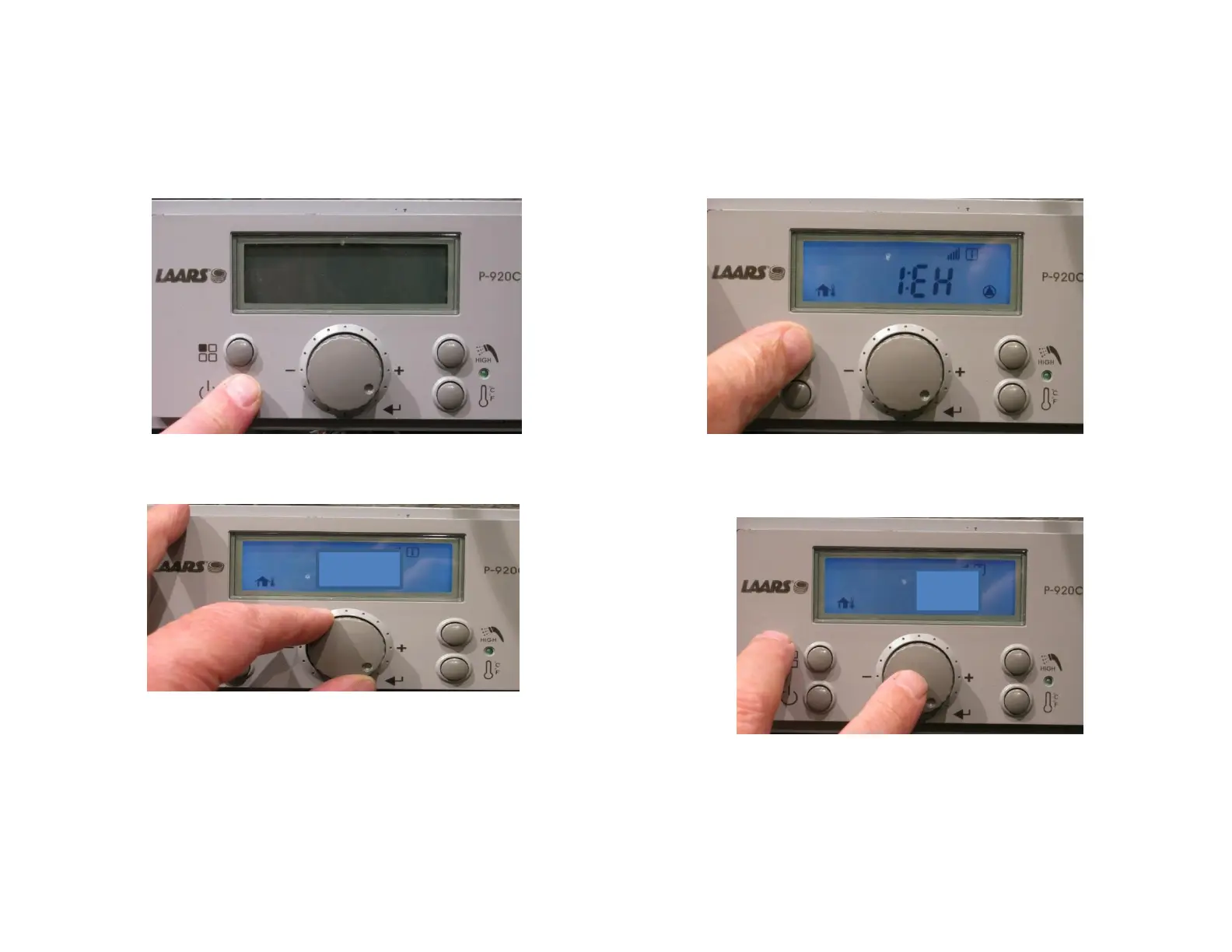
Adjusting Min
Fan Speed
Power off the display.
Press and HOLD the Mode
button until 1:EH appears.
1.
2.
• Using the Scroll/Select button locate
9:FL
• This is the Minimum Fan adjustment
• Press the select button
• Scroll to -8 (Negative 8).
• Press the Scroll/Select
button to lock in the setting
3.
4.
9:FL
-8



 To Previous Page