
 Need help?
Do you have a question about the Laars mascot ft and is the answer not in the manual?
Check the fan speed during minimum fire operation, aiming for 1440 rpm +/- 100 rpm.
Set DIP Switch #7 to the ON position to enable 'Min Fire' mode for boiler operation.
Press the Status button and scroll to C:Fr to view the current fan speed reading.
Modify the '9:FL' setting to -8 if fan speed is not within the 1580-1620 rpm range.
Verify the 'Min Fire' fan speed is now 1440 rpm +/- 100 rpm after adjustment.
Set DIP SW #7 to the OFF position to exit 'Min Fire' mode after successful adjustment.
Set DIP Switch #7 to the ON position to activate the 'Min Fire' operating mode.
Return DIP Switch #7 to the OFF position after completing fan speed adjustments.
Press and hold the Mode button until 'O:ot' appears on the display.
Use the Scroll/Select button to find and display 'C:Fr' for fan speed readings.
Press the select button to view the current fan speed in revolutions per minute (RPM).
Press the Mode button to exit the fan speed display and return to the main screen.
Ensure the display is powered off before initiating fan speed adjustments.
Press and hold the Mode button until '1:EH' appears on the display to access settings.
Use the Scroll/Select button to find the '9:FL' setting for minimum fan speed.
Scroll to '-8' (negative eight) and press Scroll/Select to lock the minimum fan speed.
 General
| Category | Industrial Equipment |
|---|---|
| Type | Boiler |
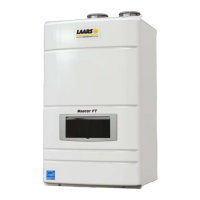
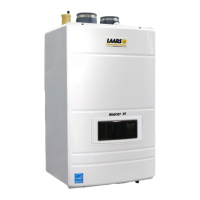
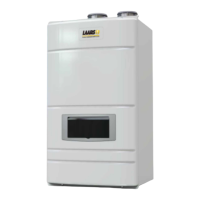
| Model | Mascot FT |
| Heat Exchanger Material | Stainless Steel |
| Fuel Type | Natural Gas, Propane |
| Efficiency | Up to 95% |
| Modulation Ratio | 5:1 |
| Dimensions | Varies by model |
| Weight | Varies by model |


 To Next Page