-09-
Function
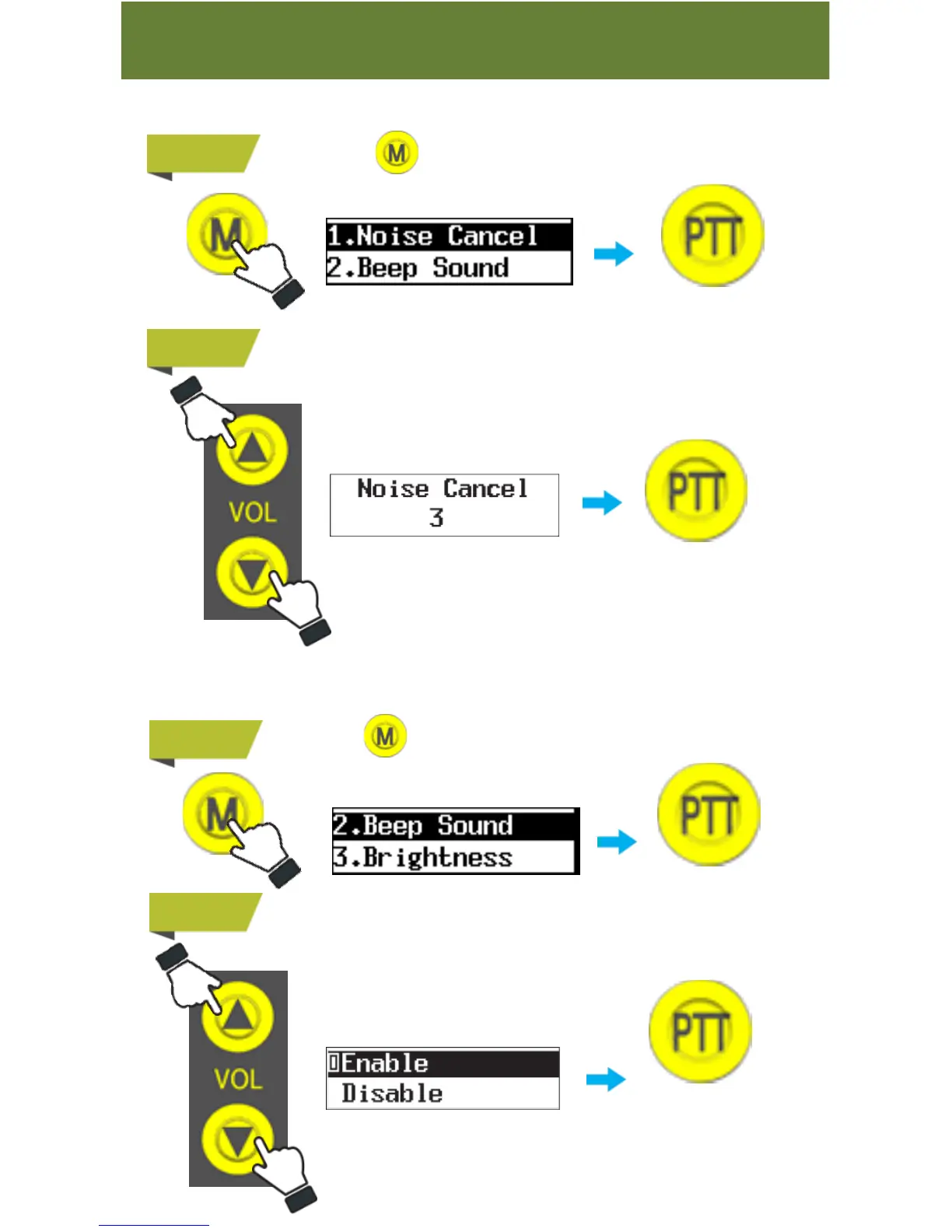
7. Noise Cancel
You can minimize surrounding noise with this function.
STEP 1
Press&hold button to go to menu and then select“ 1. Noise
Cancel ”
STEP 2
Choose between “0” and “8”
Noise Cancel is off at 0.
8. Beep Sound
You can turn on or off warning sound and button sound depending on user’s
preference.
STEP 1
Press&hold button to go to menu and select “ 5. Beep Sound ”.
STEP 2
Choose between “Enable” and “Disable”
Push PTT button
to select
Push PTT button
to select
Push PTT button
to select
Push PTT button
to select



 To Next Page