Push PTT button
to select
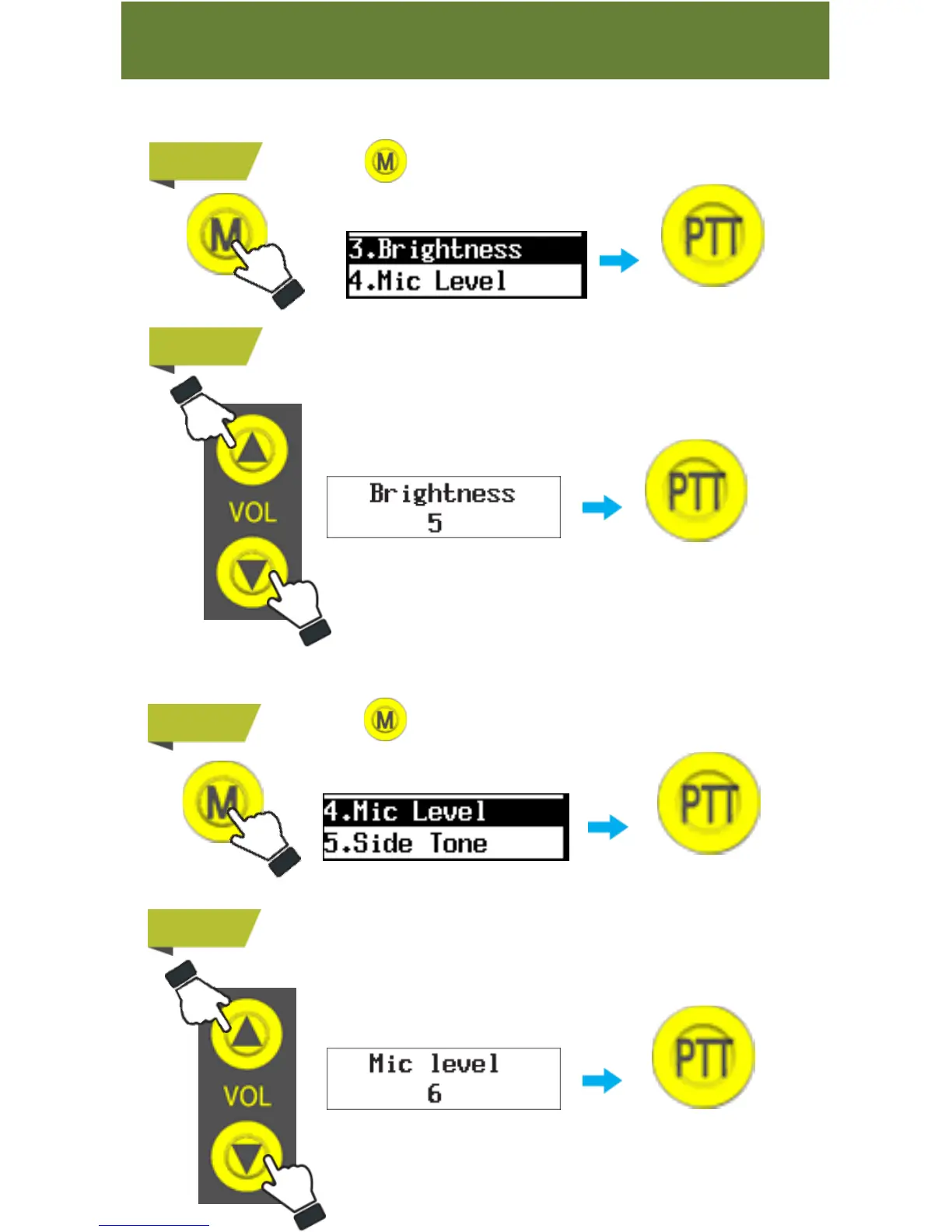
Press&hold button to go to menu and then select “ 3. Brightness .
-10-
Function
9. Display Brightness Setting
You can adjust display brightness level.
STEP 1
STEP 2
Choose between “0” and “8”.
10. Mic Level
You can adjust the Microphone Volume level. With this function your voice
transmission is clearer if you set it right, depending on your voice level.
STEP 1
STEP 2
Choose between “0” and “8” (The higher number you choose, the
higher microphone volume it transmits)
“Mic Level” 0 means microphone is mute
Press&hold button to go to menu and then select “ 4. Mic
Level ”
Push PTT button
to select
Push PTT button
to select
Push PTT button
to select



 To Next Page