Function
-06-
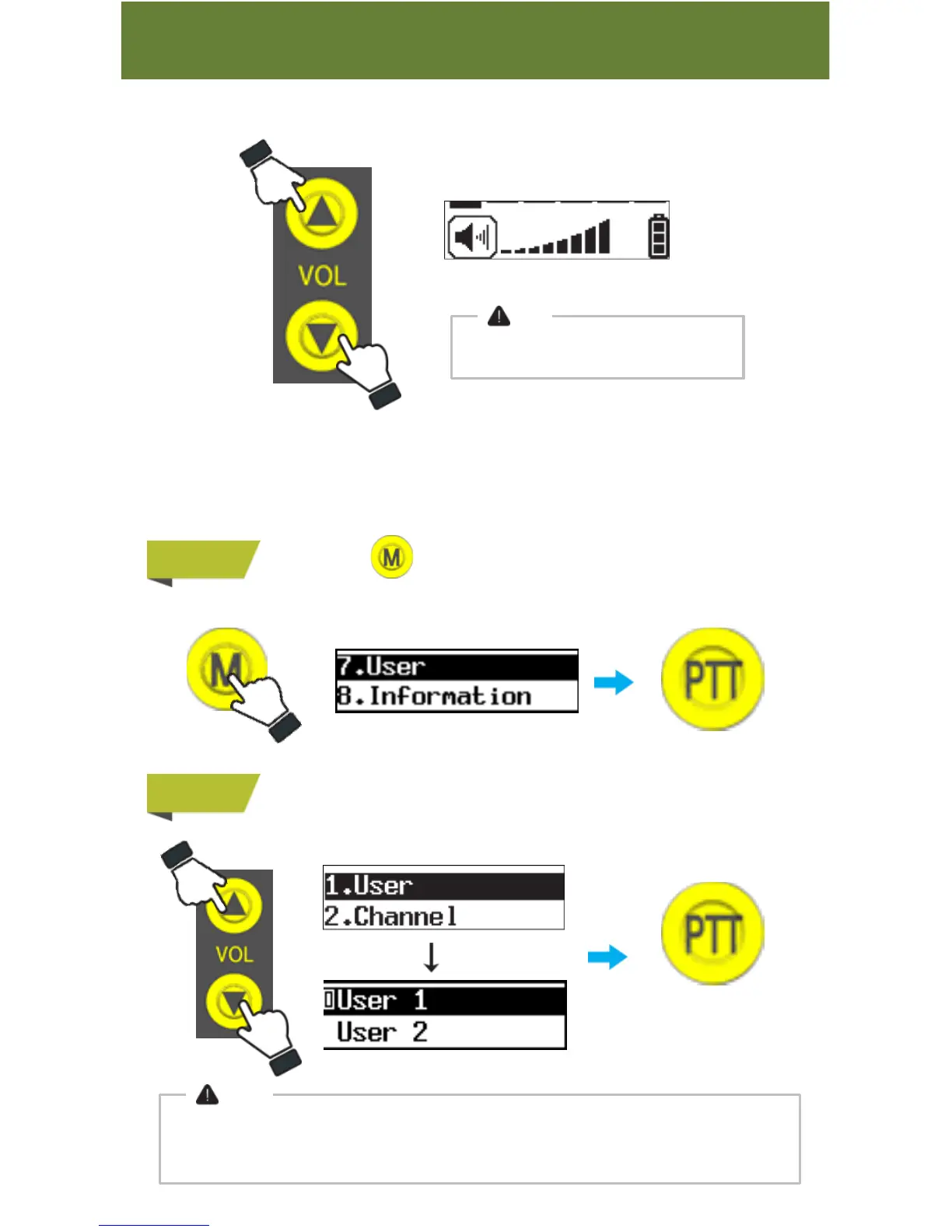
3. Volume Setting
Volume level ranges from 0 to 8.
Note
Volume 0 means no audio volume
4. User Number Setting
User Number ranges from User 1 to User 12.
Each device takes one user number, and user number for devices should be different
from one another.
STEP 1
Press&hold button to go to Menu and then choose “7. User”.
STEP 2
Choose between “User 1” and “User 12”
Note
● There should be one Master Device for group communication.
● Press&hold PTT button for transmission in “PA mode”.
Press PTT button
to select
Press PTT button
to complete



 To Next Page