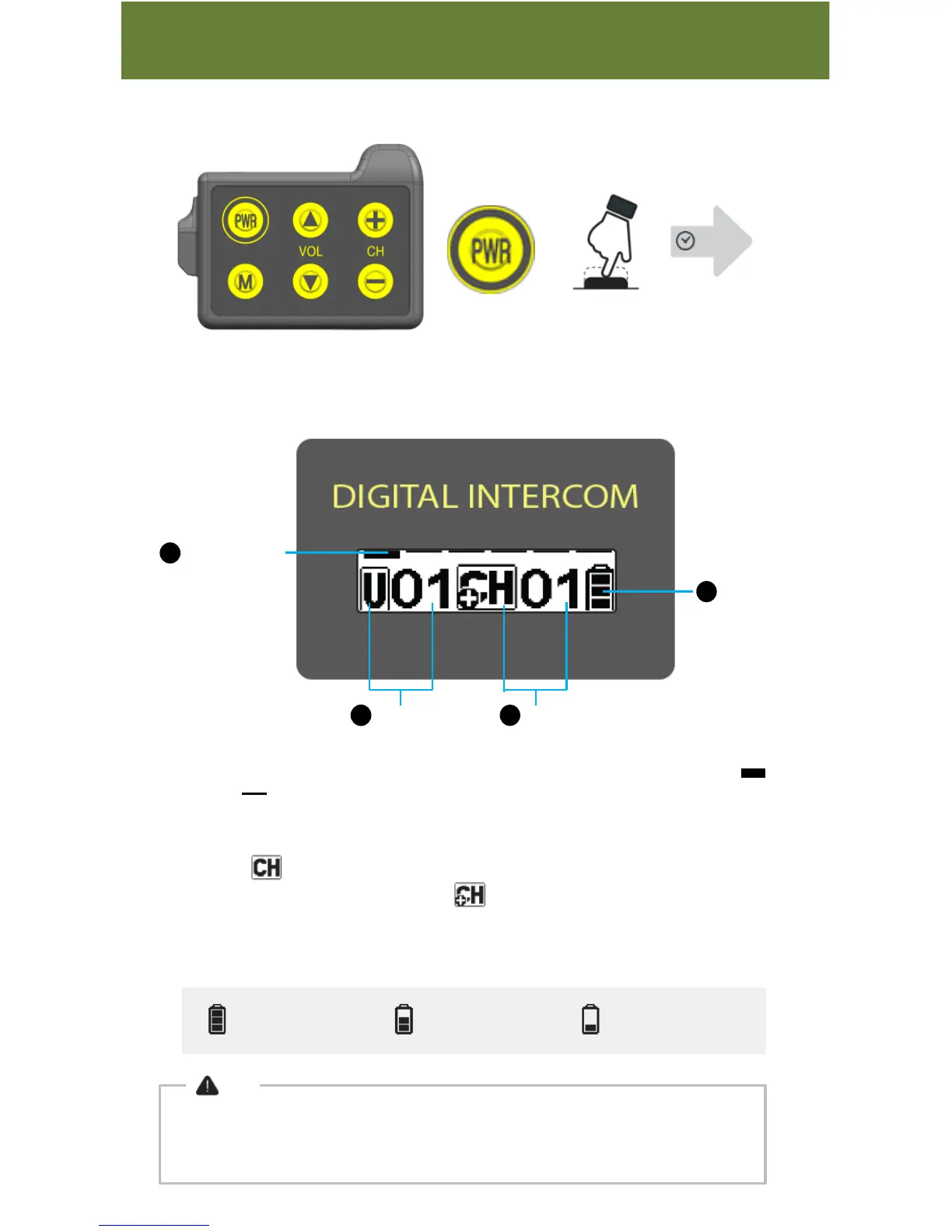
1. Connection/Stand-By : Twelve bars on the upper display shows connection or
stand-by .
2. User Number : it shows the user number that your device is set to.
3. Channel : means the current channel number that your device is set to.
If you are a master device, is displayed.
4. Battery : It indicates current battery level.
When battery is running low, the battery ICON is blinking.
Function
1. Power
Power on, off with PWR button
2 sec
2. Current Setting Display
Connection/
Stand-by
1
USER Number
2 Channel Number3
Battery4
More than 80%
Below 50% Below 20%
Note
If device is left in standby mode for half hour, it is automatically turned off for power-saving.
-05-
Standby status means the device is ready for pairing (No connection)



 To Next Page