LaCie Brick Hi-Speed FireWire &
USB 2.0 Hard Drive User’s Manual
1. Unpacking Your LaCie Hard Drive
Building on over a decade of design excellence, LaCie has created a new line of drives crafted to blend functionality with
high-technology. These latest drives are performance-based solutions that will power you through your specific applications.
Pack up the office and take it on the road. Whether you work from home, or your daily schedule keeps you on the move,
these mobile drives are the perfect compliment to today’s demanding applications. Share between Macs and PCs and take
everything you need in one small design.
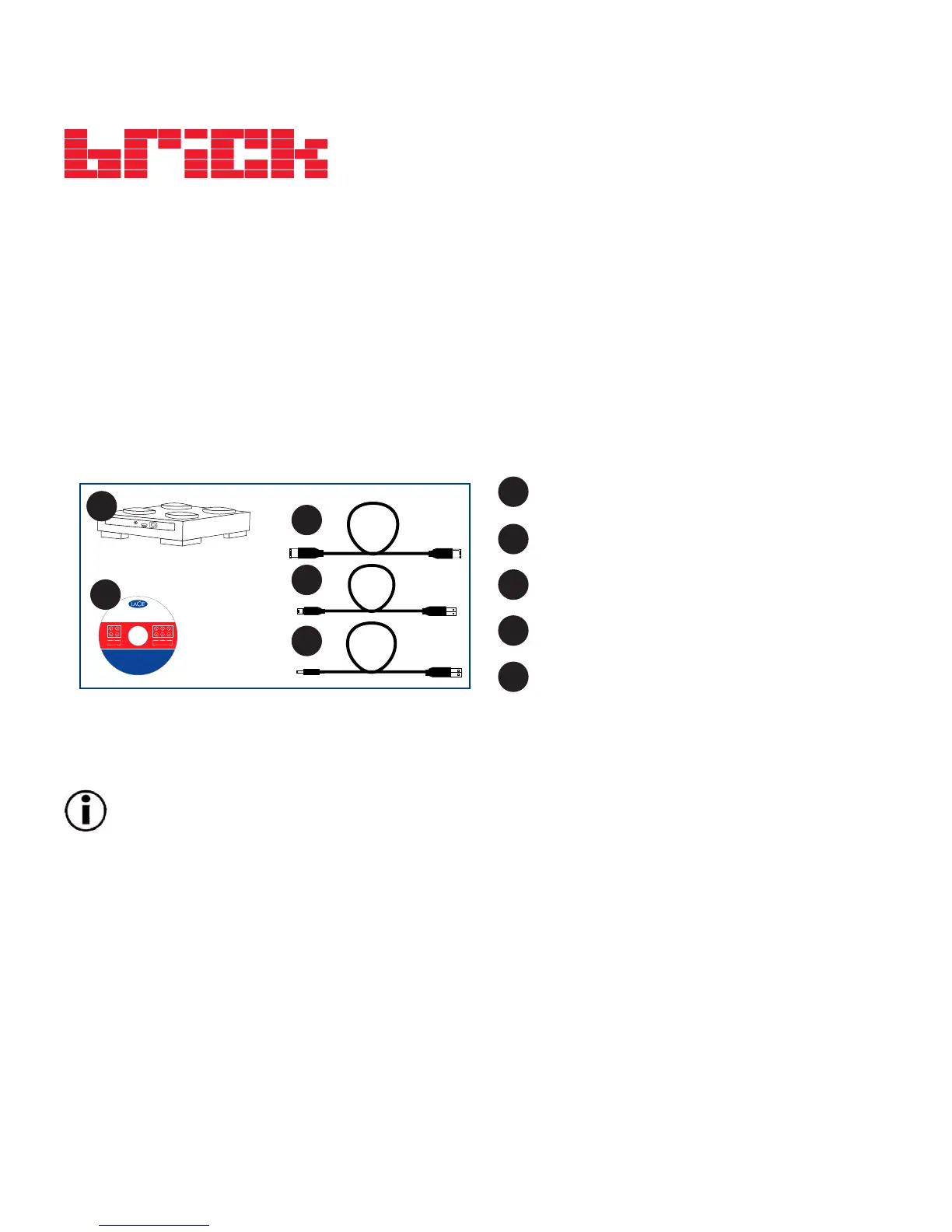
Package Contents:
Important Note:
Any loss, corruption or destruction of data while using a LaCie drive is the sole responsibility of the
user, and under no circumstances will LaCie be held liable for the recovery or restoration of this data. To help
prevent the loss of your data, LaCie highly recommends that you keep two copies of your data; one copy on your
external hard drive, for instance, and a second copy either on your internal hard drive, another external hard drive
or some other form of removable storage media, such as CD, DVD or Tape. LaCie offers a complete line of CD, DVD
and Tape drives, and if you would like more information on backup, please refer to the LaCie white paper on
backup methods and technology.
1. Unpacking Your LaCie Hard Drive
page 5
©
2
0
0
5
L
a
C
i
e
,
a
l
l
r
i
g
h
t
s
r
e
s
e
r
v
e
d
.
L
a
C
i
e
a
n
d
t
h
e
L
a
C
i
e
l
o
g
o
a
r
e
t
r
a
d
e
m
a
r
k
s
o
f
L
a
C
i
e
w
h
i
c
h
m
a
y
b
e
r
e
g
i
s
t
e
r
e
d
i
n
s
o
m
e
j
u
r
i
s
d
i
c
t
i
o
n
s
.
7
0
8
6
8
8
LaCie User's Manuals
“1’click” Backup Mac OS 10.2 and greater
“1’click” Backup Windows XP / 2000 / Me / 98SE
Silverlining 98 v1.59 for Win98SE
Silverlining Pro v6.5.4 for Mac OS 9
SilverKeeper v1.1.2 backup for Mac
LaCie Brick Hard Drive
Storage Utilities: Windows and Mac OS compatible











 To Next Page