LaCie hard disk • DESIGN BY NEIL POULTON Formatting & Partitioning
User Manual page 16
8. Click Next.
9. Click Next.
10. Click Next.
11. Click Next.
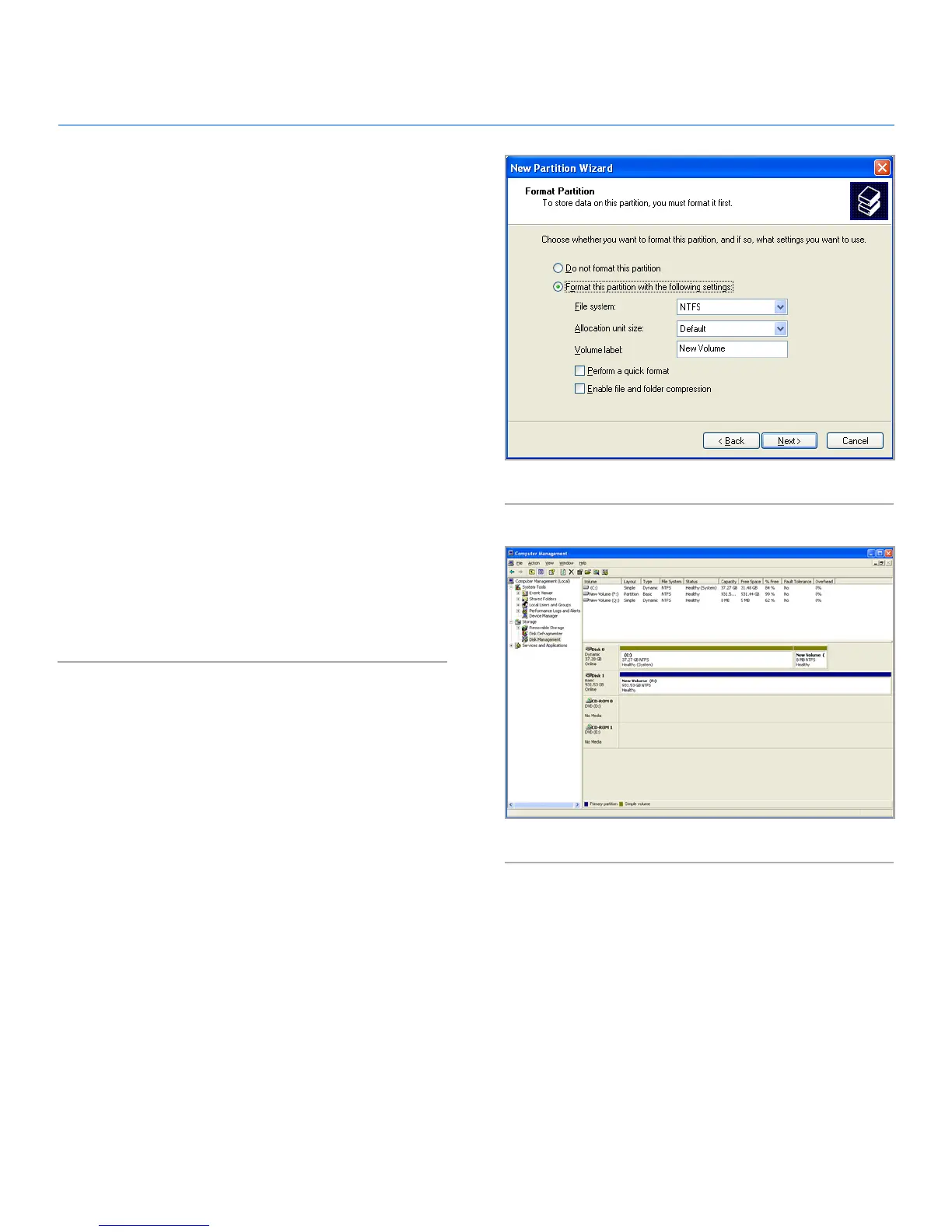
12. On the Format Partition window, select Quick Format. Click
Next (Fig. 07).
Fig. 07
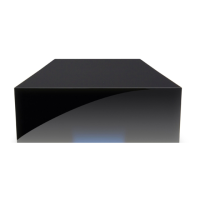
Fig. 08
13. Click Finish to begin the formatting process.
14. Windows Disk Management will format and partition the disk
according to your settings (Fig. 08), and your drive will ap-
pear in My Computer, ready to use.








 To Next Page