20-18071 Rev A
Prepare Head Skin - 1/3
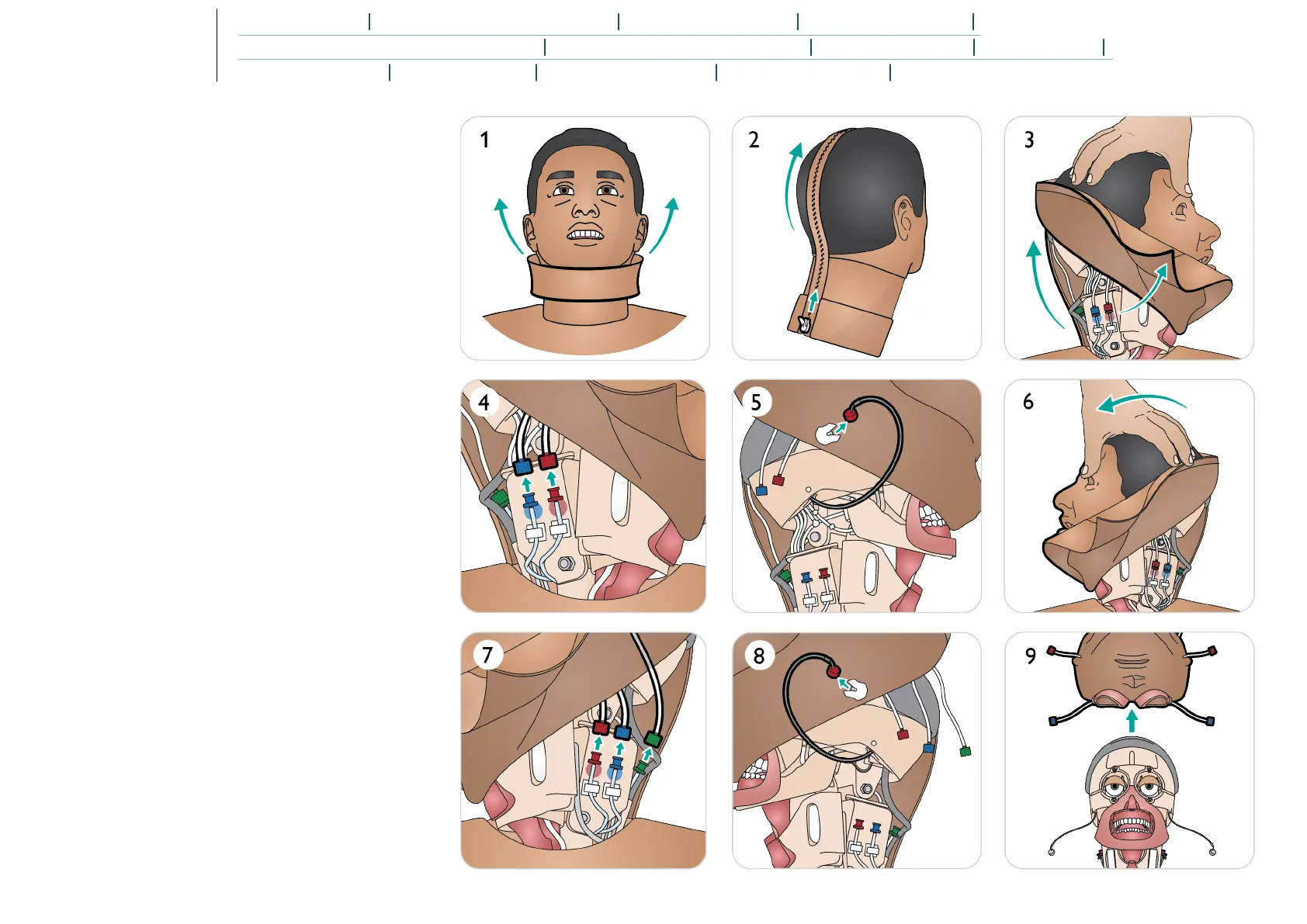
Remove Head Skin
1. Remove neck skin.
2. Unzip head skin.
3. Lift head skin to expose tubing.
4. Disconnect blue and red tube connectors.
5. Carefully remove microphone cable from inside head skin.
6. Turn head.
7. Disconnect red, blue and green tube connectors.
8. Carefully remove microphone cable from inside the head
skin.
9. Remove head skin completely.















 To Next Page