20-18071 Rev A
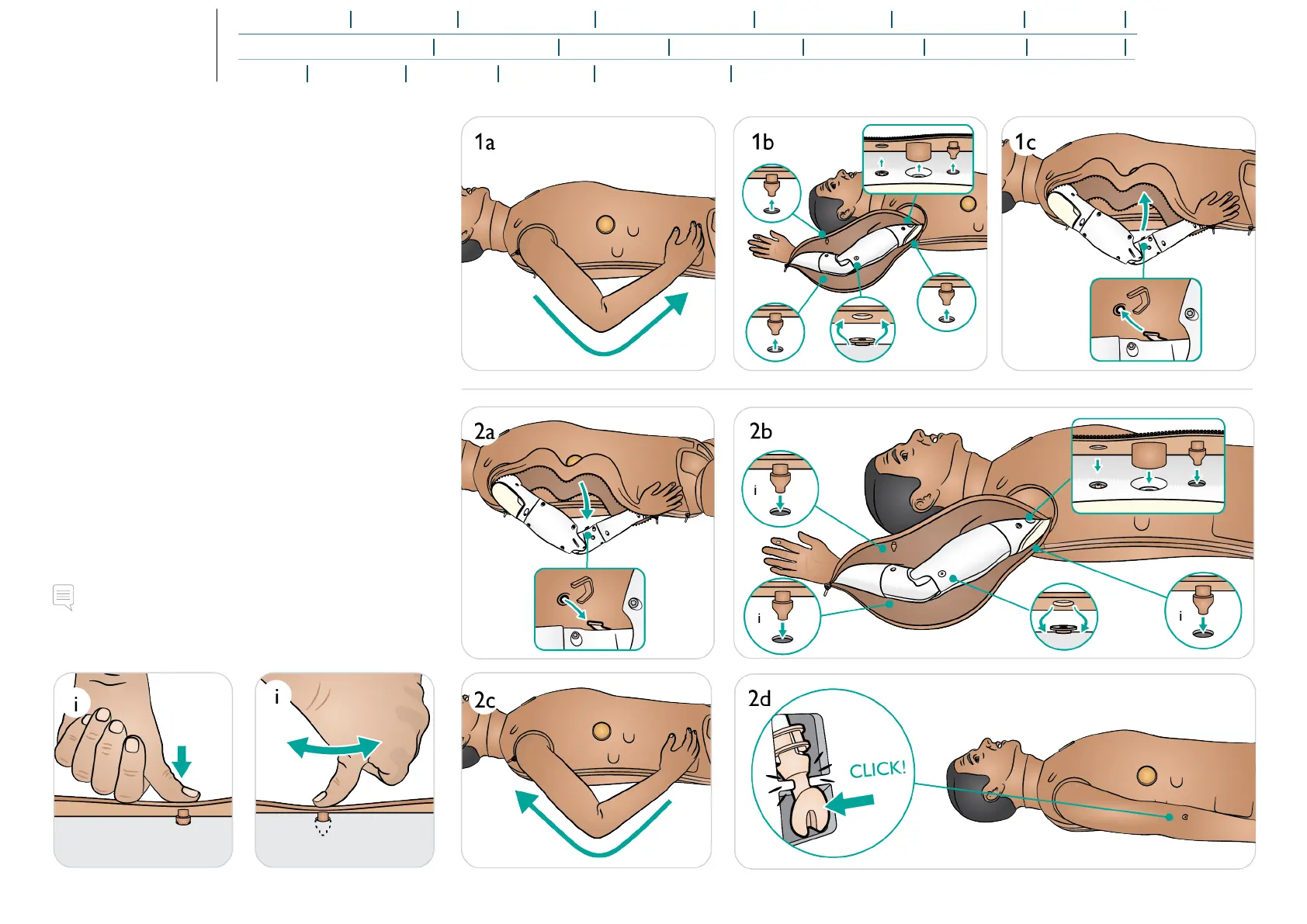
Opening Arm Skin
Some arm maintenance tasks can only be carried out by
opening the arm skin.
Opening Arm Skin
1. a. Unzip arm skin from shoulder to wrist.
b. Position the arm to expose underside and detach skin
at each plug.
c. Detach skin at inner elbow point.
Closing Arm Skin
2. a. Attach skin at elbow point.
b. Attach skin at each plug.
c. Zip up arm skin.
d. Click the IV port into place.
Note
The skin plugs may require manipulation into place using a
massaging motion with the thumb.















 To Next Page