20-18071 Rev A
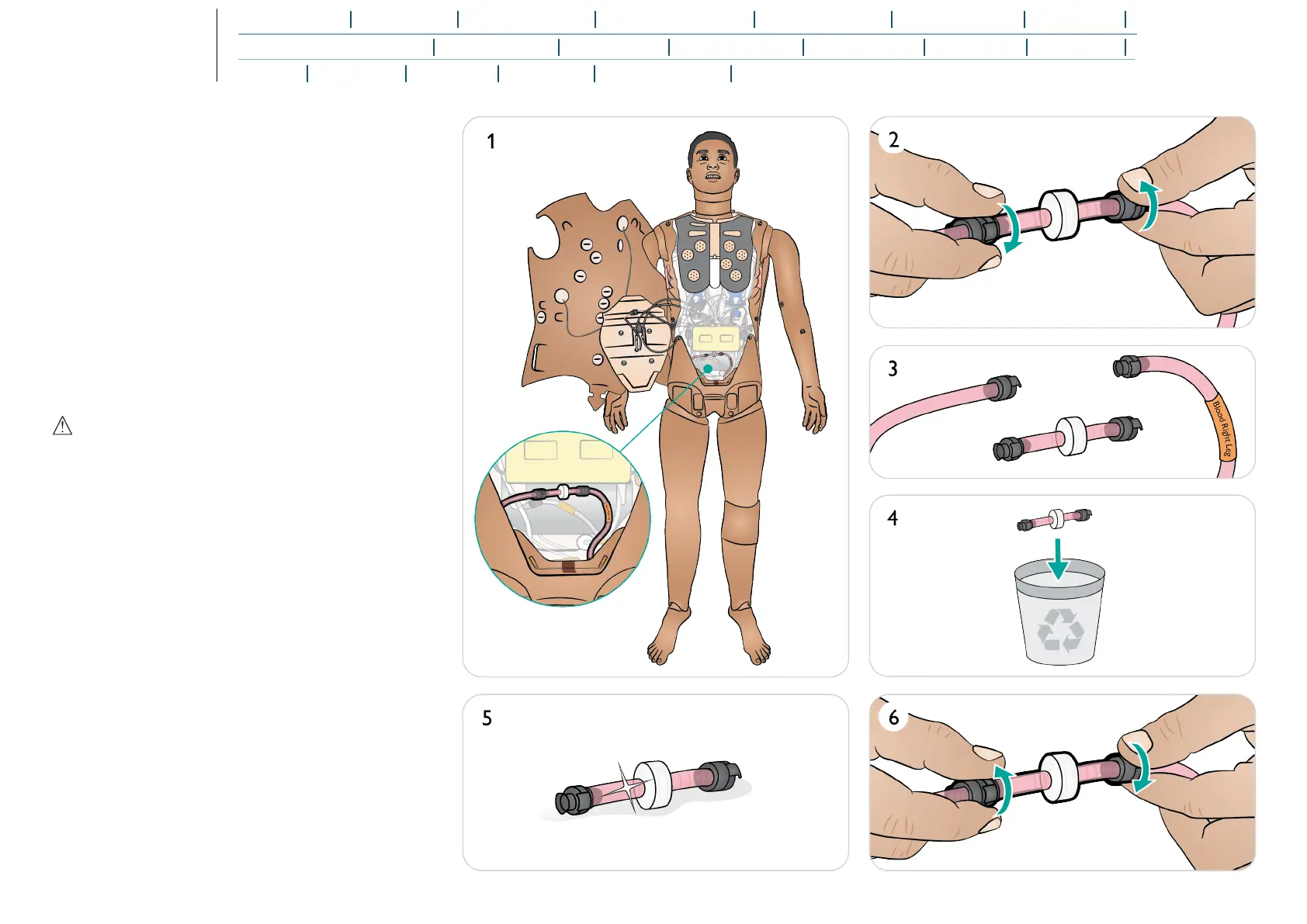
Replacing the Blood System Filter
Replace the filter if it becomes clogged and reduces blood flow.
Ensure the Patient Simulator is turned off.
1. Open Torso as described in Opening Torso and locate
blood system filter.
2. Disconnect the filter from the leg and pelvis blood tubes
by unscrewing the black connectors at each end.
3. Remove filter from the Patient Simulator.
4. Discard clogged filter.
5. Select a new filter.
6. Connect a new filter by reversing the steps above.
Caution
Do not run the Patient Simulator without a filter.















 To Next Page