You may find that your UNO R3 board's 'L' LED already blinks when you connect it to a USB plug. This is because the boards are
generally shipped with the 'Blink' sketch pre-installed.
In this lesson, we will reprogram the UNO R3 board with our own Blink sketch and then change the rate at which it blinks.
In Lesson 0, you set up your Arduino IDE and made
sure that you could find the right serial port for it to
connect to your UNO R3 board. The time has now
come to put that connection to the test and program
The Arduino IDE includes a large collection of
example sketches that you can load up and use. This
includes an example sketch for making the 'L' LED
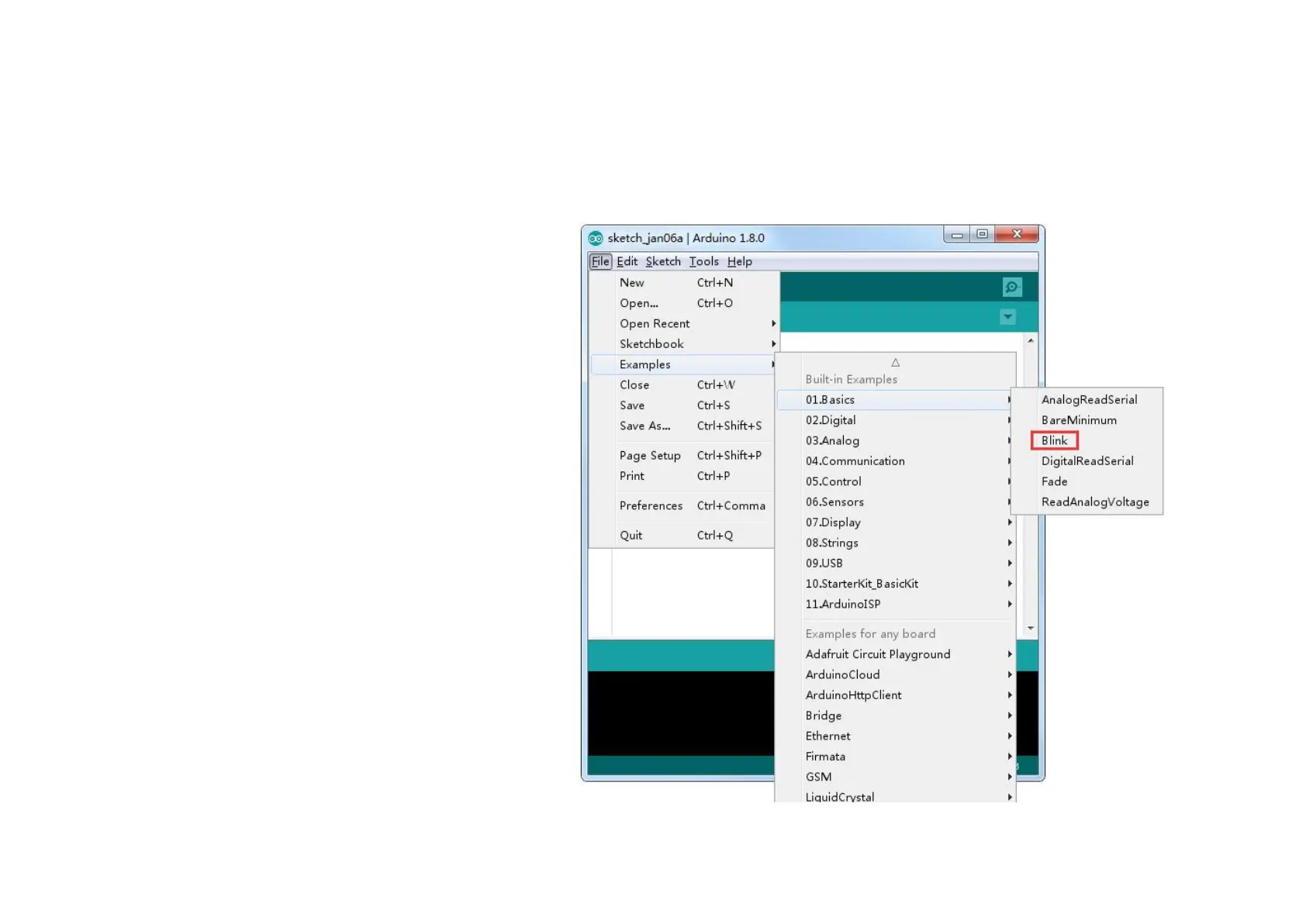
Load the 'Blink' sketch that you will find in the IDE's
menu system under File > Examples > 01.Basics


 To Next Page