Lesson 2 Add Libraries and Open Serial Monitor
Installing Additional Arduino Libraries
Once you are comfortable with the Arduino software and using the built-in functions, you may want to extend the ability of your Arduino with
additional libraries.
What are Libraries?
Libraries are a collection of code that makes it easy for you to connect to a sensor, display, module, etc. For example, the built-in
LiquidCrystal library makes it easy to talk to character LCD displays. There are hundreds of additional libraries available on the Internet
for download. The built-in libraries and some of these additional libraries are listed in the reference. To use the additional libraries, you
will need to install them.
How to Install a Library
Using the Library Manager
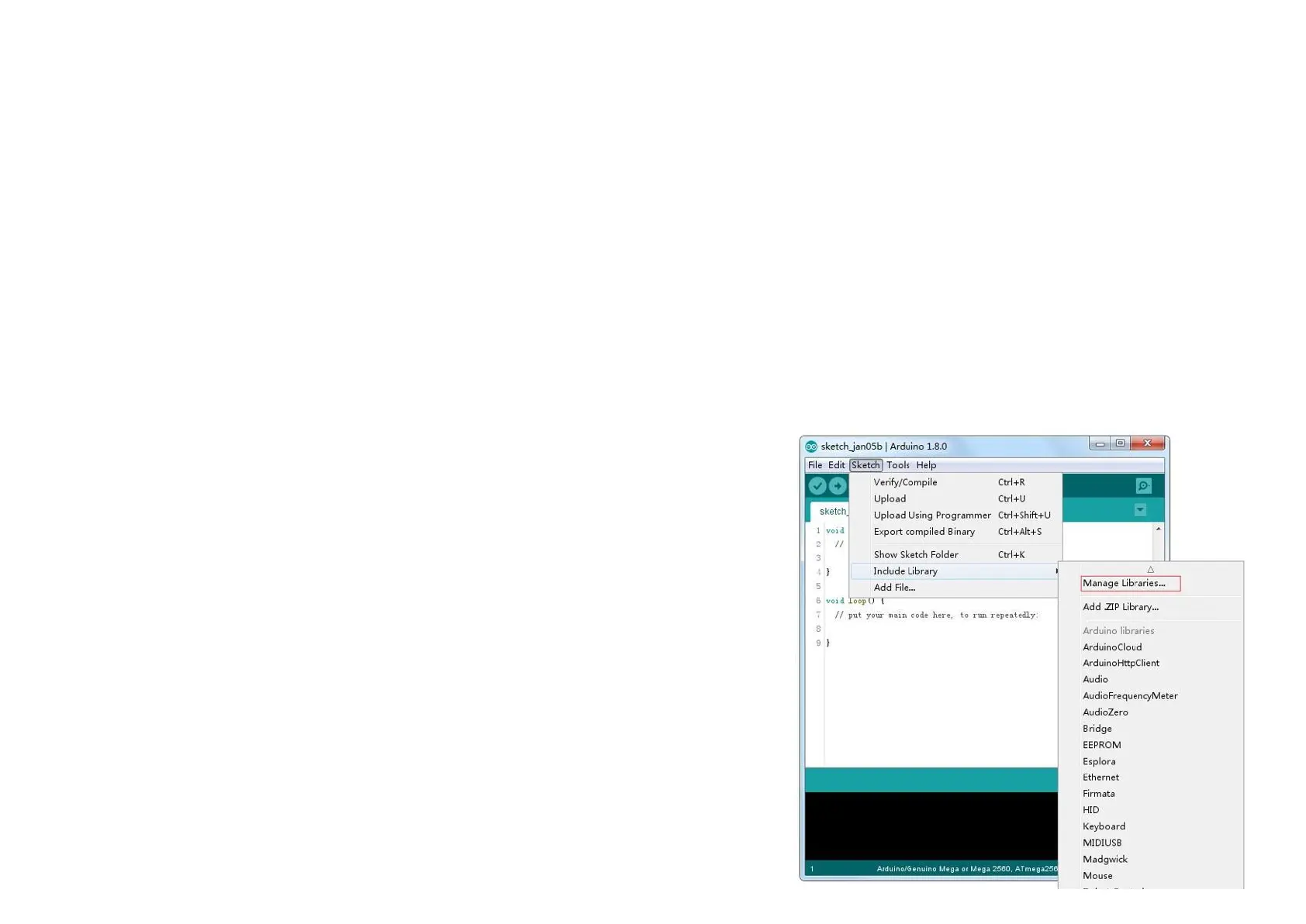
To install a new library into your Arduino IDE you can use the Library Manager
(available from IDE version 1.8.0). Open the IDE and click to the "Sketch" menu
and then Include Library > Manage Libraries.



 To Next Page