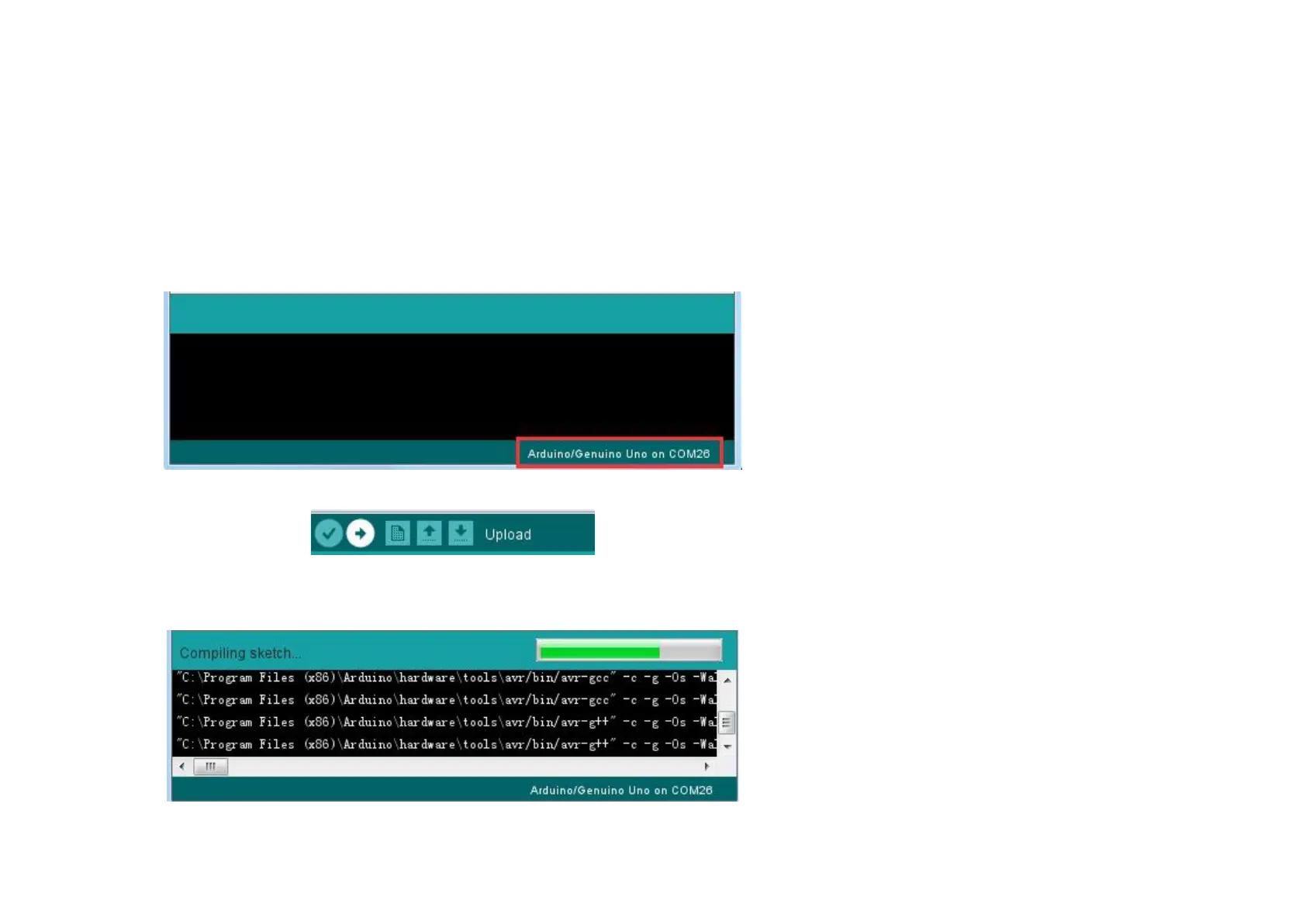
Note: The Board Type and Serial Port here are not necessarily the same as shown in picture. If you are using 2560, then you will
have to choose Mega 2560 as the Board Type, other choices can be made in the same manner. And the Serial Port displayed for
everyone is different, despite COM 26 chosen here, it could be COM3 or COM4 on your computer. A right COM port is
supposed to be COMX (arduino XXX), which is by the certification criteria.
The Arduino IDE will show you the current settings for board at the bottom of the window.
Click on the 'Upload' button. The second button from the left on the toolbar.
If you watch the status area of the IDE, you will see a progress bar and a series of messages. At first, it will say 'Compiling Sketch...'.
This converts the sketch into a format suitable for uploading to the board.


 To Next Page