8
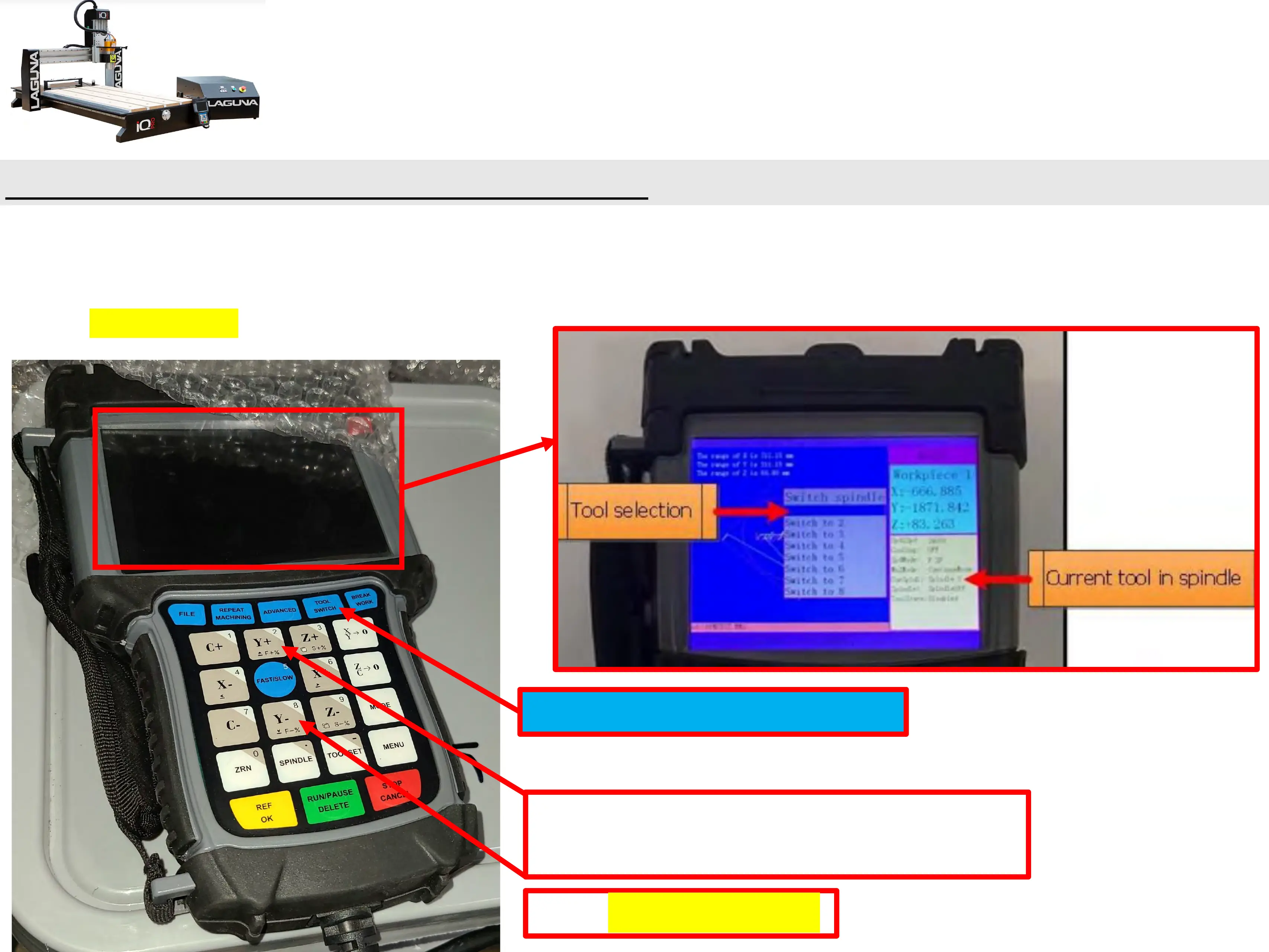
1 b.) Press “Tool-Switch” button.
• Use Y+ & Y- Buttons to highlight tool selection (Tools are listed from Left to Right.).
• Machine will then switch from current Tool in Spindle to Tool Selected.
• Press REF/OK Button.
Basic Button Functions (Changing Tools Cont’d.)
Press “Tool-Switch” Button.
Press the Y+, and Y-, buttons for
Tool Selection.
Press REF/OK Button.


 To Next Page