26
QUICK START SECTION (Cont’d.)- Set the ”Z” Origin Point [Manually]
“Z-Zero Position with a
piece of paper”
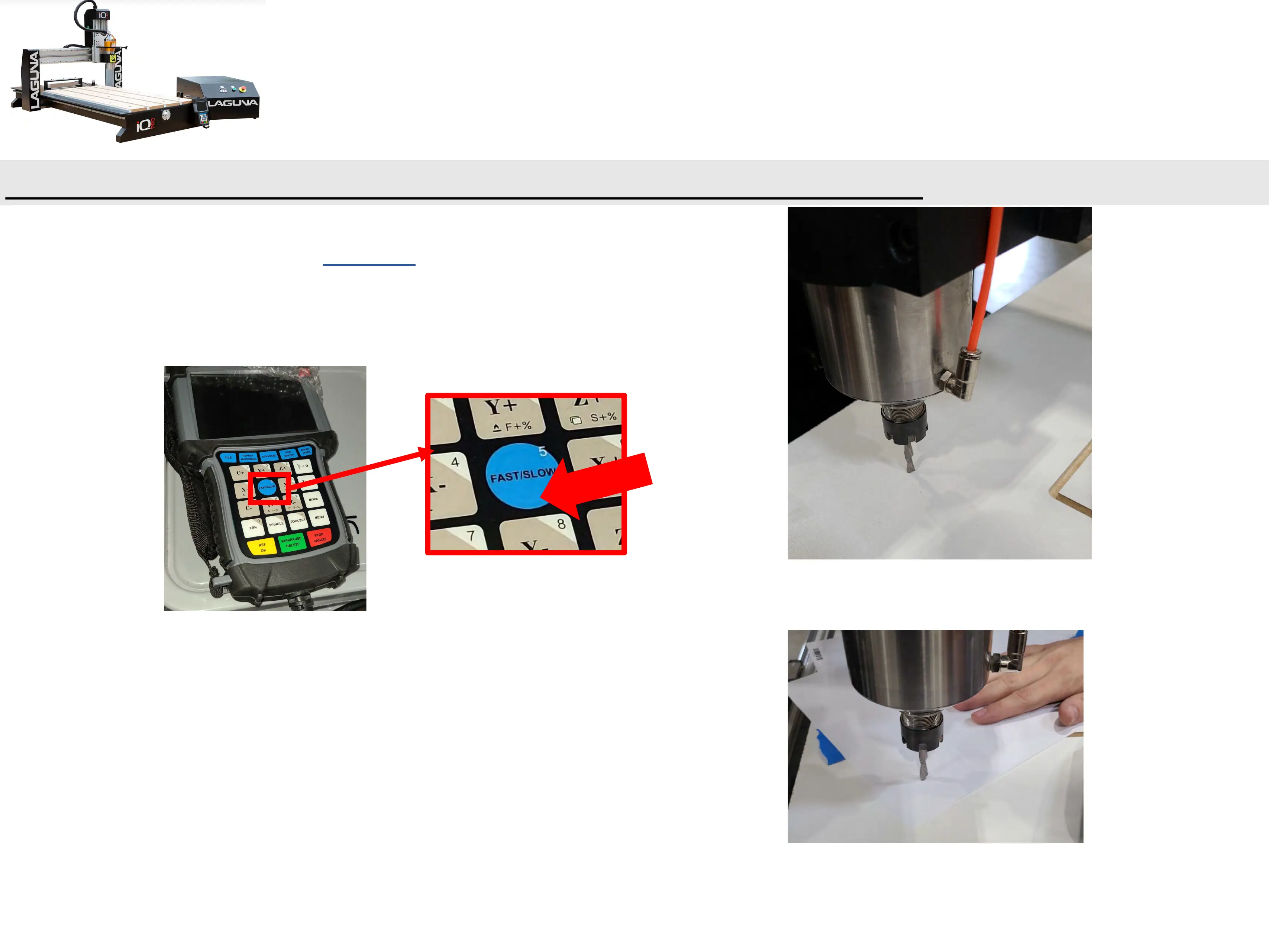
a.) Set the Jog Speed to “Low” and carefully move the
spindle down towards the top of your material until the
desired Z-Zero Position is obtained.
i. It may be helpful to use a sheet of paper by sliding it
back and forth under the bit, while jogging the z-axis
down.
ii. Once the paper is snagged by the bit you know one is
within a paper thickness (0.1mm) of your material.
“Z-Zero Position”


 To Next Page