27
QUICK START SECTION (Cont’d.)- Set the ”Z” Origin Point [Manually]
Figure #1
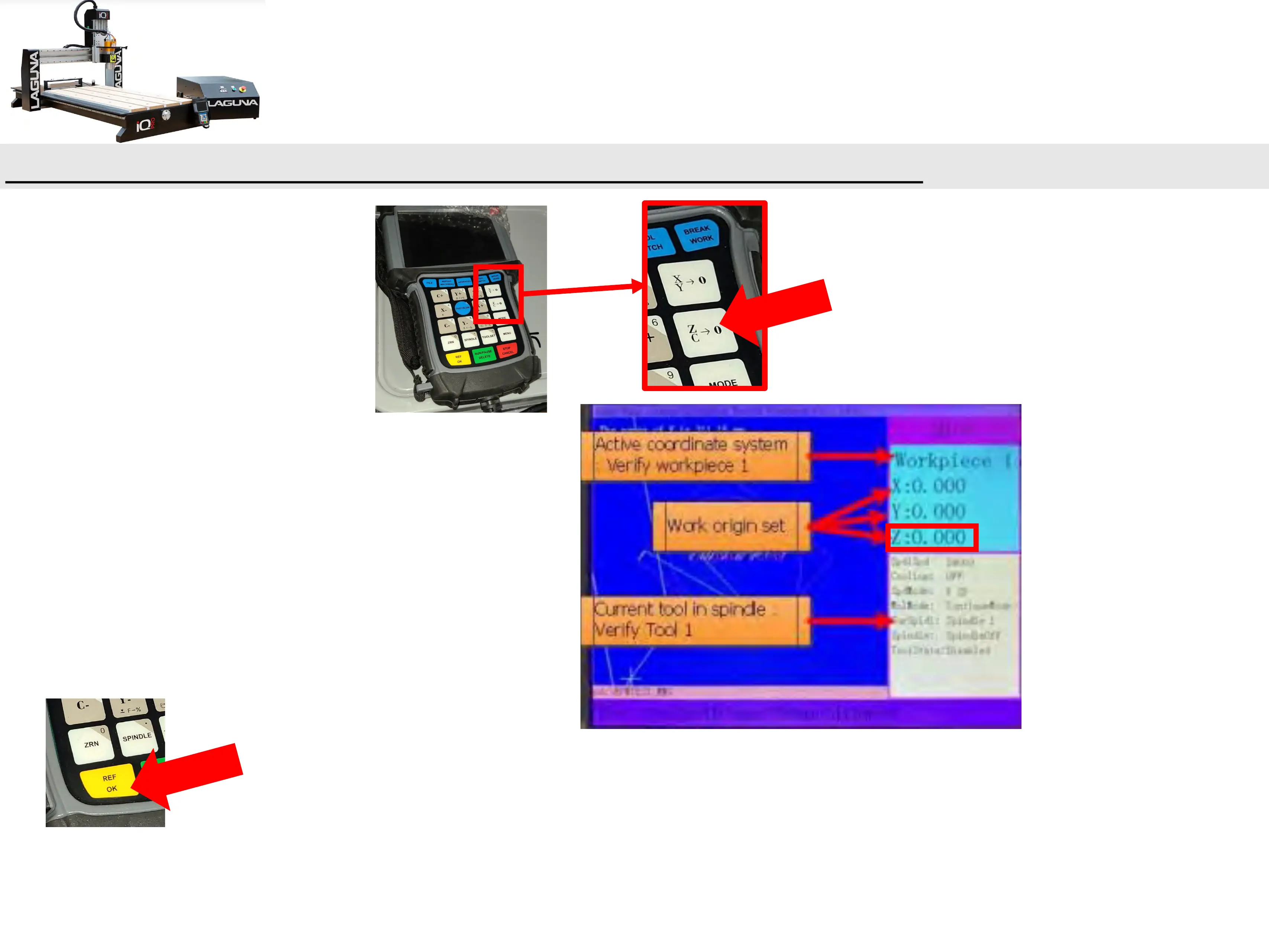
b.) Press the ZC-->0 button.
c.) On the controller, you will see the Z-axis
coordinate go to zero (Figure #1).
d.) Press REF/OK Button x2 (Twice).
e.) This will retract the spindle to a safe starting
location.


 To Next Page