28
QUICK START SECTION (Cont’d.)- Set the ”Z” Origin Point [Manually]
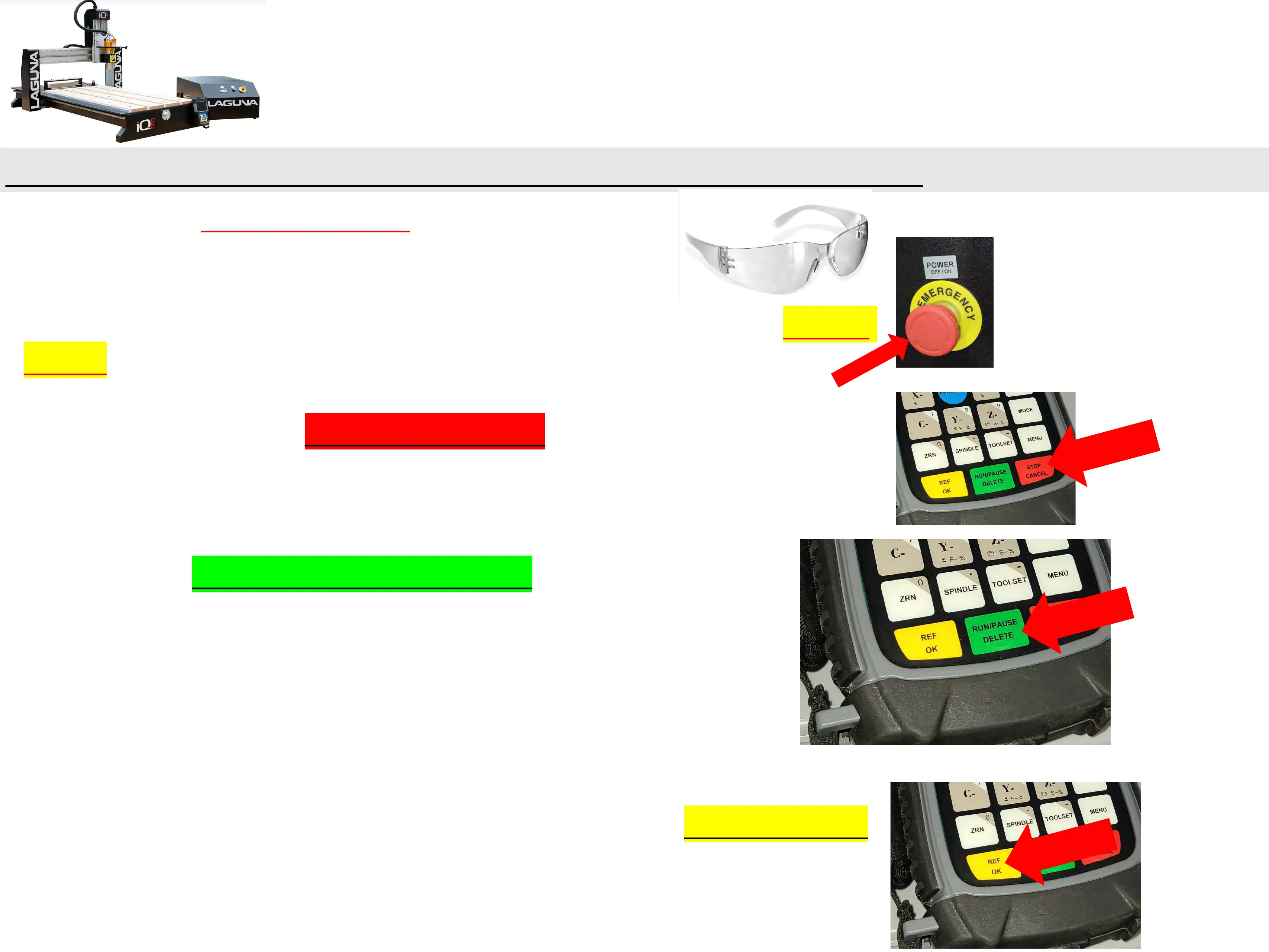
f.) Put on your SAFETY GLASSES and run the program!
g.) In case of an emergency or machine failure you can hit the “E-STOP
Button” on the control cabinet.
***[In most cases the “Stop/Cancel Button” on the Handheld Controller
(HHC) is a preferred stopping method.]***
h.) Press the “RUN/PAUSE/DELETE Button” to start the program.
i.) Accept the default runtime parameters by pressing “REF/OK Button”.


 To Next Page