PAGE 10 ASSEMBLY INSTRUCTION
ASSEMBLY STAGE #5
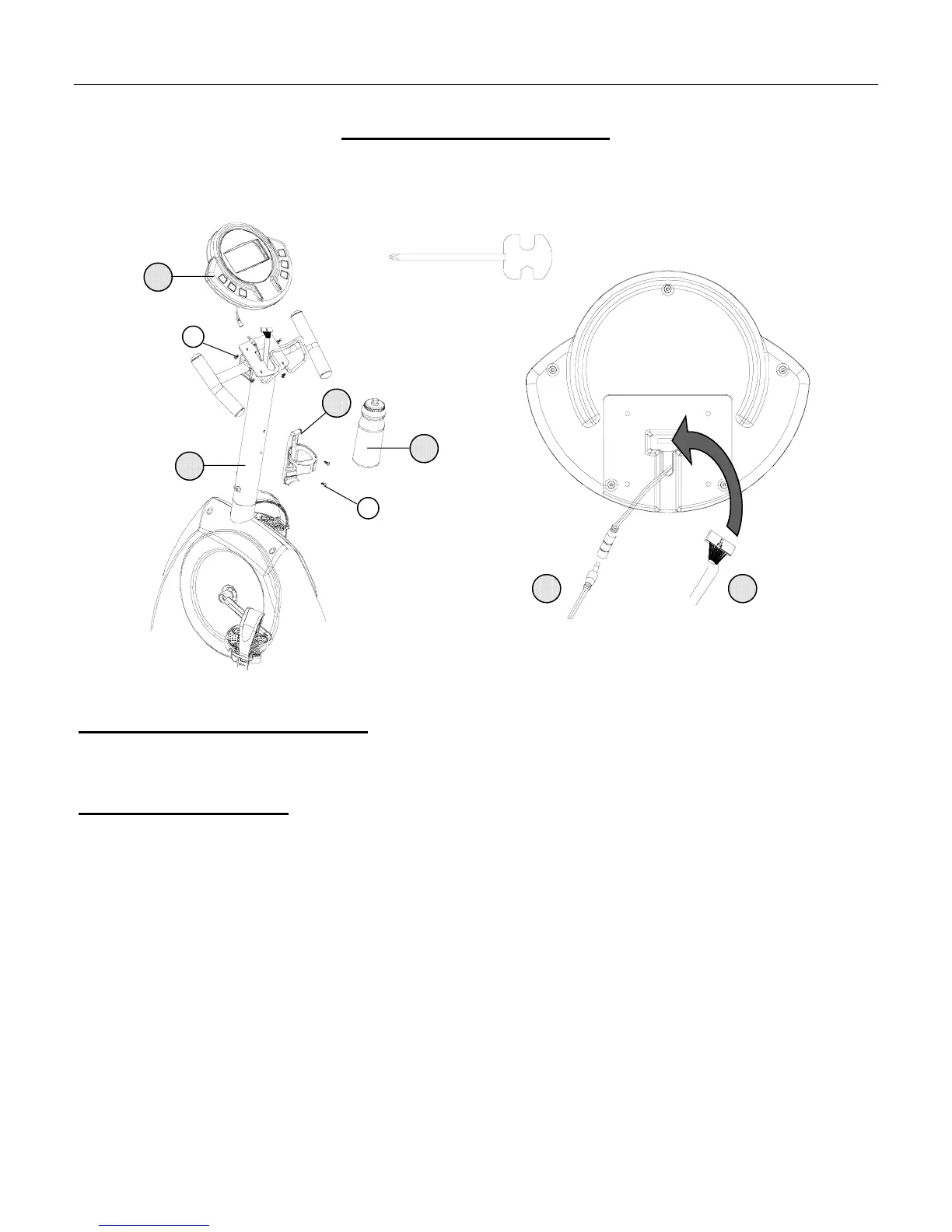
Attach Computer & Bottle Cage to the Handlebar Mast.
Assembly Hardware Required: (*Hardware is Preinstalled in the Handlebar Mast & Computer)
#35 Truss Screw* Qty. 4 #36 Truss Screw* Qty. 2
Assembly Description:
A) Remove the preinstalled mounting hardware (Truss Screws #36) from the back of the computer
B) Plug the connector of Upper Data Cable Assembly (#20) into the plug-in receptacle on the back of the computer.
Note: Do not pull on the cable assemblies in order to make connections.
C) Connect the plug end of the Upper Heart Rate Cable (#18) to the receptacle end of the of the Heart Rate Cable
(pigtail) coming from the back of the computer.
D) Tuck excess cable lengths down into the Handlebar Mast. Place the Computer (#17) on top of the mounting plate.
Secure the Computer (#17) to the mounting plate with the 4-(previously installed) Truss Screws (#35). Note:
Actual mounting of the computer may only require 2-screws, depending on the mounting plate hole alignment.
E) Remove the preinstalled Truss Screws (#36) from the Handlebar Mast. Secure the Bottle Cage (#23) to the
Handlebar Mast using the 2-Truss Screws (#36) and insert Sports Bottle (#24). Note: We recommend washing the
Sports Bottle before actual use.
♦ Assembly Stage #5 complete
35
Heart Rate Cable
Back of Computer
USE TOOL
20 18
Upper Data Cable Assembly
17
13
24
23
36



 To Next Page