EasyManua.ls Logo

Lancaster City Soft Plus XFactor Series - User Manual

Default Icon
26 pages
Print Icon
To Next Page IconTo Next Page
Loading...
PAGE 1
In the event that you need assistance for servicing your water conditioner, please rst contact the
professional contractor who installed the system.
Congratulations on purchasing your new Lancaster Water Conditioner. This unit is designed to give
you many years of trouble free service. When installed in accordance with the following instructions
and if given reasonable care, clear-soft water will be the result. For servicing and future inspection
purposes, please le this booklet with your important documents.
7-LXDCS-75
7-LXDCS-100
7-LXDCS-150
7-LXDCS-200
7-LXDNS-75
7-LXDNS-100
7-LXDNS-150
7-LXDNS-200
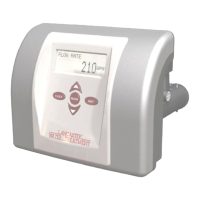
ELECTRONIC CITY SOFT PLUS SYSTEM
WITH THE X-FACTOR CONTROL VALVE
PROGRAMMED FOR PRE-FILL BRINING OPTION
INSTALLATION, OPERATING AND
SERVICE MANUAL

Questions and Answers

  • R
    Renee JensenAug 11, 2025
    How to fix no display on Lancaster Water Dispenser PC board?
    • R
      Rick SullivanAug 11, 2025
      If the PC board of your Lancaster Water Dispenser shows no display, there could be several reasons. First, ensure the dispenser is properly connected to a working electrical outlet. If it is, check that the control valve power adapter is correctly plugged into the outlet and connected to the PC board. Verify the power supply to the PC board is correct. If the issue persists, the power adapter or the PC board itself may be defective and need replacement.
  • T
    tamara70Aug 17, 2025
    Why does my Lancaster City Soft Plus XFactor Water Dispenser control valve regenerate at the wrong time?
    • C
      cindydavisAug 17, 2025
      If your Lancaster Water Dispenser's control valve regenerates at the wrong time, it might be due to a few reasons. A power outage can cause this, so you'll need to reset the time of day. Also, make sure the time of day and regeneration time are set correctly. The control valve might also be set to immediate regeneration; if so, change the programming setting to DELAYED.
  • S
    sarah40Aug 22, 2025
    What to do if the time of day flashes on my Lancaster Water Dispenser?
    • A
      Andrew MejiaAug 23, 2025
      If the time of day is flashing on and off on your Lancaster Water Dispenser, this indicates a power outage has occurred. To resolve this, you will need to reset the time of day.
  • R
    Rebecca TrevinoAug 29, 2025
    Why PC Board does not display correct time on Lancaster Water Dispenser?
    • D
      daniellekingAug 29, 2025
      If the PC board on your Lancaster Water Dispenser isn't displaying the correct time, it could be due to a few reasons. Check that the power adapter isn't plugged into an outlet controlled by a light switch; if it is, use an uninterrupted outlet. Also, see if a breaker switch or GFI has tripped and reset it if needed. If there was a power outage, reset the time of day. If these steps don't work, the PC board might be defective and require replacement.
  • E
    Emma SimpsonSep 3, 2025
    What to do if display of Lancaster Water Dispenser does not indicate water flowing?
    • M
      Mr. James Valentine Jr.Sep 3, 2025
      If the display on your Lancaster Water Dispenser doesn't indicate water flow, several issues could be the cause: * Ensure the bypass valve is not in the bypass position. Turn the bypass handles to place it in the service position. * Verify the meter is connected to the meter connection on the PC Board. * Check for any restrictions or stalling in the meter turbine. Remove the meter to inspect for rotation or foreign material. * Confirm the meter wire is securely installed into the three-pin connector labeled 'METER'. If none of these steps work, the meter or PC Board might be defective and need replacement.

Lancaster City Soft Plus XFactor Series Specifications

General IconGeneral
BrandLancaster
ModelCity Soft Plus XFactor Series
CategoryWater Dispenser
LanguageEnglish

Related product manuals