
 Need help?
Do you have a question about the Lantronix EDS8PS and is the answer not in the manual?
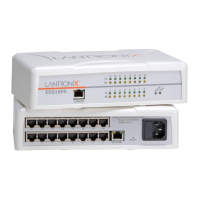
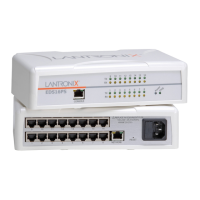
The Lantronix EDS8/16PS is a robust and versatile device designed to bridge the gap between serial devices and modern Ethernet networks. Its primary function is to enable serial devices to connect and communicate over an Ethernet network, transforming traditional serial communication into a network-enabled solution. This capability is crucial for integrating legacy equipment into contemporary IT infrastructures, allowing for remote access, management, and data exchange with serial devices from anywhere on the network.
The device serves as a serial-to-Ethernet converter, providing multiple serial ports that can be configured to interact with various serial devices. By connecting these devices to the EDS8/16PS, they become accessible as network resources, eliminating the need for direct physical connections to a host computer. This significantly enhances flexibility and scalability in industrial automation, data acquisition, point-of-sale systems, and other applications where serial communication is prevalent.
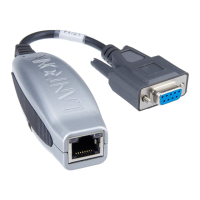
One of the key usage features of the EDS8/16PS is its straightforward hardware installation process. Users can quickly connect their serial devices to the unit's serial ports, an Ethernet cable to the RJ45 port for network connectivity, and then supply power to the unit. The device is designed for ease of setup, making it accessible even for users who may not have extensive networking expertise. The inclusion of a power cord and an RJ45-DB9F Null Modem Cable in the box further simplifies the initial setup, providing essential accessories for immediate deployment.
The EDS8/16PS supports various methods for IP addressing, offering flexibility to suit different network environments. It can automatically obtain an IP address via DHCP (Dynamic Host Configuration Protocol) if a DHCP server is available on the network. This feature simplifies network integration, as the device can be assigned an IP address without manual intervention. For environments requiring static IP assignments, the device also supports fixed IP addressing, allowing administrators to manually configure a unique IP address, subnet mask, and gateway. This ensures predictable network behavior and simplifies network management in controlled environments.
Configuration of the EDS8/16PS is facilitated through multiple interfaces, catering to different user preferences and technical requirements. The DeviceInstaller utility, provided on a CD-ROM, is a graphical user interface (GUI) tool that simplifies the process of discovering the device on the network and performing initial setup. This utility is particularly useful for identifying the device's IP address, especially when DHCP is used. The DeviceInstaller guides users through the installation process, making it easy to get the device up and running.
Beyond initial setup, the EDS8/16PS offers comprehensive configuration options through its Web Manager, a web-based interface accessible via a standard web browser. By entering the device's IP address into a browser, users can access a rich set of settings to customize the device's behavior. The Web Manager provides a user-friendly environment to configure network settings, serial port parameters, and other advanced features. This web-based approach allows for remote configuration and management, eliminating the need for direct physical access to the device once it's deployed on the network. The default login credentials (username "admin" and a password based on the Device ID or "PASS" for older devices) ensure secure initial access.
For users who prefer a command-line interface (CLI) or require more granular control, the EDS8/16PS also supports configuration via Telnet. The DeviceInstaller utility includes a Telnet Configuration tab, or users can connect using a standard Telnet client. This option is valuable for advanced users and system administrators who need to script configurations or perform detailed troubleshooting.
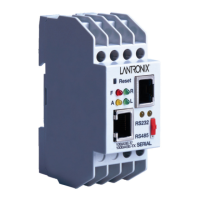
The device provides clear visual feedback through its LED indicators, which are a crucial maintenance feature. These LEDs offer immediate status information, allowing users to quickly ascertain the operational state of the device and its serial and network connections.
These LED indicators are invaluable for quick diagnostics and monitoring, allowing users to identify potential issues with power, serial communication, or network connectivity without needing to access the configuration interface.
Maintenance and support for the EDS8/16PS are well-documented. The product includes a User Guide and Command Reference, which provide detailed instructions on configuration and advanced usage. Lantronix also offers online knowledge base support and technical assistance via phone, ensuring that users have access to resources for troubleshooting and operational guidance. This comprehensive support infrastructure helps users maximize the device's potential and resolve any issues efficiently.
In summary, the Lantronix EDS8/16PS is a sophisticated yet user-friendly serial-to-Ethernet device that facilitates the integration of serial equipment into modern network environments. Its design emphasizes ease of use, flexible IP addressing, multiple configuration interfaces (GUI, web, CLI), and clear visual diagnostics, making it a reliable solution for extending the reach and capabilities of serial devices across an Ethernet network.
 General
| Number of Ports | 8 |
|---|---|
| Network Interface | 10/100 Mbps Ethernet |
| Serial Interface | RS-232/422/485 |
| Product Type | Device Server |
| Protocols | TCP/IP, UDP, DHCP, DNS, HTTP, HTTPS, SSH, Telnet, SNMP, SMTP |
| Data Rate | 230 Kbps |
| Connector Type | RJ45 (Ethernet), DB9 (Serial) |
| Operating Temperature | 0°C to 50°C |
| Storage Temperature | -40°C to 85°C |
| Humidity | 5% to 95% non-condensing |
| Certifications | CE, FCC, UL |

 To Next Page